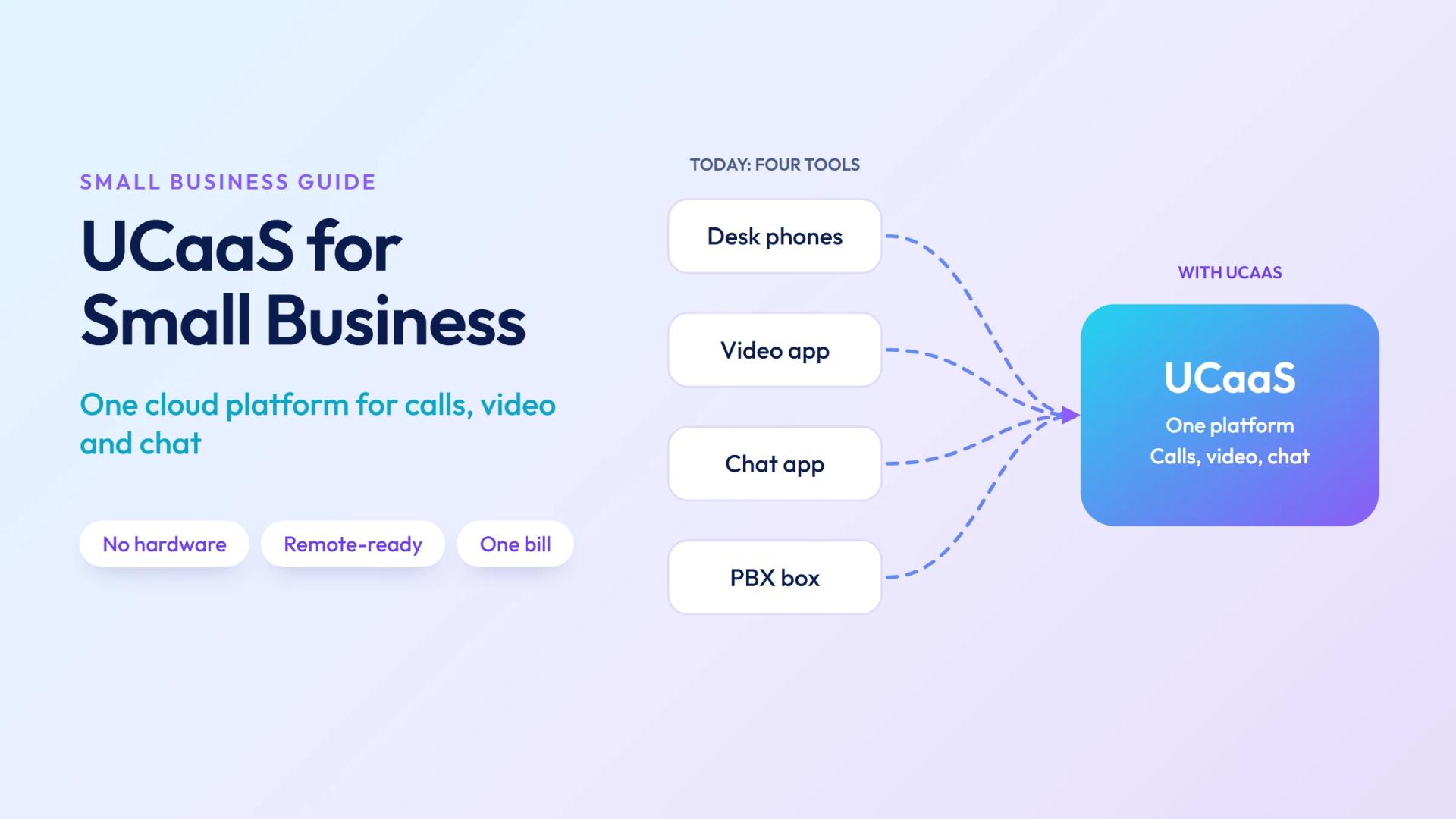
If you're a small business still running desk phones, a physical PBX box, or multiple separate apps for calls, video, and messaging — you're paying too much and doing too much work. UCaaS for small business collapses all of that into one cloud platform, with one bill, that works for remote and in-office teams alike.
This guide covers what UCaaS is, what you actually get, what it costs, and how to pick the right provider for a small team.
What Is UCaaS and Why Does It Matter for Small Business?
UCaaS — Unified Communications as a Service — is a cloud platform that combines your business phone system, video conferencing, team messaging, and collaboration tools into a single subscription. No hardware. No IT team. No separate apps for each channel.
For a small business, this matters because:
- You get a professional phone system (extensions, hold music, call routing) without the $5,000–$30,000 PBX hardware cost
- Your team can work from anywhere — the office, home, or a coffee shop — using the same business number
- Video meetings, internal chat, and file sharing are already included rather than bolted-on tools with separate invoices
- You add new employees with a few clicks, not a technician visit
To understand the full scope, see our primer on what UCaaS is and how it works.
Signs Your Small Business Needs UCaaS Now
You probably need UCaaS if any of these sound familiar:
- Customers can't reach you because calls go to a personal cell or get missed entirely
- Your team uses WhatsApp, iMessage, or personal email to communicate internally
- You're paying separately for Zoom, a business phone line, and a messaging app
- A new hire takes days to get set up with a desk phone extension
- You have no idea how many calls you're missing or how long customers wait on hold
- At least one team member works remotely or travels regularly
Even a 3-person business benefits from UCaaS — a professional appearance on the phone and the ability to route calls and take voicemail properly is not just an enterprise problem.
What UCaaS Includes (and What It Replaces)
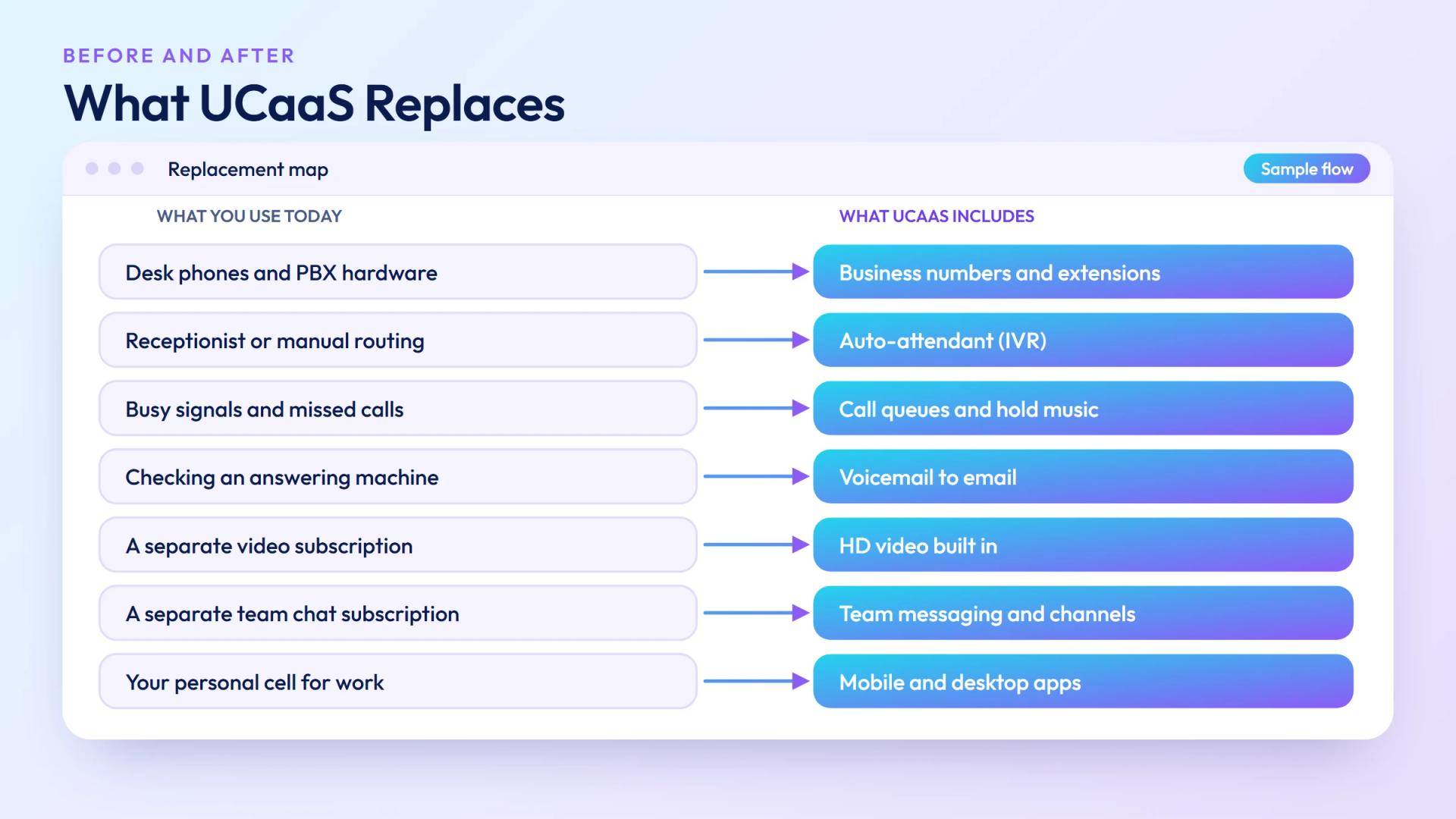
| UCaaS Includes | Replaces |
|---|---|
| Business phone numbers with extensions | Desk phones + PBX hardware |
| Auto-attendant / IVR ("Press 1 for sales…") | Receptionist or manual call routing |
| Call queues and hold music | Busy signals and missed calls |
| Voicemail to email transcription | Checking an answering machine |
| HD video conferencing | Zoom / Google Meet subscription |
| Team messaging and channels | Slack / Teams subscription |
| Mobile + desktop apps | Your personal cell number for work |
| Call recording and analytics | No visibility into call performance |
| CRM integration | Manual logging of calls |
Ready when you are
Protect your business line.
MCM's local numbers ship with verified caller ID and smart call filtering — customers always know it's really you, and spam never reaches your team.
UCaaS vs Traditional PBX for Small Business
The comparison isn't even close for most small businesses:
| Factor | Traditional PBX | UCaaS |
|---|---|---|
| Setup cost | $5,000 – $30,000+ | $0 |
| Monthly cost | Maintenance + landlines | $15–$35/user |
| Setup time | Days to weeks | Hours |
| Remote work | Requires VPN or hardware | Native — works anywhere |
| Add a new user | Technician visit + hardware | Admin panel, 2 minutes |
| Video & messaging | Not included | Included |
| Maintenance | Requires IT or vendor | None — provider handles it |
| Scalability | Limited by hardware ports | Unlimited |
The only scenario where a PBX still wins is a large enterprise with very specific on-premises security requirements. For a small business, UCaaS is unambiguously the better choice.
Key Features Small Businesses Actually Use
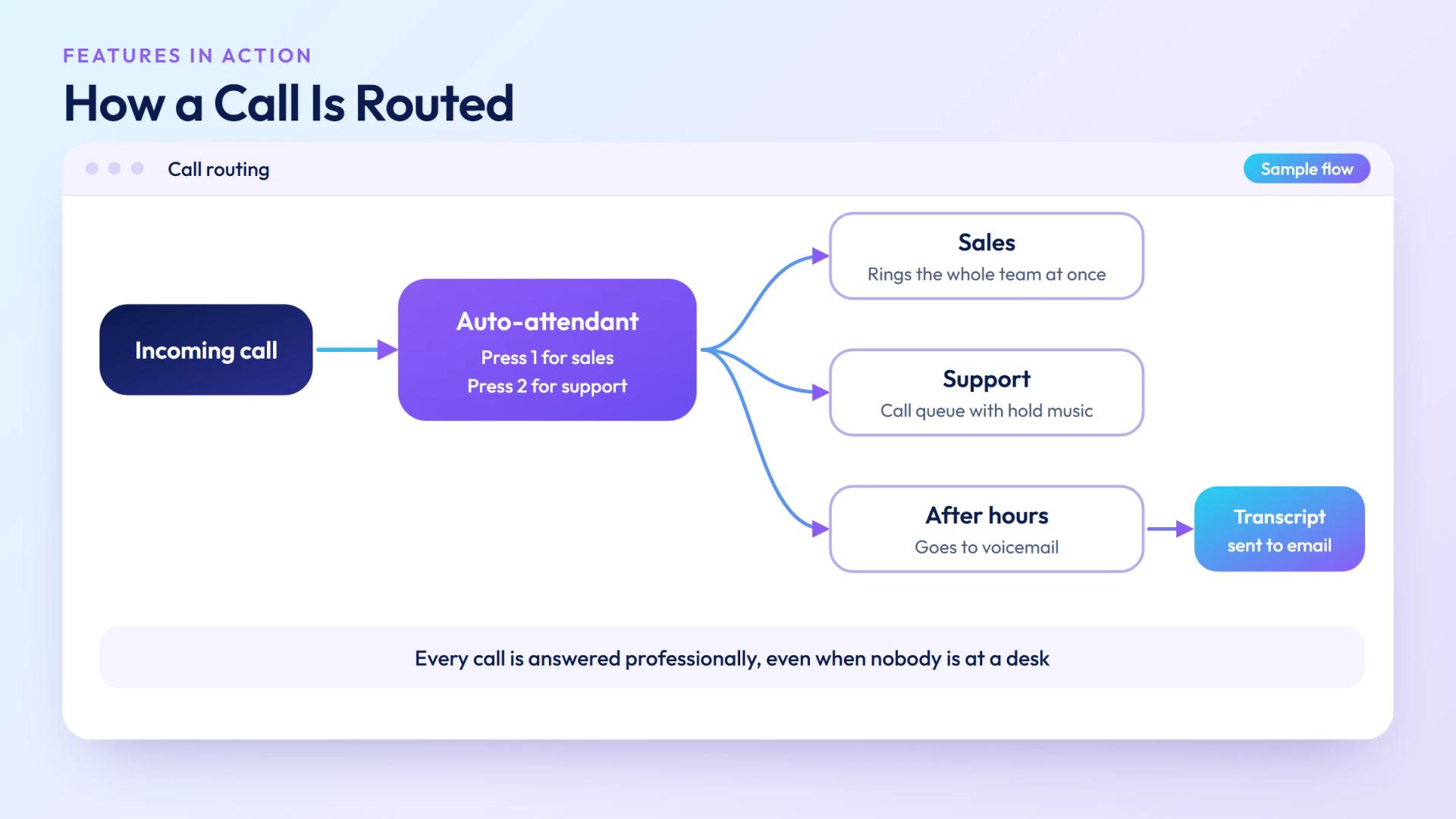
Not every UCaaS feature gets daily use at a small company. Here are the ones that matter most:
1. Auto-Attendant
Your business answers professionally 24/7 — "Thank you for calling Acme. Press 1 for sales, 2 for support." This alone makes a small business look like a much larger operation.
2. Business Phone Numbers
Get a local number in any area code, a toll-free 800 number, or both. Your team uses the business number on their personal phone — without giving out their personal number.
3. Call Routing Rules
Send calls to the right person automatically. After-hours calls go to voicemail or an on-call number. Sales calls ring the whole sales team simultaneously.
4. Voicemail Transcription
Voicemails arrive in your email as text. No more calling in to check messages — you read them in seconds.
5. Mobile and Desktop Apps
Every team member gets a softphone app. They make and receive business calls from their laptop or iPhone, with the company number showing — not their cell.
6. Video Meetings
HD video conferencing built in. No separate Zoom subscription needed.
7. Analytics
See exactly how many calls you receive, how many get missed, average hold times, and which team member handles the most volume. Useful even for a 5-person team.
How Much Does UCaaS Cost for a Small Business?
UCaaS pricing is per user per month. Here's a realistic breakdown:
| Plan Tier | Cost / User / Month | What's Included |
|---|---|---|
| Starter | $15 – $22 | Calls, voicemail, mobile app, basic IVR |
| Standard | $25 – $35 | + Video conferencing, team messaging, analytics |
| Advanced | $40 – $65 | + Call queues, CRM integration, call recording, reporting |
A 10-person small business on a standard plan pays roughly $250–$350/month total — including everything that would otherwise require separate subscriptions for Zoom, Slack, a business phone line, and a PBX lease.
International calling rates vary by provider. If your small business calls other countries frequently, compare per-minute rates or look for providers with unlimited international calling bundles — that's where the real cost difference adds up.
How to Choose a UCaaS Provider
Five criteria that matter most for small businesses:
- Call quality — Your provider should have a Tier-1 carrier network or direct peering agreements. Poor call quality kills trust with customers faster than anything.
- Number availability — Can you get a local number in your city? If you serve international customers, can you get numbers in their country?
- Ease of setup — A small business needs to be up in hours, not weeks. Test the onboarding process before committing.
- Mobile app quality — Your team will live in the app. It needs to work reliably on iOS and Android.
- Support — 24/7 live support matters. When calls stop working, you can't wait for an email response.
For a deeper look at what separates UCaaS from contact-center-focused platforms, see our comparison of UCaaS vs CCaaS.
Getting Started: What to Expect
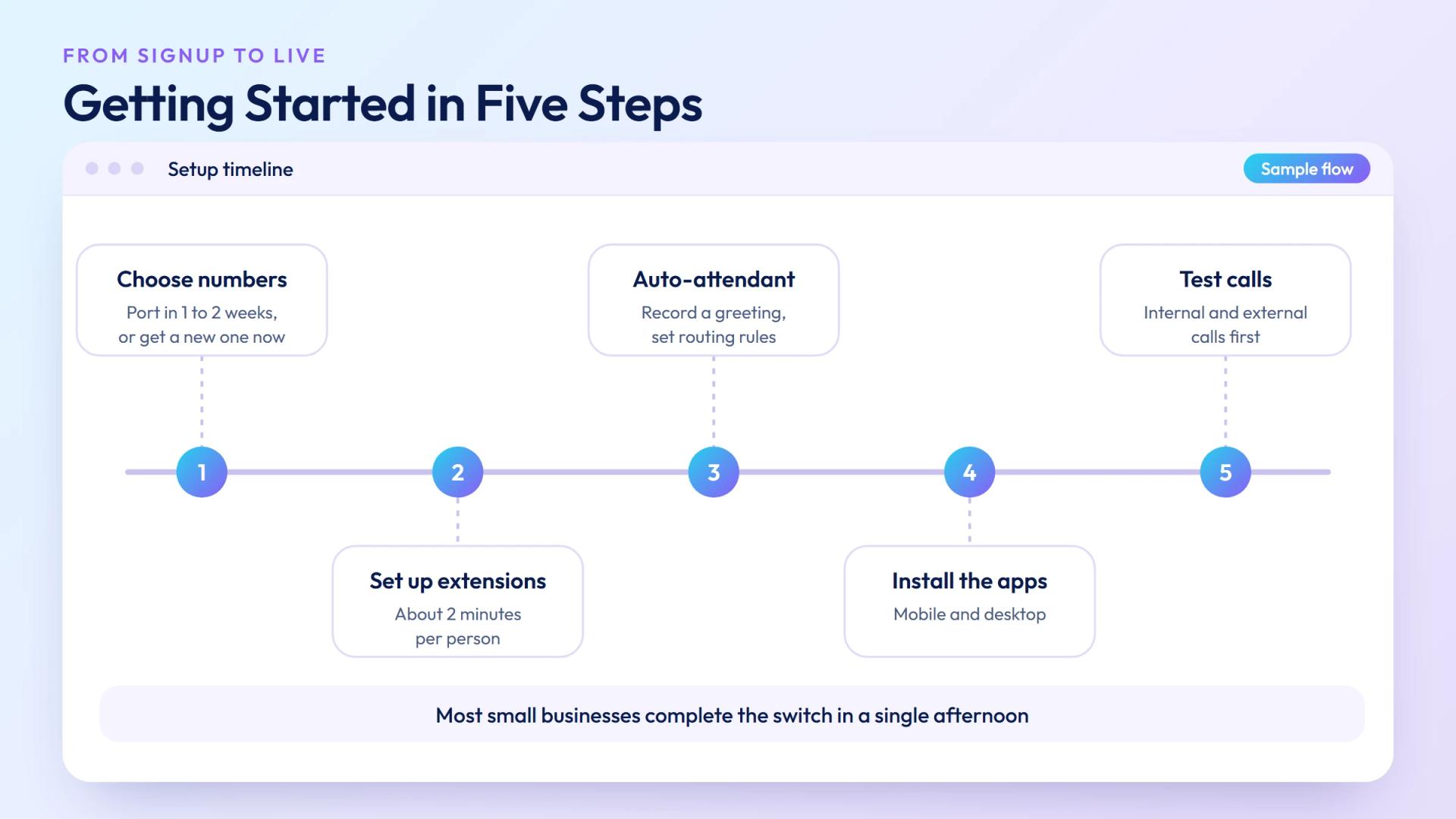
Switching to UCaaS is straightforward for most small businesses:
- Choose your numbers: Port your existing business number (takes 1–2 weeks) or get a new one instantly.
- Set up extensions: Create a user and extension for each team member. Takes about 2 minutes each.
- Configure your auto-attendant: Record a greeting and set your call routing rules.
- Install apps: Team members download the mobile and/or desktop app and log in.
- Test calls: Make internal and external test calls before fully switching over.
Most small businesses complete the full switch in a single afternoon. The backbone of UCaaS — the technology that carries the calls — runs on SIP trunking, which is what makes it possible to run a professional phone system through any internet connection.
Carrier-grade UCaaS built for teams of 2 to 2,000
Get a local business number, extensions, video, and team messaging in one platform. No hardware, no contracts, no IT team required. Talk to sales →
Ready when you are
Ready to sound local everywhere you sell?
MCM activates business numbers in minutes, with call routing, analytics, and CRM-ready integrations. Start your trial — no card to browse inventory.
Frequently asked questions
What is UCaaS for small business?
UCaaS is a cloud platform that combines your business phone system, video conferencing, and team messaging in one subscription. For small businesses, it replaces desk phones and PBX hardware with zero upfront cost and works for remote and hybrid teams out of the box.
How much does UCaaS cost for a small business?
Typically $15–$35 per user per month for standard plans. A 10-person team pays $150–$350/month total — which usually costs less than their current separate subscriptions for Zoom, Slack, and a business phone line combined.
Is UCaaS better than a traditional phone system for small business?
Yes, for almost every small business. No hardware cost, works remotely, scales instantly, and includes video and messaging. Traditional PBX requires a large upfront investment, ongoing maintenance, and doesn't support remote work natively.
Can a very small business (3–5 people) use UCaaS?
Absolutely. Most providers have no minimum user count. A 5-person team gets business phone numbers, extensions, voicemail-to-email, video calls, and team chat for a few hundred dollars a month total — far less than a traditional PBX.
What's the difference between UCaaS and VoIP for small business?
VoIP is the underlying technology (sending voice over the internet). UCaaS is the full platform built on top of VoIP — it adds video conferencing, team messaging, analytics, and CRM integrations. VoIP is the engine; UCaaS is the whole vehicle.
Does UCaaS work for remote teams?
Yes — it's built for remote and hybrid teams. Each employee gets a business number on their phone or laptop. Internal calls between teammates are free. The company always presents one professional main number to customers, wherever the team is located.