Introduction
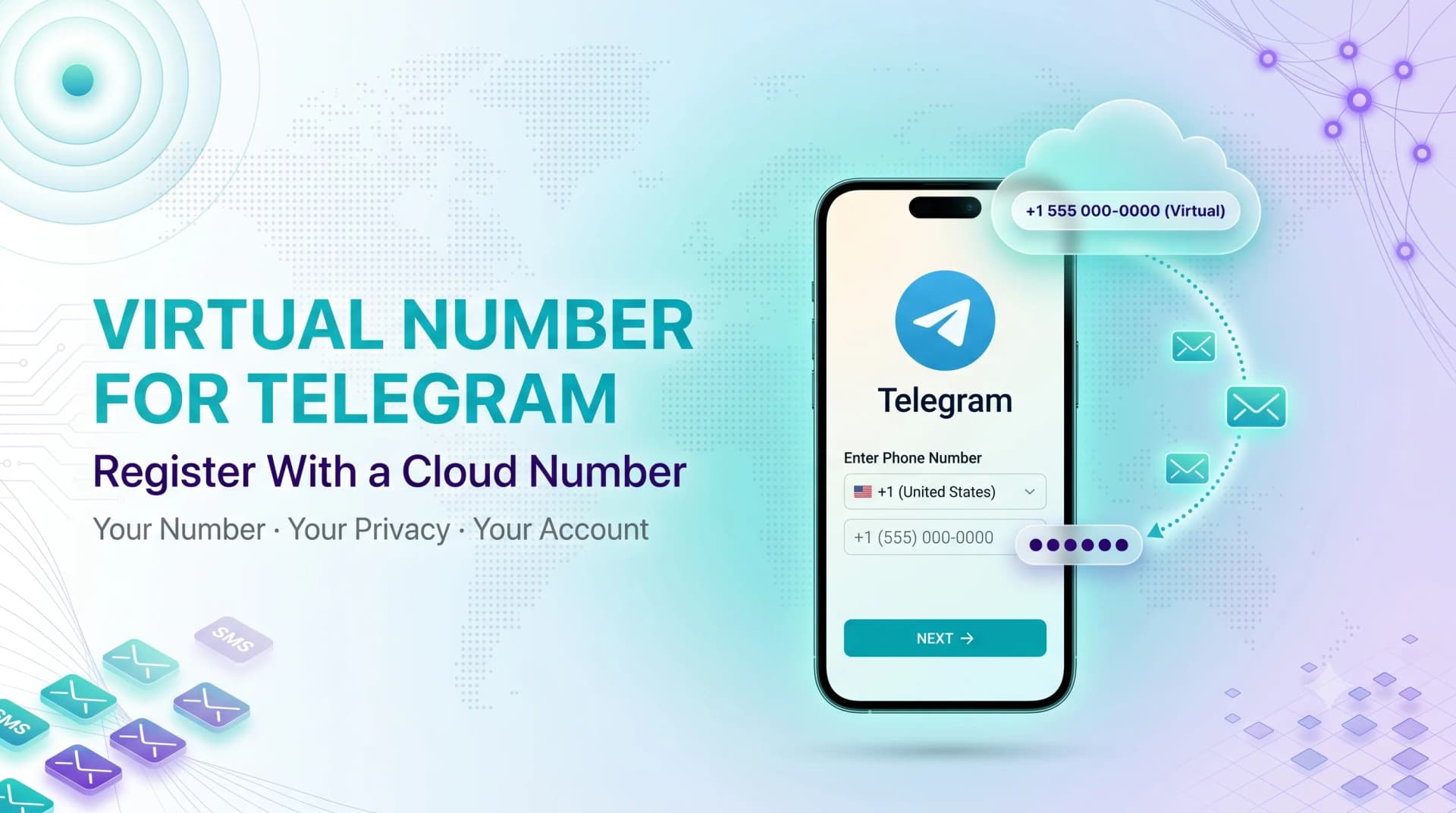
Telegram won't let you create an account without a phone number — it sends a one-time code that you have to type back in. But that number doesn't have to be your personal SIM.
A virtual number gives you a real, code-receiving phone number that lives in the cloud. People use one to keep their main number private, run a separate work account, or sign up from a country where they don't have local service.
This is a practical how-to, not a sales pitch. Around 7 minutes, and by the end you'll have a verified account.
HOW TELEGRAM VERIFICATION ACTUALLY WORKS
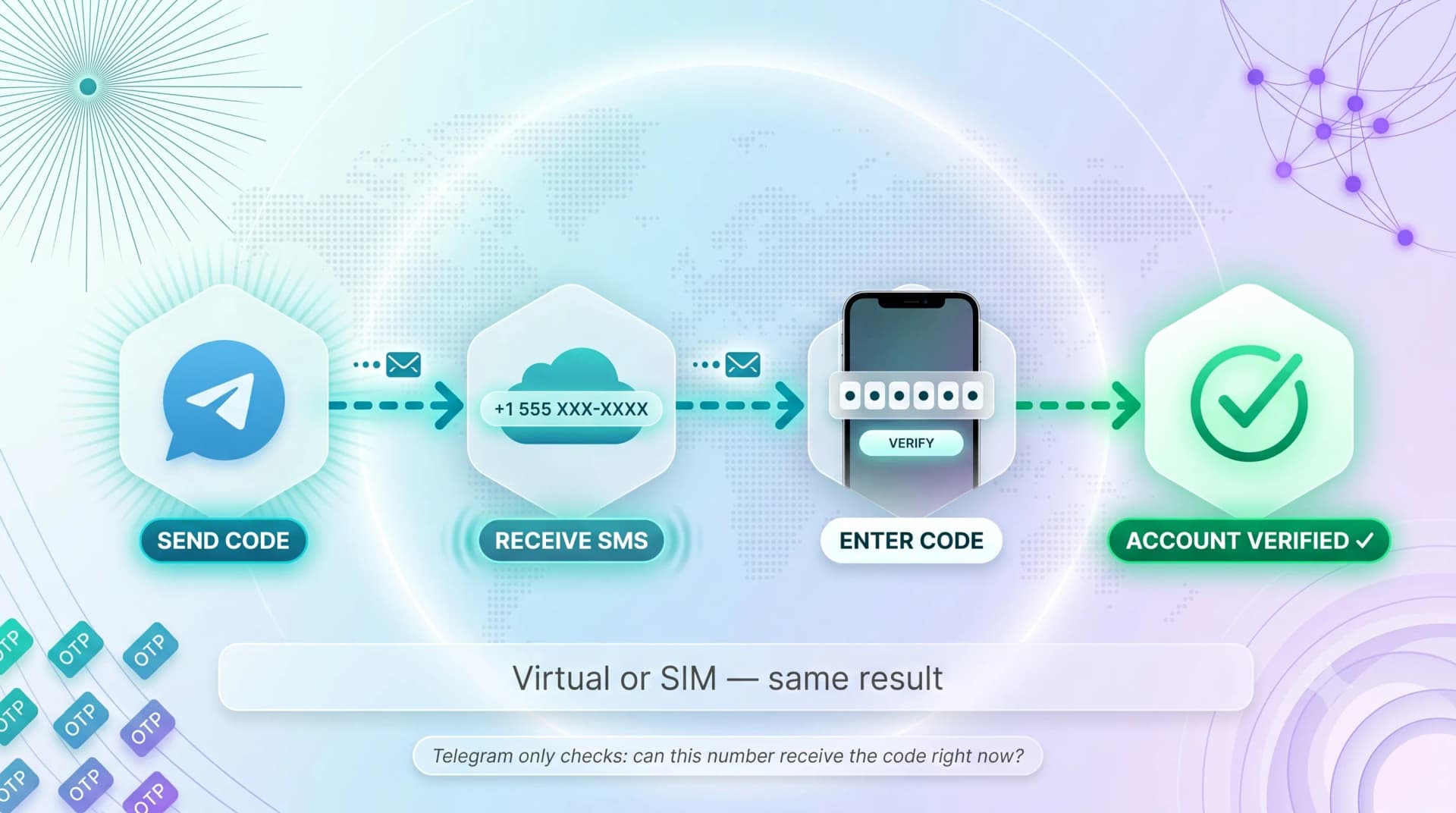
Before the steps, understand what Telegram is checking. It's simpler than most people assume.
When you sign up, Telegram texts a numeric code to the number you entered. Type that code back in and the account is yours.
What Telegram Needs From the Number
Telegram only cares about one thing: can this number receive the verification SMS or call right now? It does not check whether the number is a SIM card.
That's the whole reason a virtual number for Telegram works — a cloud number receives the code exactly like a physical SIM would.
Why People Skip Their Personal SIM
A few common reasons drive this choice:
- Privacy — your real number isn't exposed to groups, bots, or strangers
- A second account — keep work and personal Telegram fully separate
- Travel or relocation — sign up with a number in the country you need
STEP 1: PICK THE RIGHT TYPE OF NUMBER
Not every "free number" works for Telegram. Choosing wrong is the #1 reason verification fails — so start here.
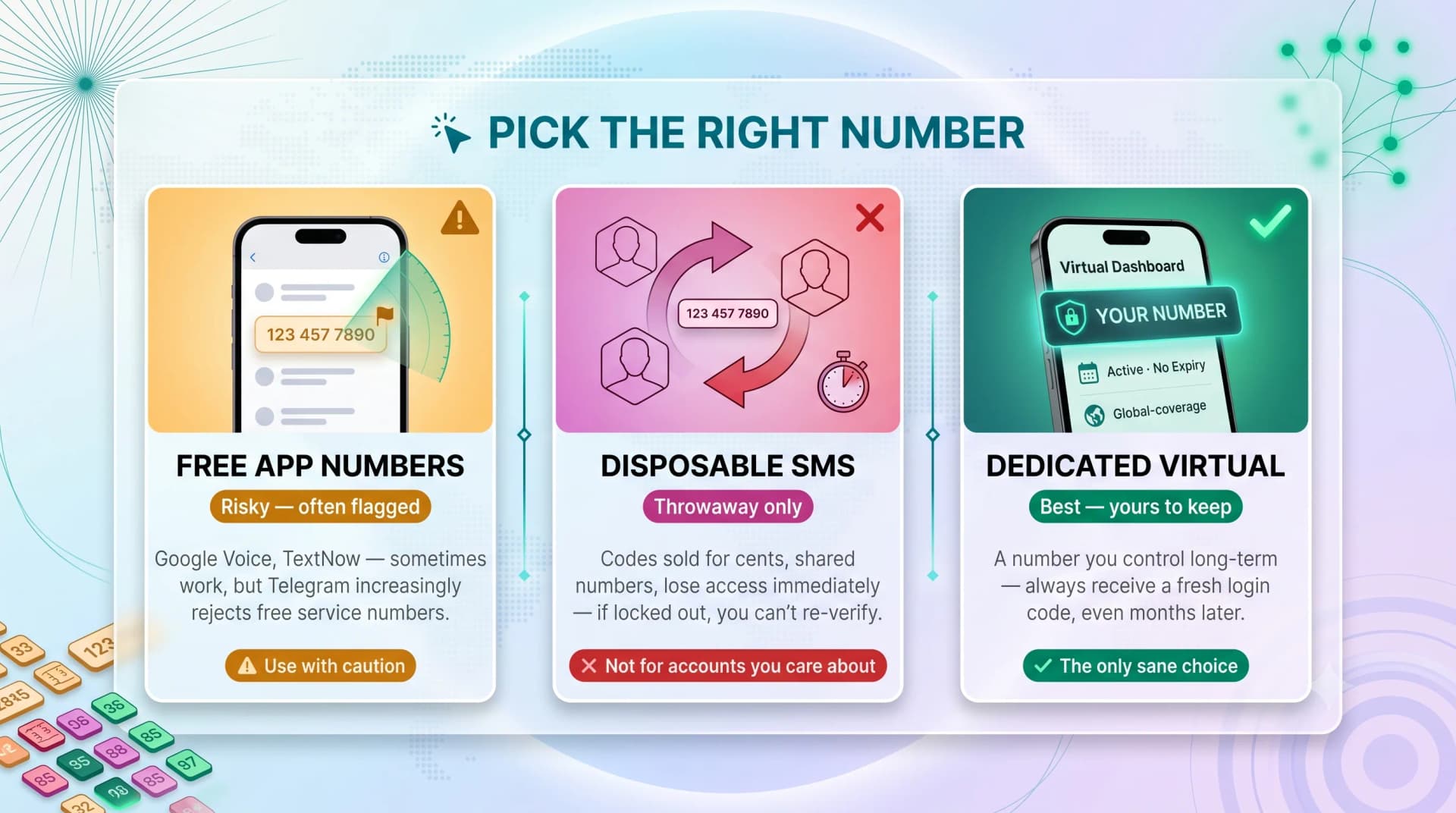
There are three broad options, and they are not equal.
Free App Numbers (Google Voice, TextNow)
These give you a free US number over the internet. They sometimes work for Telegram, but Telegram increasingly flags numbers from free services.
Fine for a low-stakes test. Risky if you need the account to stick.
Disposable SMS Sites
Single-use codes sold for cents apiece. They're cheap, but the number is shared, recycled fast, and you lose access almost immediately.
The danger: if you ever get logged out, you can't re-verify. Treat these as throwaway only.
Dedicated Virtual Numbers
A number you actually keep — your own line on a VoIP platform. You control it long-term and can always receive a fresh login code.
For any account you care about, this is the only sane choice. A throwaway number means a throwaway account.
Need a number that's genuinely yours, not a recycled one? MCM's virtual phone numbers come from 190+ countries and stay on your account. Free trial, no card needed.
Ready when you are
Protect your business line.
MCM's local numbers ship with verified caller ID and smart call filtering — customers always know it's really you, and spam never reaches your team.
STEP 2: GET AND ACTIVATE YOUR NUMBER
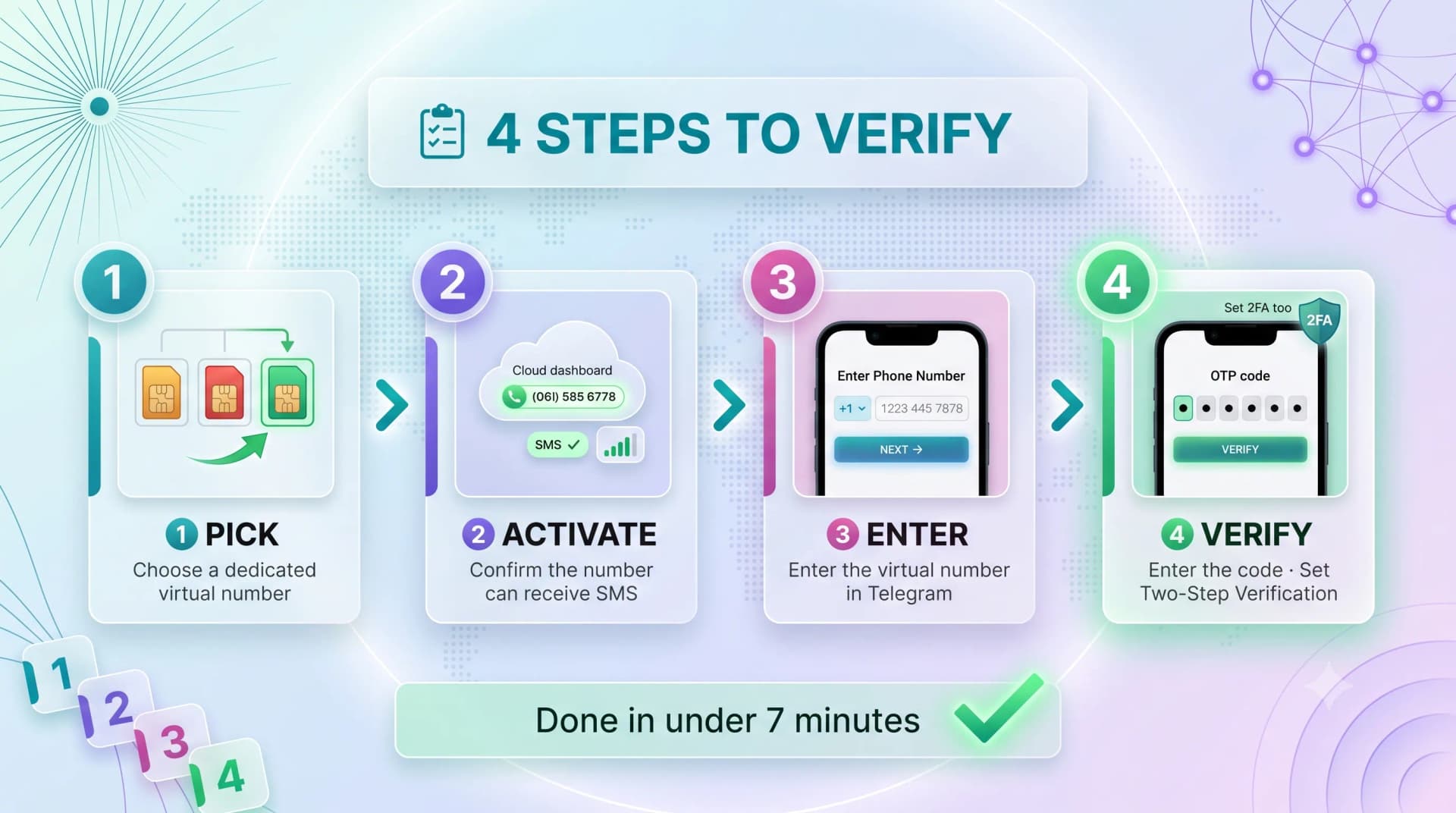
Once you've chosen a dedicated number, set-up is quick. The exact screens differ by provider, but the flow is the same.
You're aiming for a number that's active and able to receive SMS before you ever open Telegram.
What to Confirm Before You Continue
Run this quick check so you don't get stuck mid-verification:
- The number can receive inbound SMS (some virtual numbers are call-only)
- The country you picked is supported by Telegram
- You can see incoming messages in the provider's dashboard or app
Tested those three? You're ready to register.
STEP 3: ENTER THE NUMBER IN TELEGRAM
Now open Telegram itself. This part takes under a minute.
Install Telegram on your phone or desktop, then tap Start Messaging and Sign Up.
Typing It In Correctly
Select the correct country code, then enter the virtual number exactly as your provider shows it. A wrong country code is a frequent, avoidable error.
Double-check the digits and tap next. Telegram now sends your verification code.
STEP 4: RETRIEVE THE CODE AND VERIFY
The code won't land on your physical phone — it goes to your virtual number. So look in the right place.
Open your provider's dashboard, app, or message inbox and watch for the incoming Telegram SMS. It usually arrives within seconds.
Finishing Up
Type the code into Telegram. If it matches, your account is created instantly.
Add a name and photo, and — strongly recommended — set a Two-Step Verification password under Privacy and Security. That password protects the account even if number access ever changes.
Setting up a second Telegram account for a team or business line? A dedicated virtual number keeps it cleanly separate from personal chats. Start an MCM trial — live in about 5 minutes.
COMMON MISTAKES THAT GET NUMBERS REJECTED
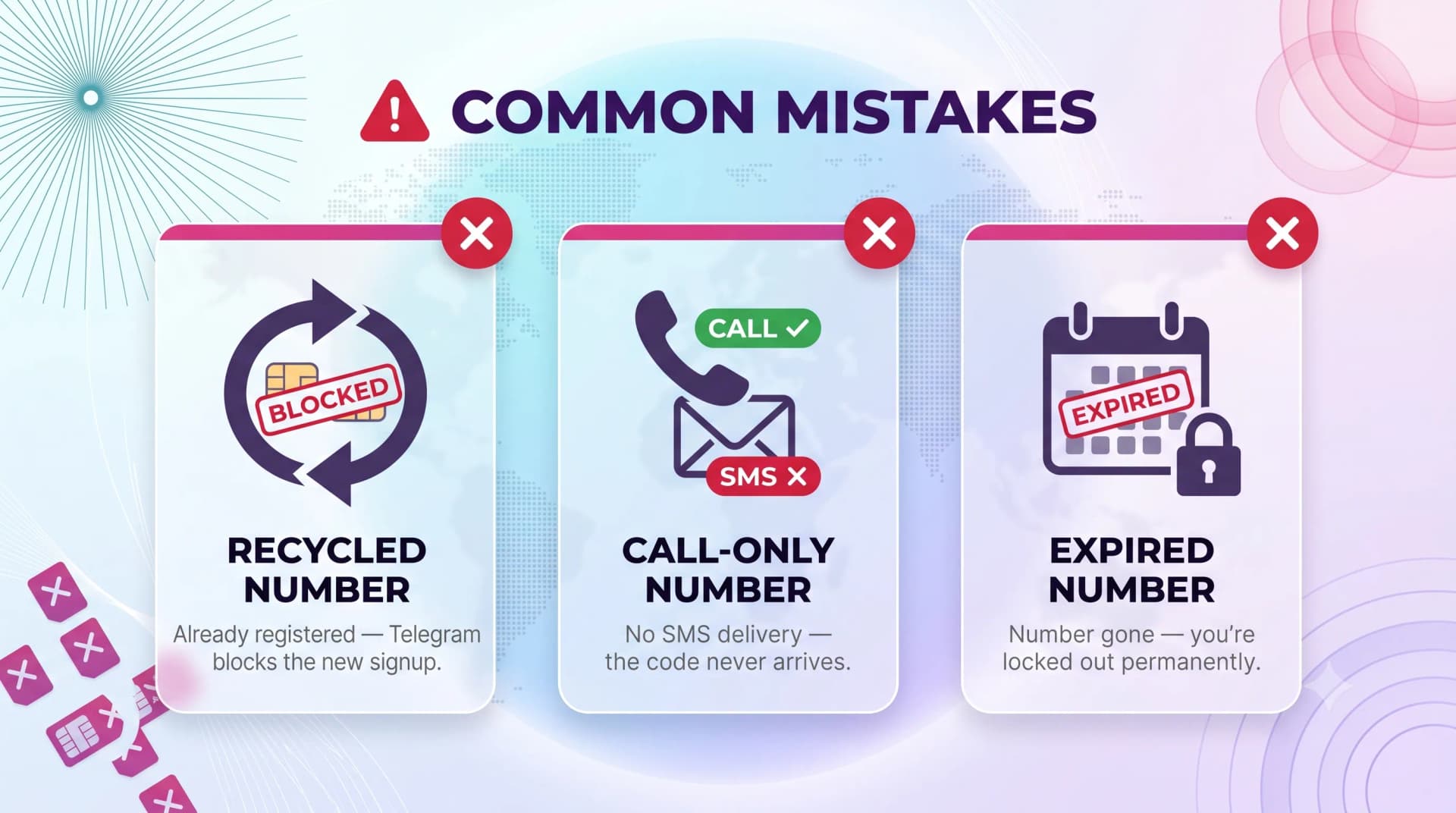
Most failed verifications trace back to a handful of avoidable errors. Knowing them upfront saves real frustration.
Using a Recycled Disposable Number
If a previous owner already registered Telegram on that exact number, Telegram may block a new sign-up. Fresh, dedicated numbers avoid this.
Picking a Call-Only Number
Some virtual numbers handle voice but not SMS. Telegram's code is an SMS first — confirm texting works before you start.
Losing Access to the Number
If your number expires and you get logged out, you can't receive a new code. Keep the number active, and set a Two-Step password as a backup.
Ready when you are
Ready to sound local everywhere you sell?
MCM activates business numbers in minutes, with call routing, analytics, and CRM-ready integrations. Start your trial — no card to browse inventory.
FAQs
Does a virtual number really work for Telegram?
Yes. Telegram only needs a number that can receive its verification code. A virtual number receives that SMS just like a physical SIM, so the account verifies normally.
Is using a virtual number for Telegram allowed?
Using a legitimately obtained virtual number to register your own account is fine and widely done for privacy. What Telegram acts against is spam and abuse — not the type of number itself.
Why didn't I receive my Telegram verification code?
Usually the number is call-only, the country isn't supported, or it's a recycled number already tied to Telegram. Confirm the number can receive SMS and try a fresh, dedicated number.
Can I use one virtual number for two Telegram accounts?
No. Each Telegram account needs its own unique number. To run a second account, get a second virtual number.
Will Telegram ban my account if I use a virtual number?
Not for the number itself. Bans come from spamming, mass messaging, or reported abuse. A normally used account on a virtual number is safe.
What happens if my virtual number expires?
If you're logged out and the number is gone, you can't re-verify. Keep the number active on your account and always set a Two-Step Verification password as a recovery layer.
Can I move my Telegram account to a new number later?
Yes. In Telegram's settings you can change the account's phone number — useful if you switch virtual numbers down the line.
WRAPPING UP
Registering Telegram with a virtual number isn't complicated — it's four steps: pick a real number, activate it, enter it, and grab the code. The mistakes people make are almost always about choosing a weak number, not the process.
Use a dedicated number you control, turn on Two-Step Verification, and the account is yours for good. Skip the recycled throwaways.
Ready to get a number that's actually yours? Try MCM free — virtual numbers across 190+ countries, no contracts, set up in minutes.