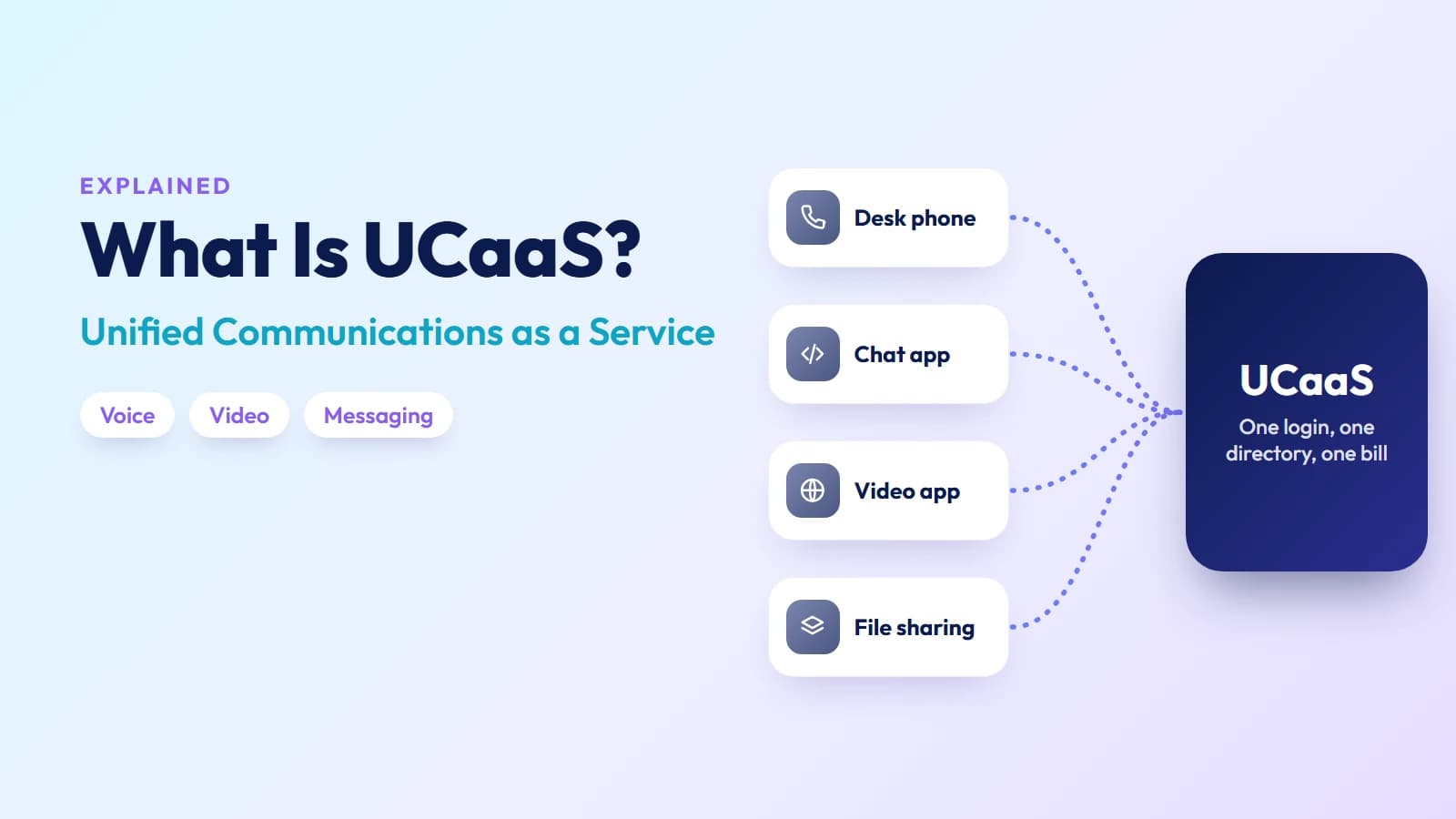
Most businesses run on five or six separate tools for communication: a desk phone system, a video conferencing app, a team chat platform, an email client, a file-sharing service, and sometimes a separate mobile number. Each tool has its own login, its own contact list, and its own billing cycle. When someone leaves a meeting and needs to follow up by phone, they switch apps. When a remote employee needs to transfer a call, they often can't.
UCaaS — Unified Communications as a Service — was built to fix this fragmentation. It delivers voice, video, messaging, and collaboration in a single cloud-hosted platform, billed per user per month, with no on-site hardware to manage. This guide explains how it works, what sets it apart from VoIP and CCaaS, which deployment model fits your situation, and what to look for in a provider.
What UCaaS actually is
UCaaS is a cloud-delivered platform that consolidates the core tools of business communication — phone calls, video meetings, team messaging, presence, and file sharing — into one application with a shared contact directory and a single login.
The "unified" part is what matters commercially. It is not simply that the tools exist in one interface; it is that they share identity and context. When you escalate a chat conversation to a video call, your presence status updates automatically. When you transfer a call, the recipient sees the same caller context. When your mobile rings, it rings with your business number and your contact list — not a consumer app.
The "as a service" part defines the commercial model. The platform runs on the provider's infrastructure, in data centers the provider operates. You pay a per-user monthly fee. The provider handles hardware, software updates, security patches, redundancy, and compliance. You add or remove users through an admin portal, not a hardware order.
How UCaaS works technically
The foundation of every UCaaS platform is cloud VoIP: calls travel over the internet using the SIP protocol rather than traditional phone lines. The provider operates a network of media servers, SBCs (Session Border Controllers), and carrier interconnects that route calls to and from the public telephone network.
On top of that voice layer, the platform adds:
- Video conferencing — Real-time video and screen sharing, typically via WebRTC in a browser or a native client app.
- Team messaging — Persistent channels, direct messages, thread replies, and file attachments stored in the cloud.
- Presence — Real-time availability status synchronized across devices and updated automatically based on calendar, active call, or meeting status.
- Voicemail and recordings — Stored in the cloud with transcription, forwarded to email, and searchable.
- Admin controls — A web portal for managing users, roles, call routing rules, call queues, auto-attendants, and reporting.
The quality of the underlying carrier network determines call quality. A UCaaS platform built on a robust global carrier layer — with direct interconnects to destination networks, redundant PoPs, and SLA-backed uptime — delivers noticeably better voice quality than one routing calls through commodity transit.
Single-tenant vs. multi-tenant vs. hybrid deployment
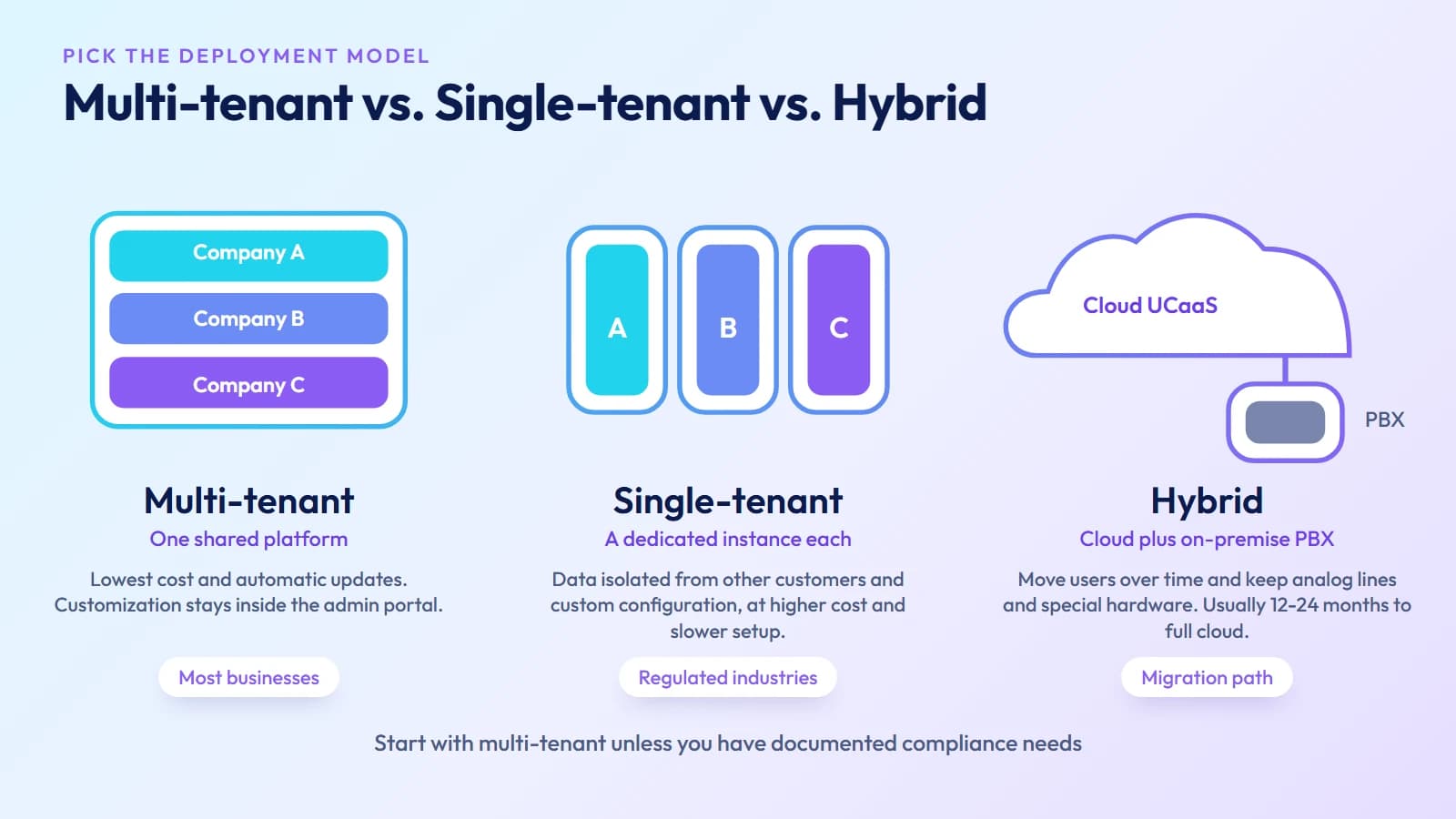
One of the least-discussed but most practically important UCaaS decisions is tenancy model. The three options differ in cost, isolation, and flexibility:
Multi-tenant — Your organization shares platform infrastructure with other customers. Updates, patches, and feature releases happen automatically and apply to everyone simultaneously. Cost is lowest because infrastructure is shared. Customization is limited to what the provider exposes in the admin portal. This is the standard model for most UCaaS deployments and suits the majority of businesses.
Single-tenant — Your instance runs on dedicated infrastructure isolated from other customers. Data does not co-mingle with other organizations. You can typically request custom configurations and feature schedules. Cost is significantly higher and provisioning takes longer. This model is chosen by regulated industries (healthcare, finance, government) with strict data residency or compliance requirements.
Hybrid — A combination of cloud UCaaS for most users with a retained on-premise PBX for specific functions (legacy analog lines, physical conference rooms, specialized hardware). Hybrid is primarily a migration path — a way to move to cloud communications over time rather than in a single cutover. Most organizations in hybrid mode intend to reach full cloud deployment within 12–24 months.
For most businesses evaluating UCaaS for the first time, multi-tenant is the right starting point. Single-tenant warrants serious consideration only if you have documented compliance requirements that multi-tenant cannot satisfy.
Ready when you are
Protect your business line.
MCM's local numbers ship with verified caller ID and smart call filtering — customers always know it's really you, and spam never reaches your team.
Core features of a UCaaS platform
Voice and cloud calling — Business phone numbers, extensions, call forwarding, voicemail-to-email, auto-attendant (IVR), call recording, and call queues. Calls follow users across devices — desktop app, mobile app, or desk phone — using the same business number.
Video meetings and screen sharing — Scheduled and ad-hoc video meetings, screen sharing, whiteboard collaboration, and meeting recordings. AI meeting notes and real-time transcription are increasingly standard on mid and upper-tier plans.
Team messaging and channels — Persistent channels organized by project, team, or topic. Direct messages, file sharing, and integration with document tools (Google Drive, SharePoint). Presence indicators show availability across the platform.
Mobile and desktop apps — A consistent experience across Windows, macOS, iOS, and Android. The business phone number rings on whatever device is active. Call transfers, hold, and park work from the mobile app.
Integrations — API connections to CRM platforms (Salesforce, HubSpot), helpdesk tools (Zendesk, ServiceNow), productivity suites (Microsoft 365, Google Workspace), and identity providers (Okta, Azure AD). CRM screen pops — displaying customer record on incoming call — are available on most platforms.
Admin and reporting — A web-based admin console for provisioning users, managing call routing, setting role-based permissions, running call analytics, and auditing usage. Admin visibility into per-user call logs, login activity, and message patterns is a key reason enterprises move from consumer tools to UCaaS — consumer platforms offer no equivalent governance layer.
UCaaS vs. VoIP vs. CCaaS vs. CPaaS
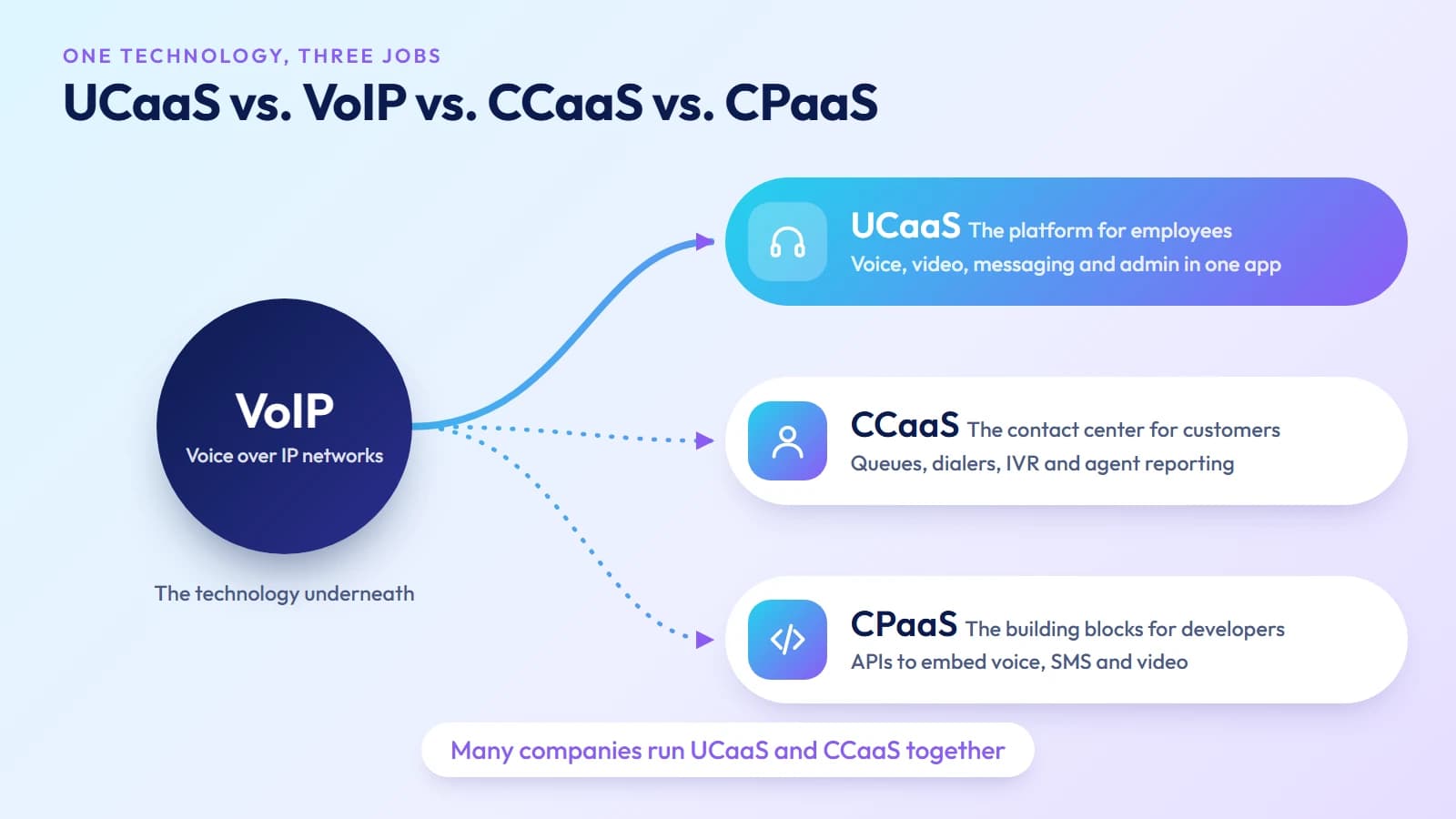
These four terms are often confused because they overlap. Here is how they relate:
| Term | What it is | Who buys it |
|---|---|---|
| VoIP | Technology for carrying voice calls over IP networks | The infrastructure layer beneath everything else |
| UCaaS | Full platform: voice + video + messaging + admin | Businesses wanting employee collaboration in one tool |
| CCaaS | Customer-facing contact center: queues, dialers, IVR, ACD | Contact centers, customer service, outbound sales teams |
| CPaaS | Programmable communications APIs: voice, SMS, video | Developers embedding communications into apps |
VoIP is the technology; UCaaS is a product built on that technology. A business buying UCaaS is not buying raw VoIP — they are buying an end-to-end service that uses VoIP as its call transport. For contact center deployments, see our guide on what is CCaaS.
UCaaS and CCaaS are frequently confused because some providers offer both and bundle features across the categories. The practical distinction: UCaaS serves internal teams; CCaaS serves customer interactions. An employee dialing a colleague uses UCaaS. An agent handling inbound customer calls in a queue with SLA reporting uses CCaaS.
Many organizations need both. A business with 50 employees and a 10-agent customer support team typically runs UCaaS for the full staff and CCaaS tooling for the support agents. The two platforms are often integrated so agents have access to UCaaS messaging and presence alongside their contact center queue.
CPaaS is a development platform — programmable APIs for embedding voice, SMS, or video into custom applications. It is not a replacement for UCaaS; it is what a developer uses to build a custom communication flow inside an existing application.
AI capabilities in UCaaS
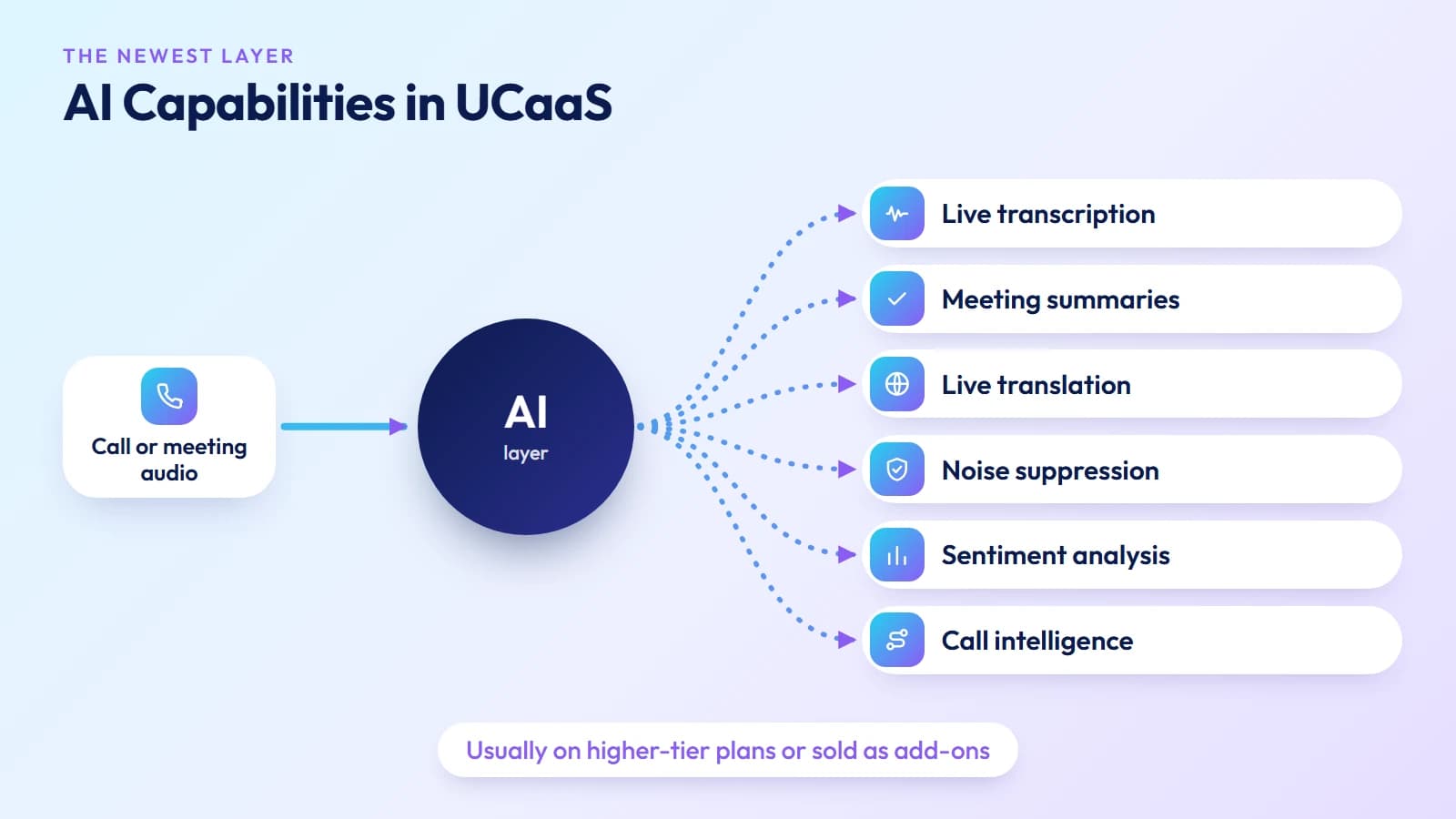
AI is the most significant recent shift in the UCaaS category. What was a feature list in most platforms is increasingly a capability layer:
Real-time transcription — Meeting audio transcribed live, with speaker identification. Transcripts are searchable and stored with recordings.
AI meeting summaries — Automatic post-meeting summaries with action items extracted from the transcript, delivered to participants without manual note-taking.
Sentiment analysis — Real-time or post-call analysis of tone and emotional register, used in management reporting and coaching workflows.
Real-time translation — Live captions translated across languages during video meetings, enabling multilingual teams without a shared working language.
Smart noise suppression — AI-based background noise and echo cancellation that goes beyond traditional DSP, reducing ambient sound from home offices and open plan environments.
Call intelligence — Automatic categorization of call topics, detection of key phrases, and integration with CRM to log call outcomes without manual entry.
These capabilities are generally available on higher-tier UCaaS plans or as add-ons. They are most valuable for customer-facing teams, distributed workforces, and management reporting use cases.
Migrating from a legacy PBX to UCaaS
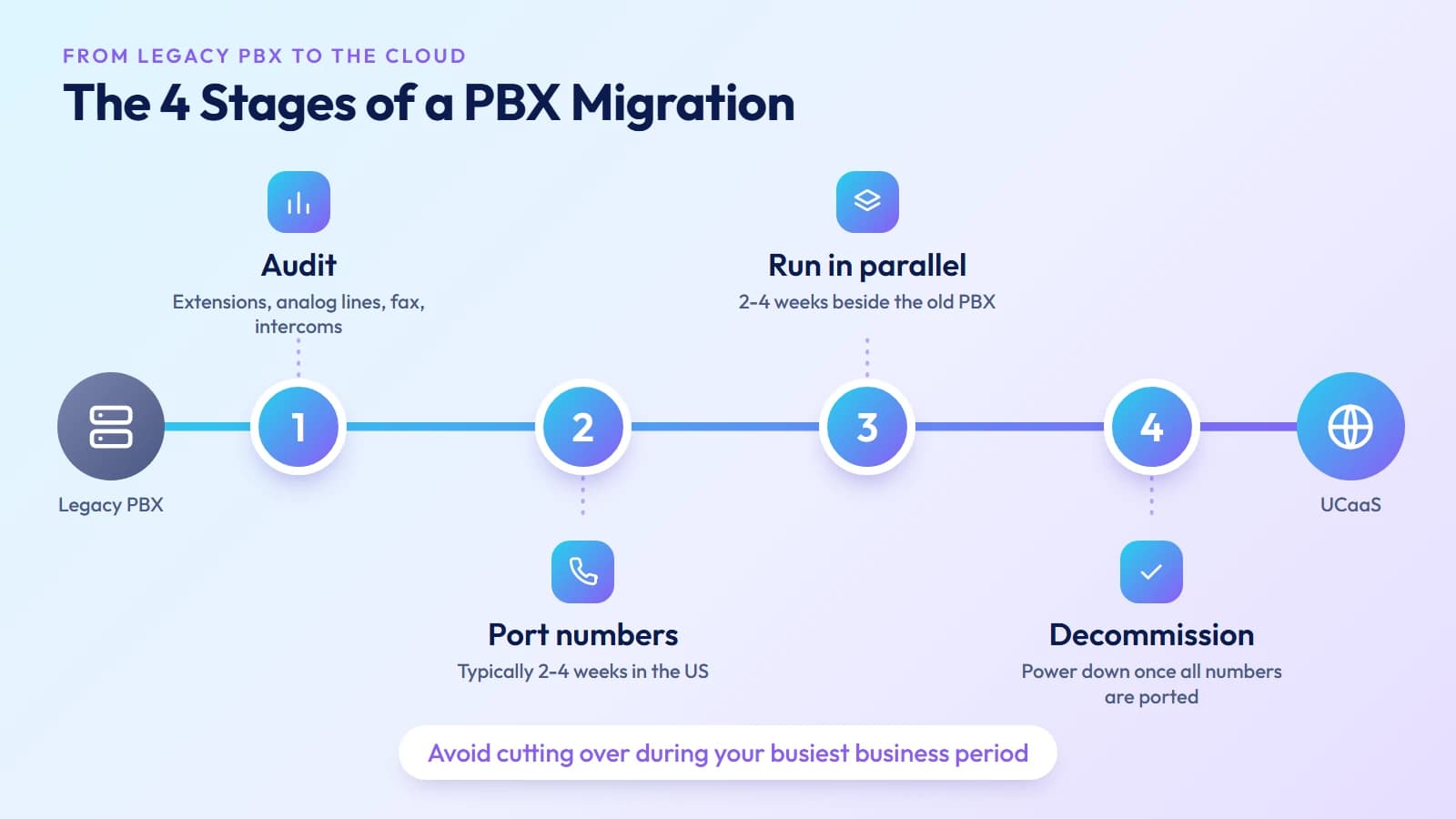
Most businesses evaluating UCaaS are moving from a legacy on-premise PBX — hardware they own, installed and maintained by their IT team or a managed service provider. The migration path has four stages:
Audit — Inventory all current extensions, analog lines, fax numbers, conference room systems, and door-entry intercoms connected to the PBX. Identify which can be replaced by UCaaS and which require specific handling (analog adapters for fax, ATA adapters for physical phones).
Number porting — Business phone numbers can be ported from the existing carrier to the UCaaS provider. Porting typically takes 2–4 weeks for US numbers. Plan the timeline so the cutover does not coincide with high-traffic business periods.
Parallel operation — Run the new UCaaS system alongside the legacy PBX for 2–4 weeks before full cutover. Route a portion of inbound calls to each system, verify quality and feature parity, and train users before decommissioning the hardware.
Decommission — Once all numbers are ported and the UCaaS system is operating cleanly, the legacy PBX is powered down. Ongoing costs (carrier lines, hardware maintenance contracts, IT support) end.
The hybrid deployment model described above is the deliberate version of this process for organizations that cannot do a fast cutover.
Security and compliance
UCaaS security relies on the provider's infrastructure, which means assessing the provider's posture is as important as assessing the platform's features.
Encryption — Voice and video should be encrypted in transit (TLS for signaling, SRTP for media) and at rest for recordings and voicemail. Confirm which codec and encryption standard the provider uses.
Authentication — Multi-factor authentication for admin and user logins is table-stakes for any business platform. SSO integration with your identity provider (Okta, Azure AD, Google) enables centralized access management.
Compliance certifications — Healthcare organizations need HIPAA-compliant providers with a BAA (Business Associate Agreement). Financial services may require SOC 2 Type II, PCI DSS for payment-handling workflows, or FedRAMP for government-adjacent work.
STIR/SHAKEN — For US voice traffic, confirm the provider implements STIR/SHAKEN attestation. A-level attestation means your outbound business calls are signed and are less likely to be flagged as spam by carrier analytics on the receiving end.
Fraud monitoring — Call fraud (particularly IRSF on international routes) can generate large bills before daily limits trigger. Ask prospective providers what real-time fraud monitoring they operate and what automatic blocks are in place.
How to choose a UCaaS provider
Uptime SLA — 99.99% annual uptime (about 53 minutes of downtime per year) is the minimum acceptable for a business phone system. Ask for uptime history, not just the contractual commitment.
Global reach — If your business operates internationally or makes frequent international calls, confirm the provider's carrier footprint and per-destination call quality. A provider with direct carrier interconnects delivers better international call quality than one routing through commodity transit.
Integration depth — The CRM and helpdesk integrations listed on a marketing page are not always equally deep. Request a demo of the specific integration you need — particularly screen pops and automatic call logging — before committing.
Admin control granularity — Test the admin portal. Can you set call routing rules without contacting support? Can you pull per-user call reports without waiting for a monthly export? Admin friction is a real operational cost.
Support quality — Ask specifically about support hours, response time SLAs for P1 incidents (complete outage), and whether your account has a named technical contact. Chatbot-first support for a business phone system is a liability during a call outage.
Trial period — Run a live trial with real users on real calls for 2–4 weeks before full deployment. Controlled demos in ideal network conditions do not reflect the quality your remote employees will experience on variable home broadband connections.
Ready when you are
Ready to sound local everywhere you sell?
MCM activates business numbers in minutes, with call routing, analytics, and CRM-ready integrations. Start your trial — no card to browse inventory.
Frequently asked questions
What does UCaaS stand for?
Unified Communications as a Service — a cloud platform combining voice, video, messaging, and collaboration, billed per user per month.
What is the difference between UCaaS and VoIP?
VoIP is the technology carrying voice calls over an IP network. UCaaS is a complete service built on VoIP that adds video, messaging, admin controls, and integrations. Every UCaaS platform uses VoIP; a standalone VoIP line is not UCaaS.
What is the difference between UCaaS and CCaaS?
UCaaS handles internal employee communication. CCaaS handles external customer-facing contact center operations — inbound queues, outbound dialers, IVR, and agent reporting. Many organizations use both.
What is the difference between single-tenant and multi-tenant UCaaS?
Multi-tenant shares infrastructure across customers — lower cost, automatic updates, less customization. Single-tenant runs on isolated dedicated infrastructure — higher cost, more control, suited for regulated industries with strict compliance requirements.
How much does UCaaS cost?
Typically $15–$45 per user per month depending on provider and tier. AI features, advanced analytics, and compliance tools appear on higher-tier plans.
Is UCaaS secure?
A reputable provider delivers stronger security than aging PBX hardware — end-to-end encryption, MFA, SOC 2 / HIPAA compliance, and STIR/SHAKEN attestation for US voice traffic. Verify certifications and request the provider's uptime history and security documentation before signing.