What "unconditional" actually means here
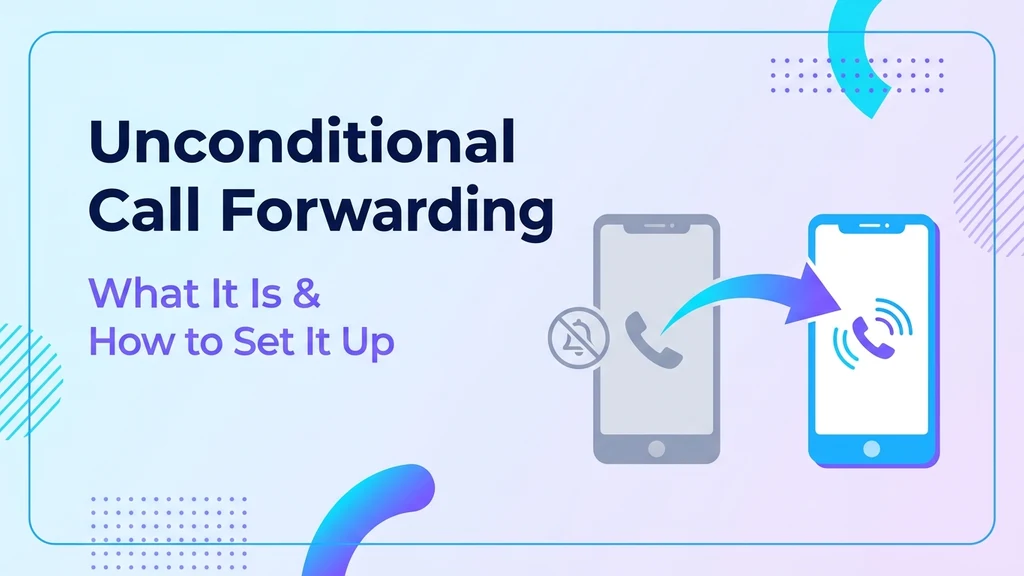
Unconditional call forwarding redirects every single incoming call to another number, immediately, with no exceptions — not when busy, not when unanswered, not when out of coverage. It's the "always" setting, and it's the one most likely to cause confusion, since a call forwarded this way never rings the original phone at all.
This guide covers what makes it different from conditional forwarding, the activation codes that turn it on directly through the network, and the setup steps on the devices people actually use.
Unconditional vs. conditional: the difference that matters
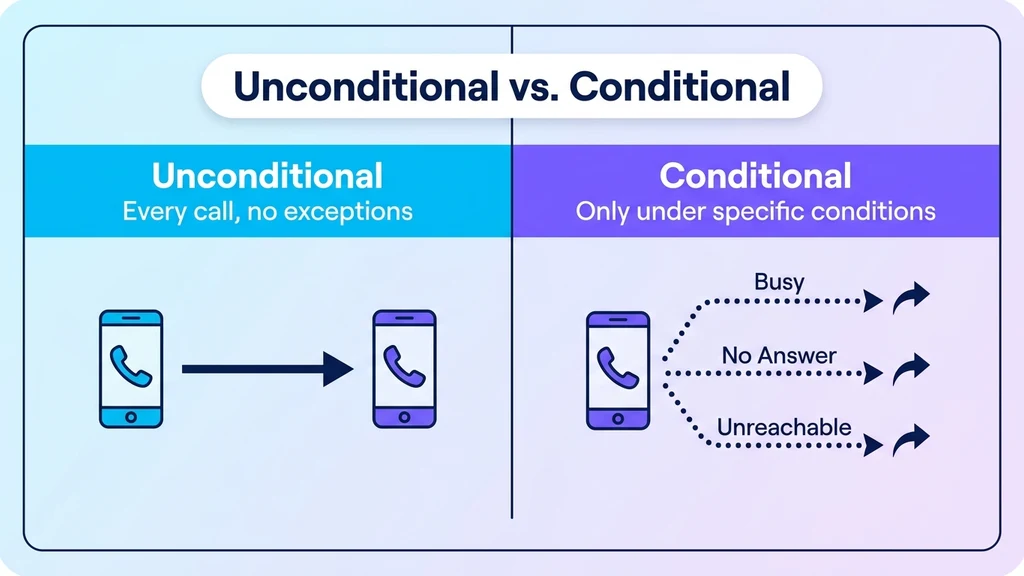
Unconditional forwarding activates once and stays active for every call until manually turned off. The original phone never rings — every call goes straight to the forwarding destination.
Conditional forwarding only activates under a specific circumstance: when the line is busy, when there's no answer after a set number of rings, or when the phone is unreachable (powered off or out of coverage). These three conditions are each controlled separately from unconditional forwarding, and a phone can have several active at once.
The distinction matters because turning off one doesn't touch the other — a common source of confusion for anyone troubleshooting a phone that's still redirecting calls after disabling just one type.
The activation codes
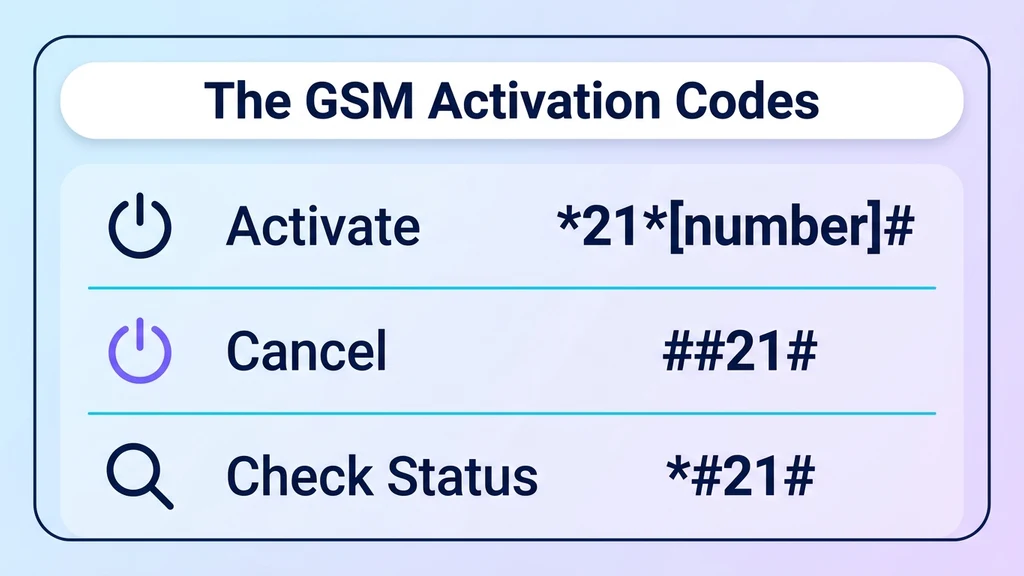
On most GSM networks worldwide, unconditional forwarding is controlled directly through the network using a star code, independent of any on-screen menu:
- Activate: dial
*21*[destination number]#and press call. - Cancel: dial
##21#and press call. - Check status: dial
*#21#and press call — the screen shows whether it's active and which number calls are being sent to.
These codes work on the network level, which means they function even on phones where the setting is buried in a confusing menu or missing entirely. They come from the standard call-forwarding MMI codes built into the GSM network layer, for anyone who wants the technical background.
Ready when you are
Protect your business line.
MCM's local numbers ship with verified caller ID and smart call filtering — customers always know it's really you, and spam never reaches your team.
Setting it up on iPhone and Android
On iPhone: open Settings, then Phone, then Call Forwarding, then toggle it on and enter the destination number. This maps directly to the *21* code above, just through a menu instead of a dialed code.
On Android: open the Phone app, tap the three-dot menu, go to Settings, then Calls, then Call Forwarding, and select "Always forward" (wording varies slightly by manufacturer). Enter the destination number and confirm.
If either menu path doesn't work — which happens more often on carrier-locked or CDMA devices — the *21* star code works directly through the network regardless of what the phone's own settings show.
Where unconditional forwarding actually gets used
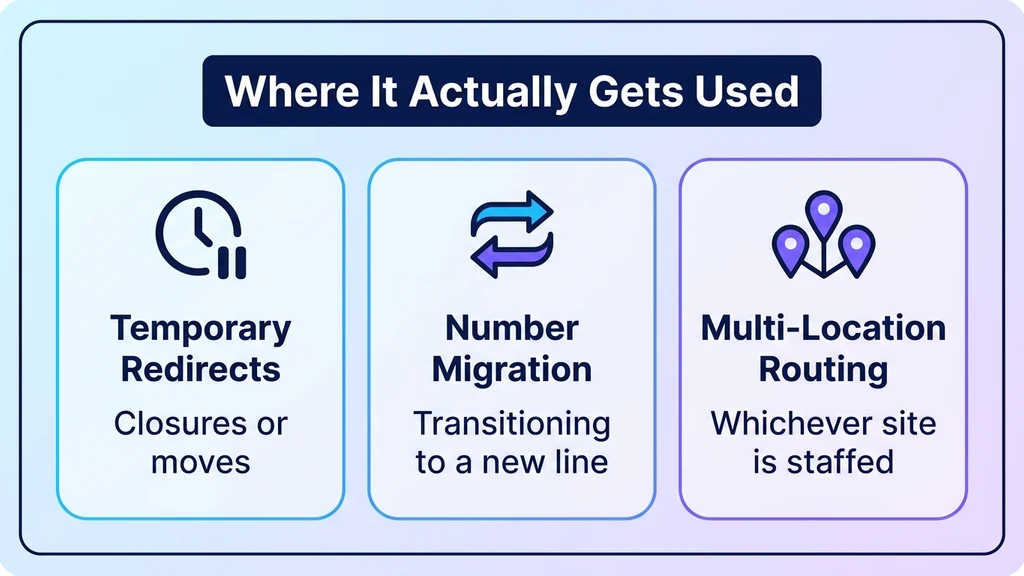
Temporary full redirects. Forwarding every call to a personal or backup number while a business line is unattended — during a closure, a move, or before a new system is fully set up — is the most common legitimate use.
Testing a new number before switching over. Businesses migrating to a new number sometimes forward the old one unconditionally to the new line during a transition period, so callers on the old number reach the right place without needing to know anything changed.
Multi-location routing. A single published number can unconditionally forward to whichever location is actually staffed that day, which is one of the simpler routing patterns available before setting up a full auto-attendant or IVR menu.
Businesses running this kind of setup at any real scale typically move it into a UCaaS (Unified Communications as a Service) platform — a single cloud system for calling, messaging, and video — where forwarding rules can be managed centrally across every line instead of dialing star codes on individual phones, the same shift covered in our guide to turning off call forwarding for the reverse case. My Country Mobile handles this kind of centralized call routing for business numbers. Contact us to set up forwarding rules across a full team rather than device by device.
The one mistake that causes the most confusion
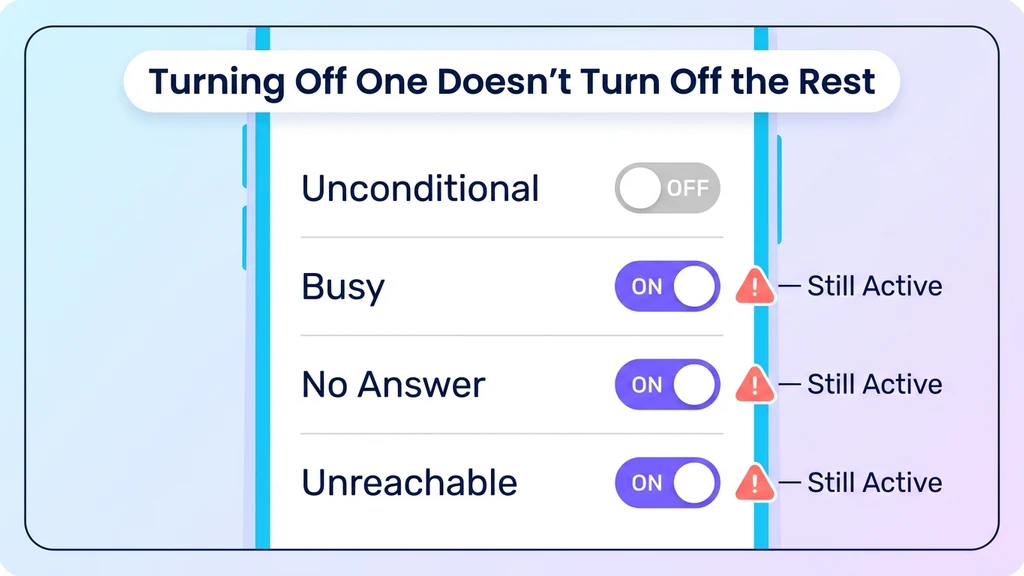
Turning off unconditional forwarding does not touch conditional forwarding, and vice versa — they're controlled independently even though both fall under the umbrella term "call forwarding." Anyone troubleshooting a phone that's still redirecting calls after disabling one type should check all four settings (unconditional, busy, no-answer, unreachable) rather than assuming one cancels the rest.
Conclusion
Unconditional call forwarding is the simplest of the forwarding types conceptually — every call, no exceptions — but it's also the one most likely to get left on by accident, since nothing on the original phone indicates it's active beyond the setting itself. The *21* and ##21# codes work reliably across GSM carriers regardless of what a phone's menu shows, which makes them worth knowing even for anyone who normally manages forwarding through settings instead.
Key takeaways
- Unconditional forwarding redirects every call immediately — the original phone never rings at all while it's active.
- It's controlled independently from conditional forwarding (busy, no-answer, unreachable), so turning off one doesn't affect the others.
- The
*21*[number]#code activates it,##21#cancels it, and*#21#checks its status on most GSM networks. - Common legitimate uses include temporary redirects, number migrations, and multi-location routing.
- At business scale, centralizing this in a UCaaS platform replaces manually dialing star codes on individual phones.
Ready when you are
Ready to sound local everywhere you sell?
MCM activates business numbers in minutes, with call routing, analytics, and CRM-ready integrations. Start your free trial — no card to browse inventory.
FAQs
What does "unconditional" mean in call forwarding?
It means every incoming call is redirected immediately with no exceptions — not just when busy or unanswered. The original phone never rings while it's active.
What's the code to turn on unconditional call forwarding?
*21*[destination number]# activates it on most GSM networks. ##21# cancels it, and *#21# checks whether it's currently active.
Does turning off unconditional forwarding also turn off conditional forwarding?
No. They're controlled independently. Turning off unconditional forwarding leaves any active conditional settings (busy, no-answer, unreachable) untouched.
Will the caller know their call was forwarded unconditionally?
Usually not. The call connects to the forwarding destination with no notice to the caller in most cases.
Can I set up unconditional forwarding without codes, using just my phone's settings?
Yes. Both iPhone and Android have a menu-based toggle for this that maps to the same underlying network setting as the *21* code.
Why would a business want every call to unconditionally forward somewhere else?
Common reasons include a temporary closure, migrating to a new number during a transition, or routing a single published number to whichever location is staffed that day.