How to Forward a Text Message on iPhone and Android
A coworker texts you an address you need to send to three other people. Retyping it is asking for a typo. Forwarding it takes four taps.
Texts carry the details that actually matter — confirmation codes, addresses, quotes, instructions. Passing them along cleanly saves time and prevents the small mistakes that creep in when you copy by hand.
This guide walks through the exact steps on iPhone and Android, how to forward to email, and how to set up automatic forwarding so messages route themselves. We publish a lot on business messaging at My Country Mobile (MCM), so we kept this practical.
WHAT YOU CAN ACTUALLY FORWARD
Most messaging apps let you forward almost anything in a thread.
- Plain SMS text, links, and contact cards
- Photos, videos, and voice messages (sent as MMS or RCS)
- A single message or several at once
One caveat: end-to-end encrypted messages in apps like Signal or WhatsApp can still be forwarded, but the forwarded copy is a new message — not the original encrypted one.
HOW TO FORWARD A TEXT MESSAGE ON IPHONE
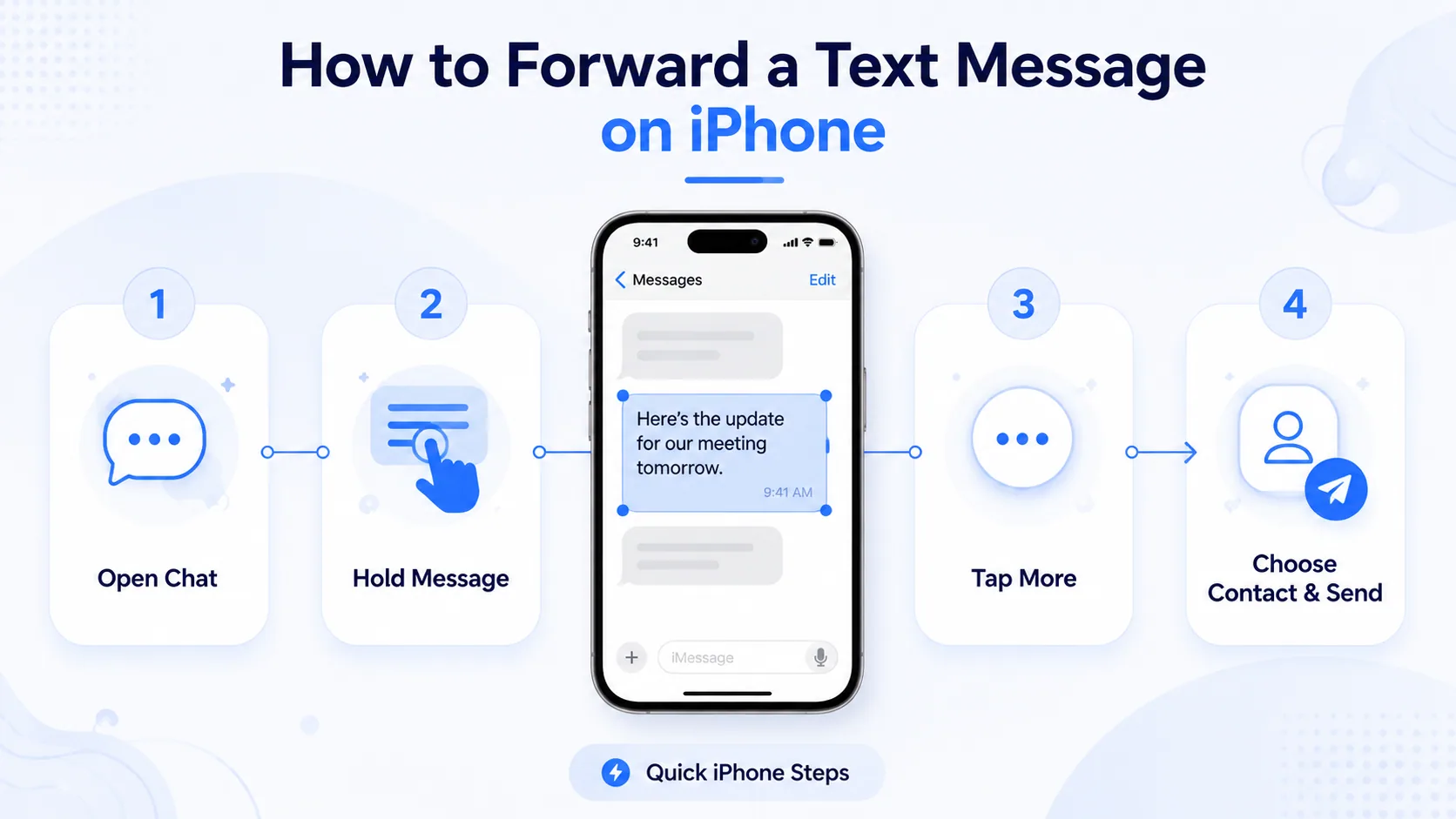
Apple's Messages app makes this quick once you know the gesture.
Step 1: Open the Conversation
Open Messages and tap the thread that contains the text you want to pass along. Scroll to the exact message bubble.
Step 2: Press and Hold the Bubble
Touch and hold the message bubble until a menu pops up. Tap More… — it shows a circle beside every message in the thread.
Step 3: Select and Send
Tap the circle next to each message you want to include. Then tap the curved arrow in the bottom-right corner. A fresh message opens with that content attached.
Step 4: Choose a Recipient
Type a name, number, or email in the To field and hit send. Typing an email instead of a number sends it as an MMS to their inbox — handy for keeping a record.
On iOS 26, the Messages app also handles RCS, so forwarded photos and videos keep their full resolution when the other person is on a supported carrier.
Ready when you are
Protect your business line.
MCM's local numbers ship with verified caller ID and smart call filtering — customers always know it's really you, and spam never reaches your team.
HOW TO FORWARD A TEXT MESSAGE ON ANDROID
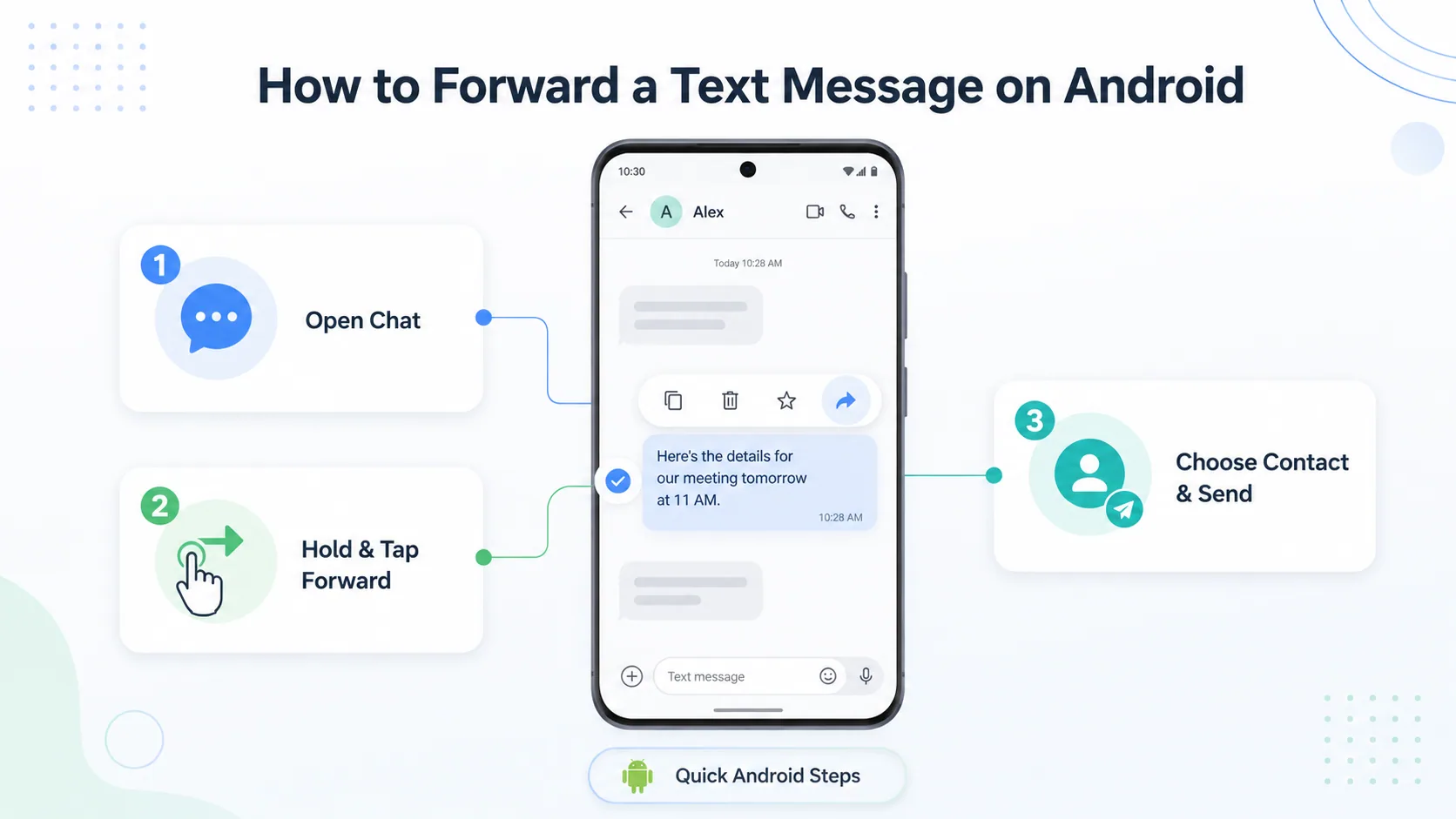
Android phones vary by brand, but the Google Messages app covers most modern devices.
Step 1: Open Messages and Find the Text
Launch your messaging app and open the conversation. Locate the message bubble you want to send onward.
Step 2: Tap and Hold, Then Choose Forward
Press and hold the bubble. A toolbar appears at the top — tap the three-dot menu (or the share icon) and select Forward.
Step 3: Pick a Contact and Send
Choose a recipient from your list or type a new number. Tap send, and the text leaves as a brand-new message.
Samsung Messages works almost identically — the Forward option sits under the same long-press menu. If your carrier supports RCS, media stays sharp instead of being compressed.
Forwarding a text from a business line? A virtual number from MCM keeps work conversations separate from your personal phone — see our guide to virtual phone numbers to set one up in minutes.
HOW TO FORWARD A TEXT TO AN EMAIL ADDRESS
Sometimes a phone isn't the right destination. Email is better for receipts and records.
On both iPhone and Android, start the forward as usual — but in the To field, type an email address instead of a phone number. The message lands in that inbox as an MMS.
This is the simplest way to archive an important text or loop in someone who only checks email. No extra app required.
AUTOMATIC TEXT MESSAGE FORWARDING
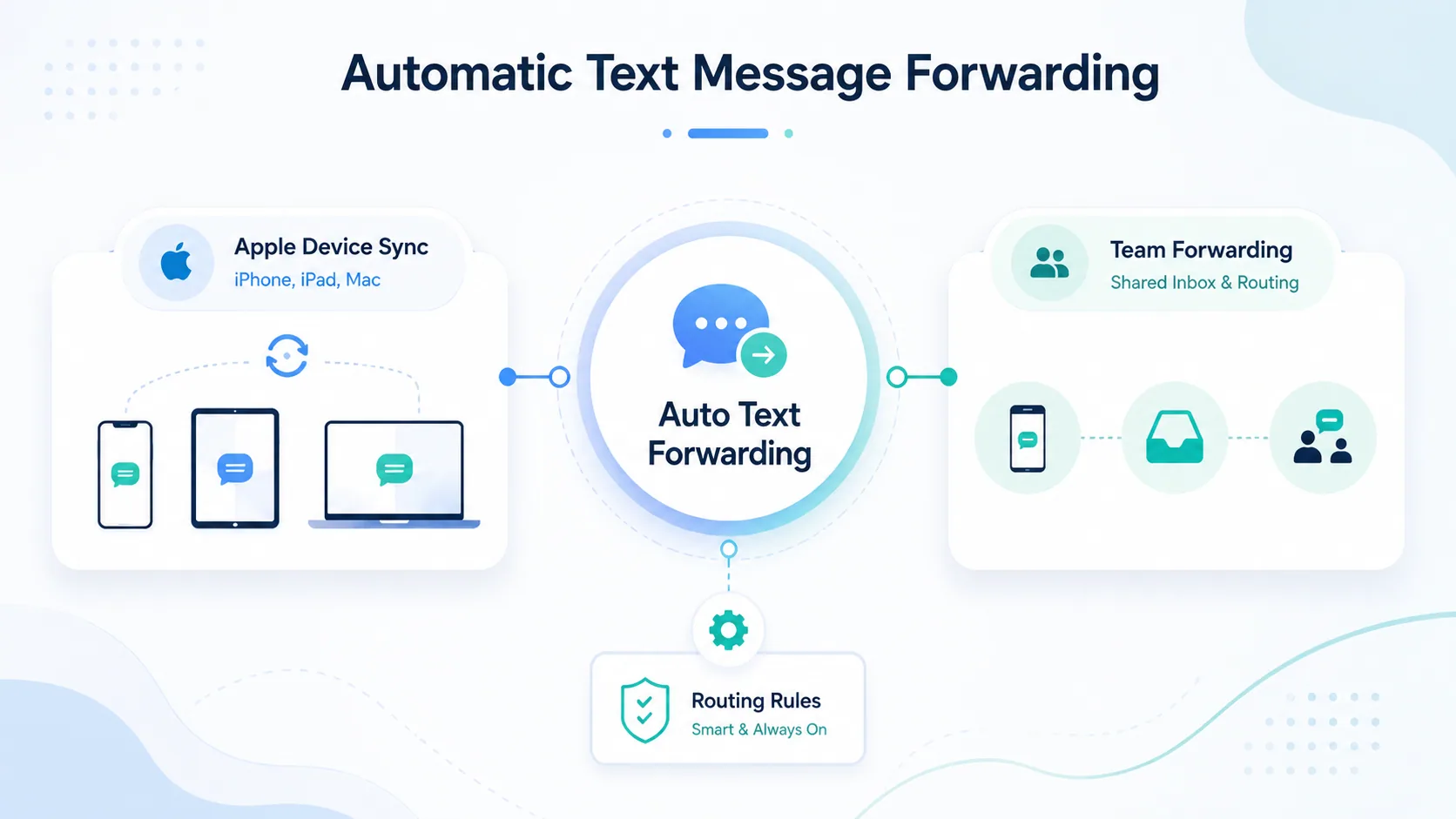
Manual forwarding works for the occasional message. If you need every text routed somewhere, automate it.
Apple's Built-In Text Message Forwarding
This feature syncs your iPhone's SMS to your iPad and Mac — not to another person's device. Open Settings > Apps > Messages > Text Message Forwarding and toggle on the devices you want.
It's perfect for reading and replying to texts on a laptop. It is not a tool for forwarding to a third party.
Forwarding to Another Phone or a Team
Android has no native auto-forward, so this is where a business messaging platform earns its keep. A shared business number lets a whole team see and respond to incoming texts from one inbox.
That matters for support and sales — no message sits unread on one person's phone. MCM's text messaging tools handle exactly this, with shared numbers and routing rules.
COMMON MISTAKES TO AVOID
A few small errors trip people up when forwarding texts.
Forwarding the whole thread by accident. Select only the bubbles you need — the "More" view makes it easy to over-select.
Assuming the original sender is hidden. A forwarded text shows it came from you, but the content may still reveal who wrote it. Check before sending sensitive info.
Sending media over SMS-only connections. If RCS or MMS is off, large photos may fail or arrive blurry. Confirm the recipient can receive media.
WHAT TO DO NEXT
Forwarding one text is a four-tap habit. Forwarding texts at scale — for a support desk, a sales team, a side business — needs a real system, not a phone passed around the office.
If you handle customer messages, start by separating personal and business texting onto different numbers. It makes forwarding, archiving, and team handoffs far simpler.
Want a business number that supports shared inboxes and message routing? Start a free trial with MCM and set one up in about five minutes.
Ready when you are
Ready to sound local everywhere you sell?
MCM activates business numbers in minutes, with call routing, analytics, and CRM-ready integrations. Start your free trial — no card to browse inventory.
FAQs
How do I forward a text message on an iPhone?
Open Messages, press and hold the message bubble, tap More…, select the messages you want, tap the arrow in the bottom-right corner, then enter a recipient and send.
Can I forward a text message on Android?
Yes. Long-press the message bubble, tap the menu or share icon, choose Forward, pick a contact, and send. The steps are nearly identical in Google Messages and Samsung Messages.
Can the original sender see that I forwarded their message?
No. Forwarding creates a new message from your number. The sender gets no notification — but be mindful, since the content itself may identify them.
How do I forward a text message to my email?
Start a normal forward, then type an email address in the To field instead of a phone number. It arrives in the inbox as an MMS.
Does Apple's Text Message Forwarding send texts to other people?
No. That setting only syncs your messages across your own Apple devices, like an iPad or Mac. To route texts to someone else, use manual forwarding or a business messaging platform.
How can I automatically forward texts for my business?
Use a business messaging service with a shared number. Incoming texts land in one inbox the whole team can see and answer, so nothing depends on a single phone.
Why won't my forwarded photo or video send?
Media needs MMS or RCS enabled. If the message is stuck on SMS, large files may fail or compress. Turn on RCS in your messaging settings or check your carrier support.