Every time a customer calls a support line, chats with an agent on a website, or gets a callback from a sales team — that interaction runs through a contact center platform. For most of the 20th century, those platforms meant racks of servers, expensive PBX hardware, and multi-year refresh cycles. Contact Center as a Service changed that equation entirely.
CCaaS moves the entire contact center stack to the cloud — routing, IVR, analytics, workforce management, and omnichannel communications — and delivers it as a per-agent subscription. This guide explains what CCaaS is, how it works, what it costs, and how to evaluate providers.
CCaaS: A Simple Definition
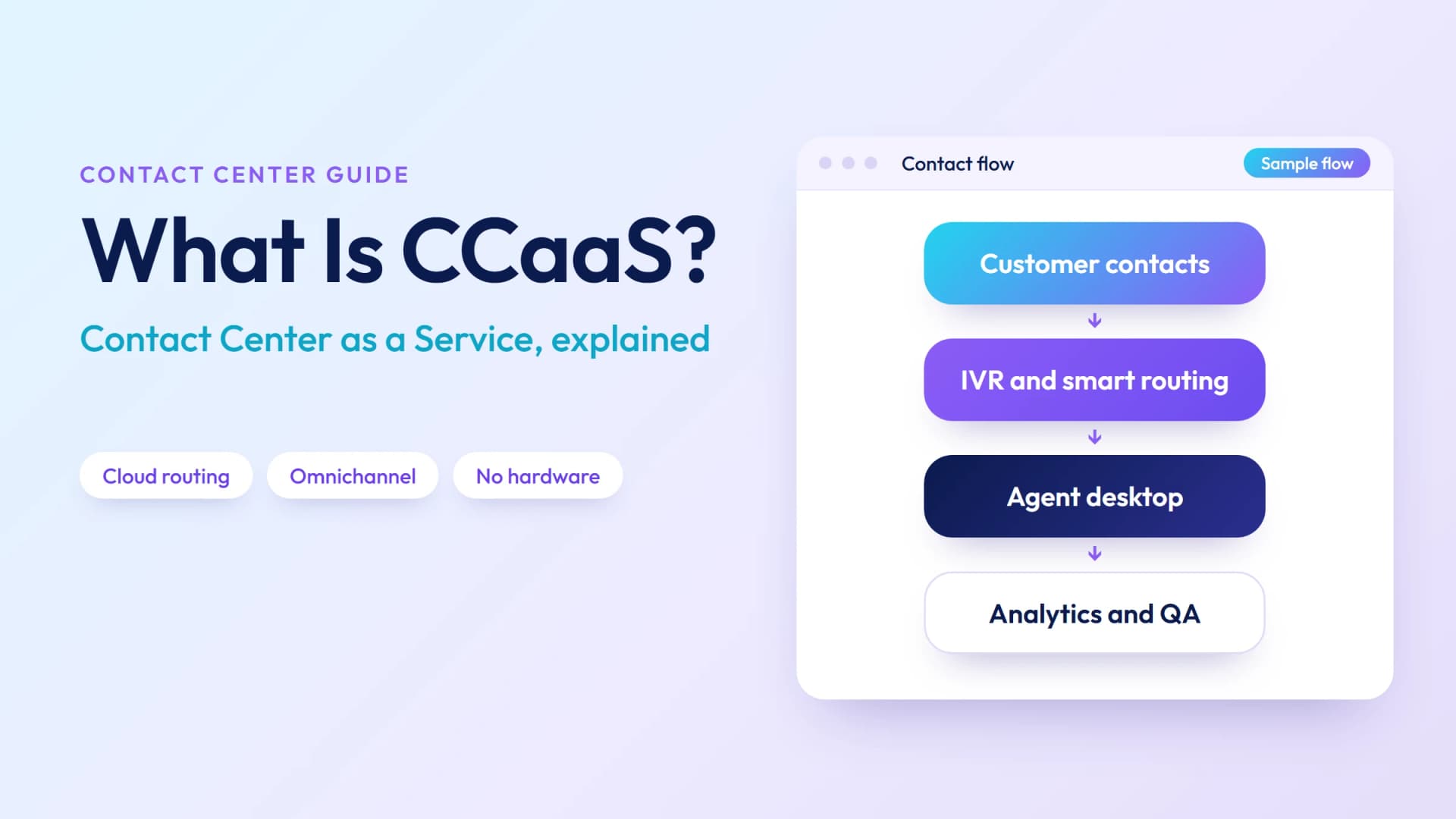
CCaaS (Contact Center as a Service) is a cloud-hosted model for delivering contact center capabilities — inbound and outbound calling, intelligent routing, self-service IVR, omnichannel communications, real-time analytics, and workforce management — as a subscription service. Businesses pay per agent per month and access the platform over the internet, with no hardware to purchase or maintain.
The "as a service" model means the CCaaS provider owns and operates the infrastructure: data centers, telephony interconnects, software updates, and security patches. The contact center operator manages agents, routing logic, and CRM integrations. This division of responsibility is the core value proposition — your team focuses on customer experience, not server room management.
CCaaS vs. On-Premise Contact Center: Key Differences
The shift from on-premise to CCaaS is one of the most significant transitions in enterprise technology of the last decade. Here's how the two models compare:
| Factor | CCaaS (Cloud) | On-Premise |
|---|---|---|
| Upfront cost | Low — no hardware purchase | High — servers, PBX, licensing |
| Ongoing cost | Per-agent/month subscription | Maintenance, IT staff, upgrades |
| Deployment time | Days to weeks | Months to years |
| Scalability | Add/remove agents instantly | Requires hardware provisioning |
| Remote agents | Native — any internet connection | Complex VPN or MPLS required |
| Updates | Automatic, provider-managed | Manual, IT-managed, disruptive |
| Disaster recovery | Built-in geo-redundancy | Requires separate DR site |
| Integration | REST APIs, pre-built CRM connectors | Custom development, high cost |
| Best for | Growth-stage to enterprise, distributed teams | Highly regulated industries with specific compliance requirements |
The on-premise model still has a place — heavily regulated industries with air-gapped network requirements, or organizations with very stable, predictable call volumes and a large existing infrastructure investment. For most businesses, CCaaS wins on total cost of ownership, speed, and flexibility.
How CCaaS Works
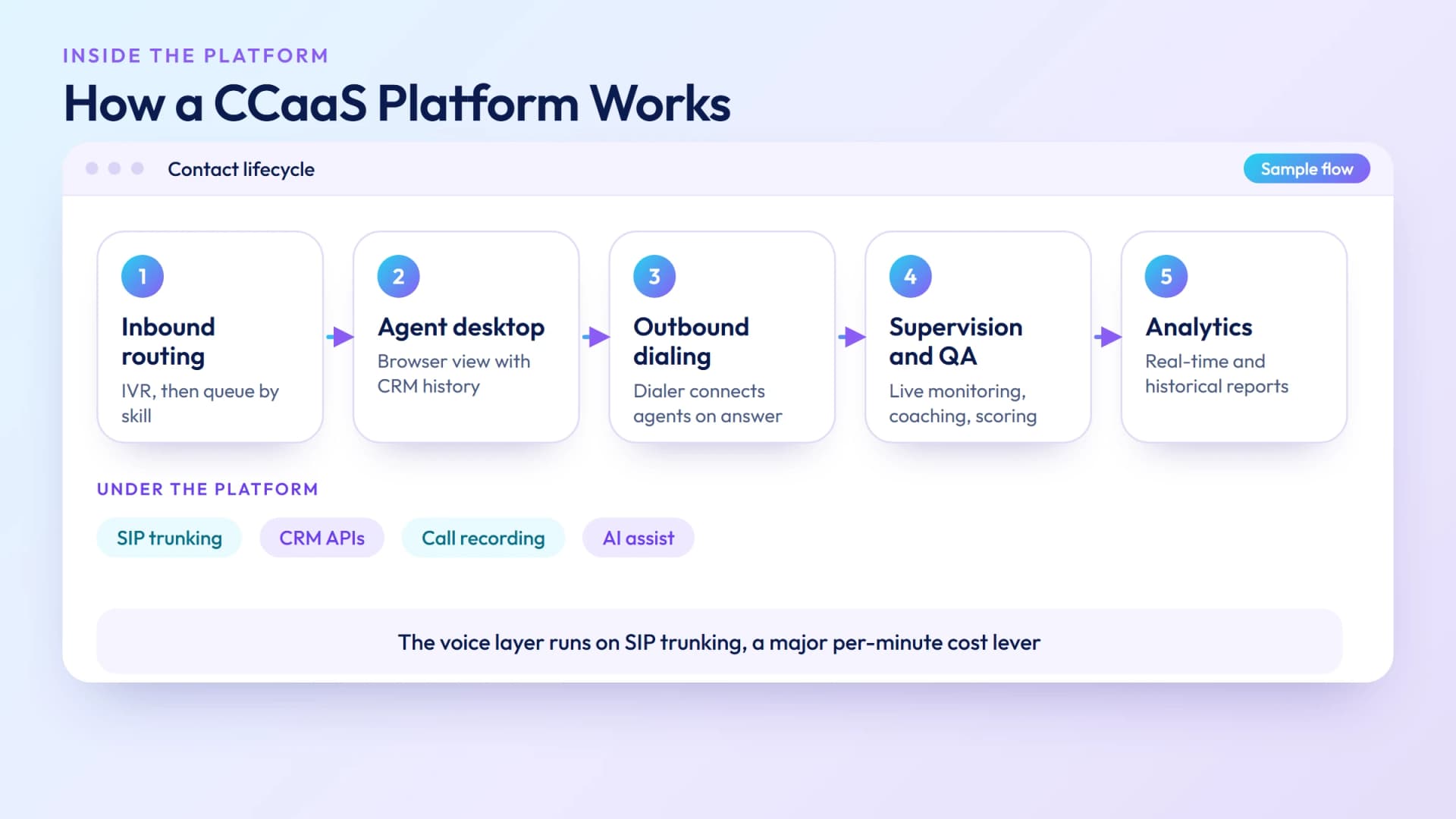
A CCaaS platform sits between your customers and your agents, handling everything from how a call enters the system to how it's measured and billed:
- Inbound routing — A customer dials a number (or initiates a chat, email, or social message). The CCaaS platform receives the contact, plays an IVR menu if configured, and routes the interaction to the appropriate queue or agent based on skills, priority, or custom rules.
- Agent desktop — The assigned agent receives the contact in a browser-based or app-based interface. This interface shows the customer's history, CRM data, and any previous interactions — pulled in via API integrations.
- Outbound dialing — For outbound campaigns, the platform's predictive or progressive dialer initiates calls automatically and connects them to available agents only when a live person answers, eliminating idle wait time.
- Supervision and QA — Supervisors monitor live calls, whisper-coach agents, or barge in when needed. Calls are recorded automatically and scored by AI or QA analysts post-interaction.
- Analytics and reporting — Real-time dashboards show queue depth, agent availability, SLA status, and abandonment rates. Historical reports track trends by day, week, campaign, or agent.
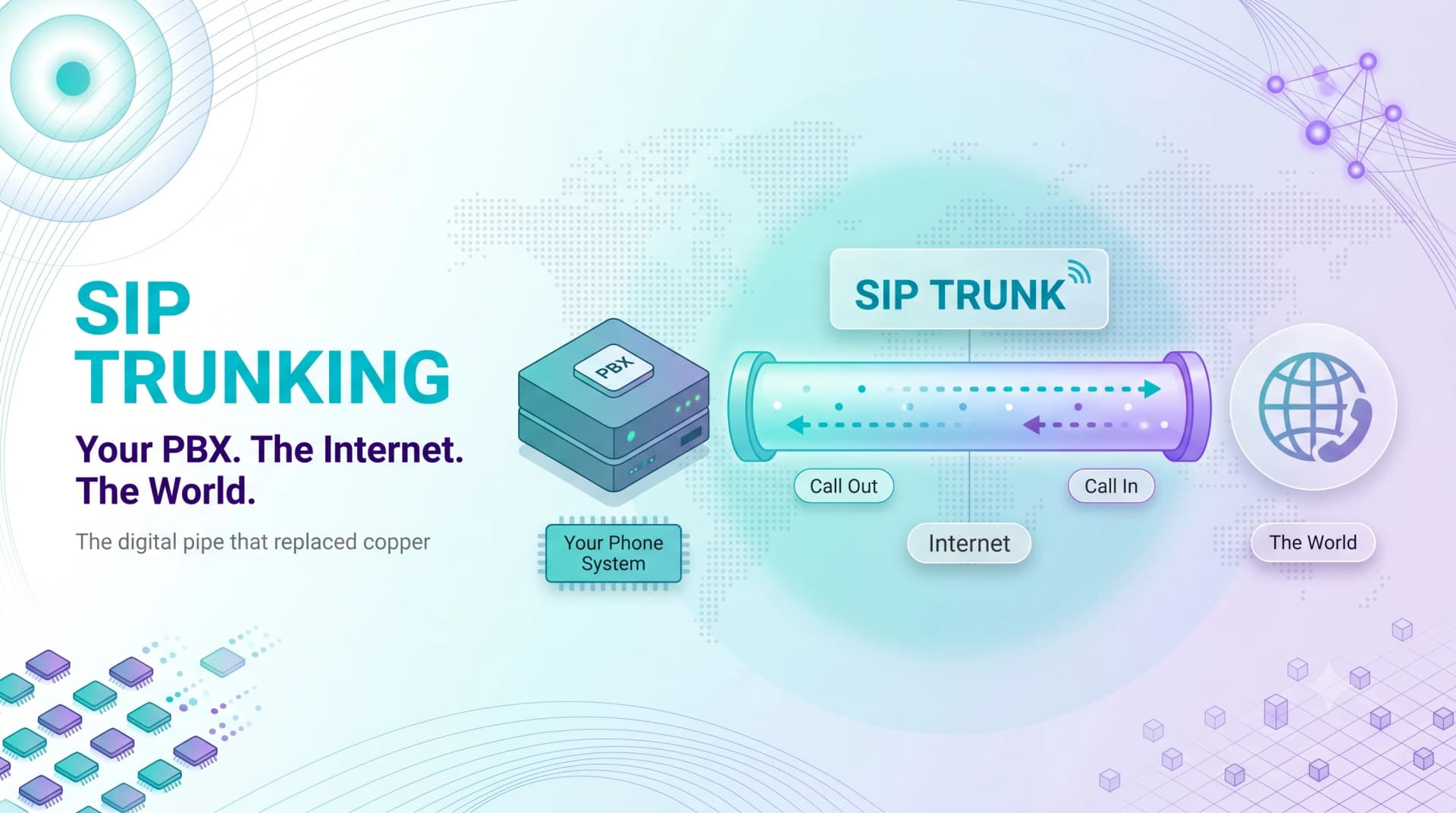
The voice layer underneath all of this is powered by SIP trunking — the CCaaS platform connects to wholesale VoIP infrastructure to originate and terminate calls. For high-volume contact centers, the per-minute cost of this underlying voice capacity is a major operational cost lever.
Ready when you are
Protect your business line.
MCM's local numbers ship with verified caller ID and smart call filtering — customers always know it's really you, and spam never reaches your team.
Core Features of a CCaaS Platform
Not all CCaaS platforms offer the same capabilities. Here are the features that matter for most contact center deployments:
| Feature | What It Does | Why It Matters |
|---|---|---|
| ACD (Automatic Call Distributor) | Routes inbound contacts to the right agent or queue | Reduces hold time; improves first-contact resolution |
| IVR (Interactive Voice Response) | Self-service menu; collects intent before routing | Deflects routine inquiries; reduces agent load |
| Omnichannel routing | Unified queue for voice, chat, email, SMS, social | Consistent customer experience across channels |
| Predictive dialer | Auto-dials leads; connects to agents on answer | 3–5× agent talk-time vs. manual dialing |
| Call recording & QA | Records all interactions; enables scoring | Compliance, coaching, dispute resolution |
| Real-time analytics | Live dashboards for queue, SLA, agent status | Enables supervisors to intervene before SLA breach |
| Workforce management | Forecasting, scheduling, adherence tracking | Right agent count at right time = lower cost |
| CRM integration | Screen-pop with customer history on call arrival | Reduces AHT; enables personalized service |
| AI & virtual agents | Chatbots, voice bots, real-time agent assist | Handle routine queries 24/7; reduce cost per contact |
CCaaS vs. UCaaS: What's the Difference?
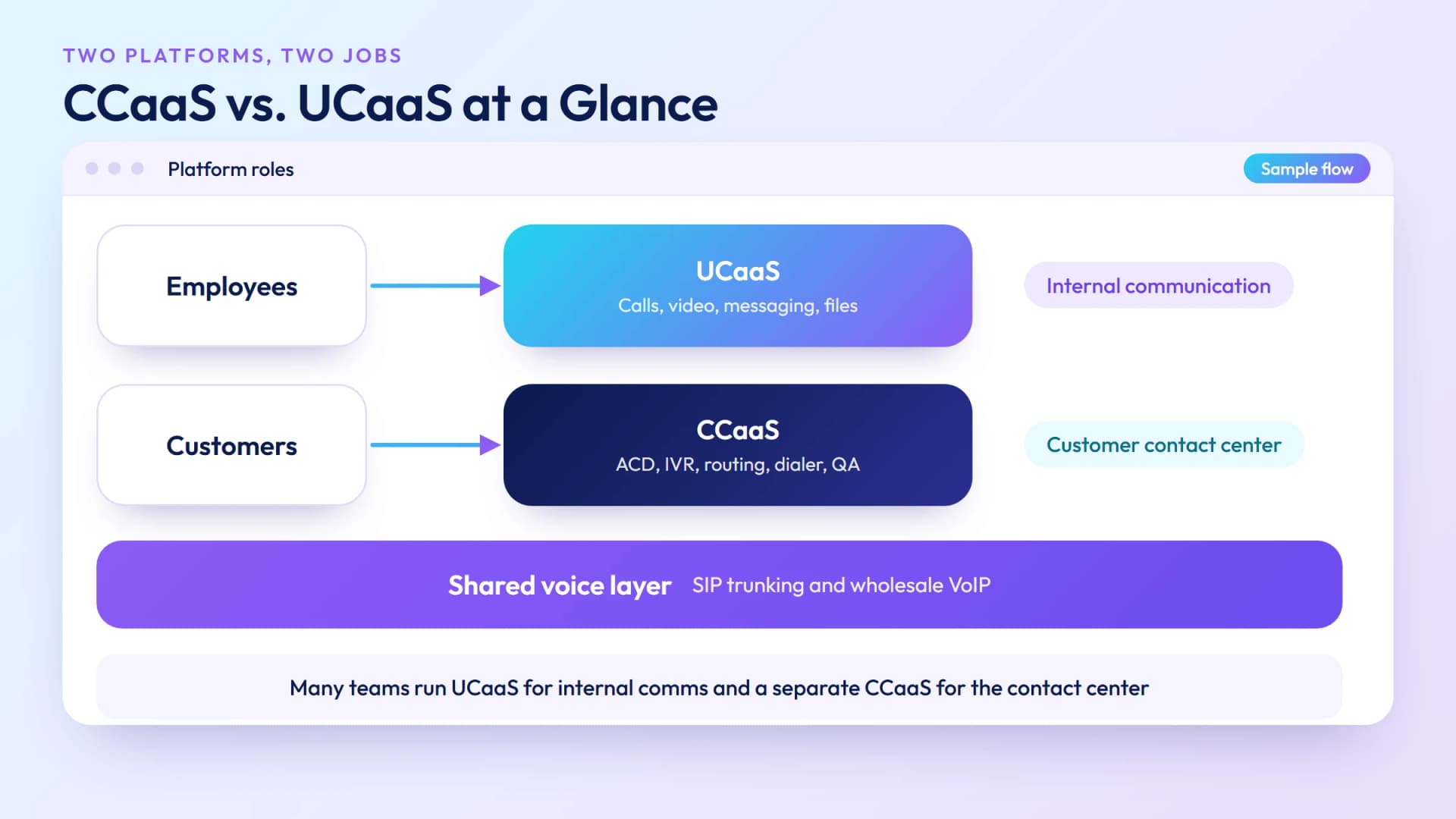
CCaaS and UCaaS are related but serve different purposes. It's a common source of confusion because several vendors now offer both.
UCaaS (Unified Communications as a Service) bundles voice calling, video conferencing, messaging, and file sharing into one platform — primarily for internal business communication. Every employee gets a virtual phone number, a softphone, and a collaboration workspace. See our guide to UCaaS for a full breakdown.
CCaaS is purpose-built for customer-facing contact centers. It adds ACD, IVR, quality monitoring, outbound dialing, workforce management, and omnichannel routing — capabilities that UCaaS platforms don't include. A sales rep uses UCaaS. A contact center agent uses CCaaS.
The lines are blurring: RingCentral, Genesys, and Vonage all offer combined UCaaS+CCaaS packages. But buying a combined platform to get both means you're often paying for UCaaS features your contact center team doesn't use. Many organizations run UCaaS for internal comms and a separate best-of-breed CCaaS for their contact center.
Who Uses CCaaS?
Five categories of organizations drive most CCaaS adoption:
Customer support operations: Any business with a dedicated customer support team — retail, e-commerce, SaaS, financial services — uses CCaaS to manage inbound ticket volume, route contacts to the right specialist, and measure resolution quality.
Outbound sales teams: B2B and B2C sales organizations use CCaaS predictive dialers to increase agent talk time, automate lead list management, and track campaign performance by disposition code.
BPOs (Business Process Outsourcers): Third-party call center operators that handle contact center work for multiple clients need CCaaS platforms that support multi-tenant configurations, client-specific routing rules, and granular reporting by account.
Healthcare & financial services: Regulated industries use CCaaS for patient scheduling, claims routing, and advisor-client communications — with compliance recording, PCI-DSS payment flow isolation, and HIPAA-compliant call handling.
Telecom carriers & resellers: Carriers offering managed contact center services to enterprise customers resell CCaaS capabilities with their own SIP trunking infrastructure underneath, controlling both the platform layer and the underlying voice cost.
Business Benefits of CCaaS
The business case for CCaaS comes down to four areas:
- Lower total cost of ownership: Eliminating hardware refresh cycles and reducing IT overhead typically cuts 3-year TCO by 25–40% vs. on-premise, depending on the existing infrastructure age and scale.
- Faster deployment and iteration: A new CCaaS environment can be production-ready in weeks, not months. Adding a new channel (WhatsApp, for instance) takes configuration, not new hardware.
- Business continuity: Cloud geo-redundancy means a data center failure or power outage doesn't take down the contact center. Agents can work from anywhere with a browser and a headset.
- Access to AI capabilities: AI features — sentiment analysis, real-time coaching, automated summaries, voice bots — are delivered as platform updates, not custom development projects. The latest AI capabilities are available to every CCaaS customer simultaneously.
CCaaS Pricing: How It Works
CCaaS pricing varies significantly by vendor, feature set, and deployment model. The dominant model is per-agent per-month:
| Tier | Typical Range | What's Included |
|---|---|---|
| Basic / Inbound-only | $50–$80 /agent/month | ACD, IVR, voice only, basic reporting |
| Professional / Omnichannel | $100–$150 /agent/month | Voice + email + chat, WFM, call recording, CRM integration |
| Enterprise / AI-enabled | $150–$250 /agent/month | Full omnichannel, AI assist, predictive analytics, custom SLAs |
| Usage-based | $0.01–$0.03 /minute + platform fee | Best for variable or seasonal call volume |
Important: the per-agent fee covers the platform but not always the underlying voice minutes. Most CCaaS providers charge separately for outbound calling at per-minute rates — or allow you to bring your own SIP trunk (BYOC) and control your own voice costs. For high-volume outbound contact centers, BYOC with wholesale VoIP pricing can reduce the voice component of cost by 30–60% vs. using the provider's bundled minutes.
What to Look For in a CCaaS Provider
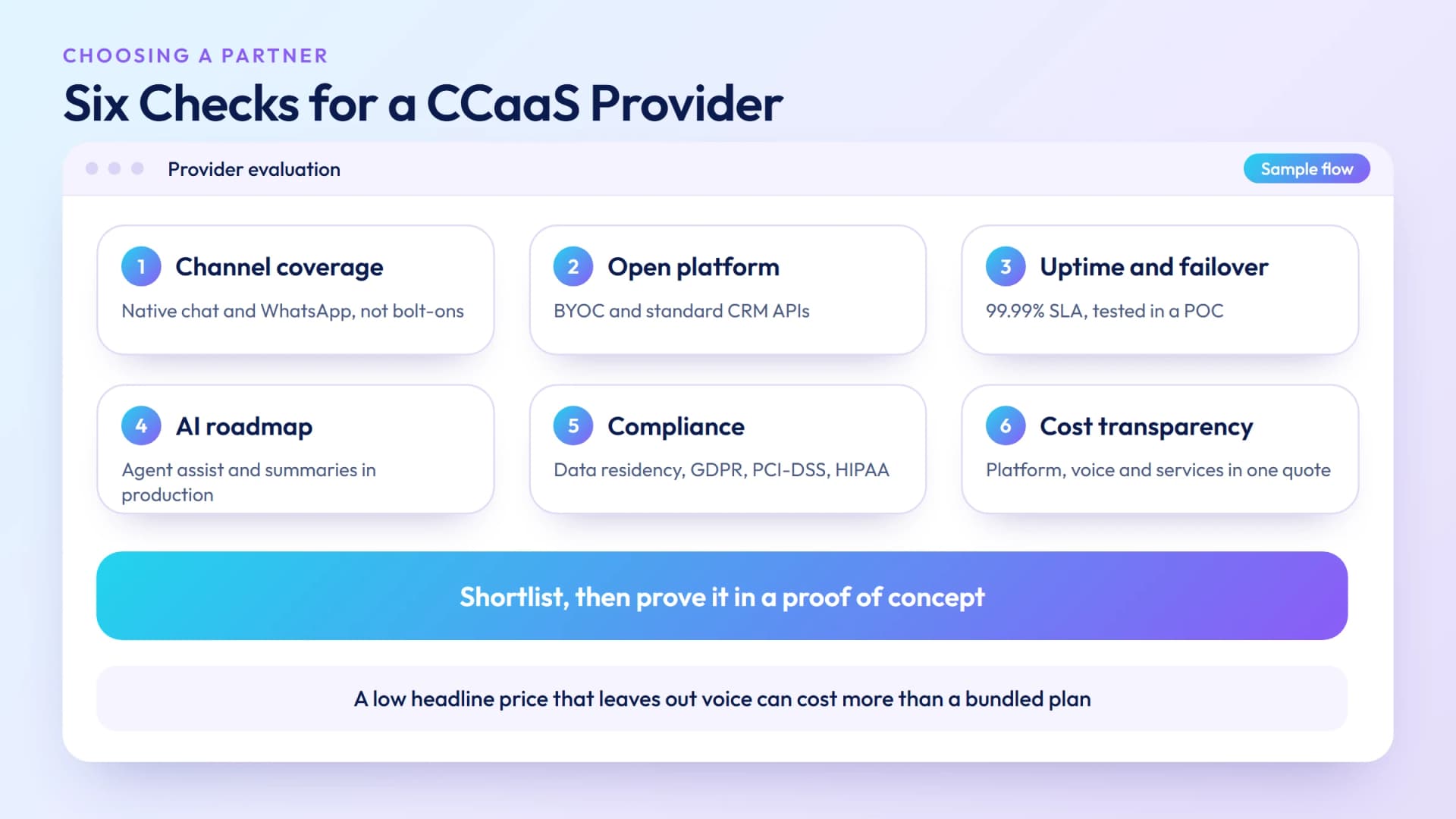
Six evaluation criteria that separate a strategic CCaaS partner from a feature list:
- Channel coverage that matches your roadmap: Don't buy only for today's channels. If you're voice-only now but planning to add chat and WhatsApp, confirm those channels are native — not a third-party bolt-on.
- Openness and BYOC support: Can you bring your own SIP trunks? Can you integrate your existing CRM via standard APIs or only through proprietary connectors? Closed platforms create long-term lock-in and higher costs.
- Uptime SLA and redundancy architecture: Look for a minimum 99.99% uptime guarantee backed by geo-redundant infrastructure. Understand the failover model — active-active or active-passive — and test it during the POC.
- AI roadmap: The contact center AI landscape is moving quickly. Ask specifically about real-time agent assist, post-call summarization, and intent detection — and when those features will be production-ready, not just in beta.
- Compliance and data residency: For regulated industries, confirm data residency options (EU, US, APAC), GDPR processing agreements, PCI-DSS scope, and HIPAA BAA availability.
- Total cost transparency: Get a fully loaded quote that includes platform fees, voice minutes, CRM connector licenses, and professional services for implementation. A low headline price that doesn't include voice can end up more expensive than a bundled alternative.
Why Businesses Choose My Country Mobile
Contact center infrastructure built on carrier-grade voice
CCaaS capabilities with wholesale SIP trunking underneath — so high-volume contact centers control both the platform and the per-minute cost of every call. Talk to a CCaaS expert →
My Country Mobile combines cloud contact center capabilities with direct-interconnect wholesale voice infrastructure, giving contact center operators a single vendor for both the platform and the underlying SIP trunking. For organizations placing millions of outbound minutes per month, controlling the voice layer — rather than paying bundled per-minute rates — is the largest single cost lever available.
Our CCaaS offering includes ACD, IVR, predictive dialing, omnichannel routing, and real-time analytics, with BYOC support for teams that want to bring their own carrier relationships. Available across 150+ destination countries with CLI-compliant routes for outbound campaigns.
Explore My Country Mobile's Cloud Contact Center →
Ready when you are
Ready to sound local everywhere you sell?
MCM activates business numbers in minutes, with call routing, analytics, and CRM-ready integrations. Start your trial — no card to browse inventory.
Frequently asked questions
What is CCaaS?
CCaaS (Contact Center as a Service) is a cloud-based model for delivering contact center capabilities — inbound/outbound calling, IVR, ACD, omnichannel routing, analytics, and workforce management — as a subscription. Businesses pay per agent per month and access the platform via the internet, with no hardware to buy or maintain.
What is the difference between CCaaS and on-premise contact center?
On-premise contact centers require purchasing servers, telephony hardware, and software licenses upfront, with your IT team handling maintenance. CCaaS is hosted by the provider — no hardware to buy, updates happen automatically, and you can scale agent capacity up or down without infrastructure changes. CCaaS typically has lower upfront cost but ongoing subscription fees.
What is the difference between CCaaS and UCaaS?
UCaaS combines calling, messaging, video, and collaboration for internal business communication. CCaaS is designed specifically for customer-facing contact centers — with ACD, IVR, skills-based routing, quality monitoring, and workforce management. They serve different use cases, though some vendors offer combined platforms.
How is CCaaS priced?
CCaaS is typically priced per agent per month — from around $50/agent for basic inbound-only plans to $150–$250/agent for full omnichannel with AI features. Outbound calling often incurs additional per-minute charges. Some providers offer usage-based pricing for lower-volume or seasonal deployments.
What are the core features of a CCaaS platform?
Core CCaaS features include ACD for intelligent routing, IVR for self-service, omnichannel routing (voice, email, chat, SMS, social), real-time and historical analytics, workforce management, call recording and quality monitoring, and CRM integrations. Enterprise tiers add AI agent assist, predictive analytics, and custom reporting.
Who are the main CCaaS providers?
Leading CCaaS providers include Genesys, Five9, NICE CXone, Talkdesk, Salesforce Service Cloud Voice, Amazon Connect, and Avaya. Mid-market options include Dialpad, RingCentral Contact Center, and Aircall. My Country Mobile offers CCaaS with wholesale voice infrastructure for high-volume contact center operators.