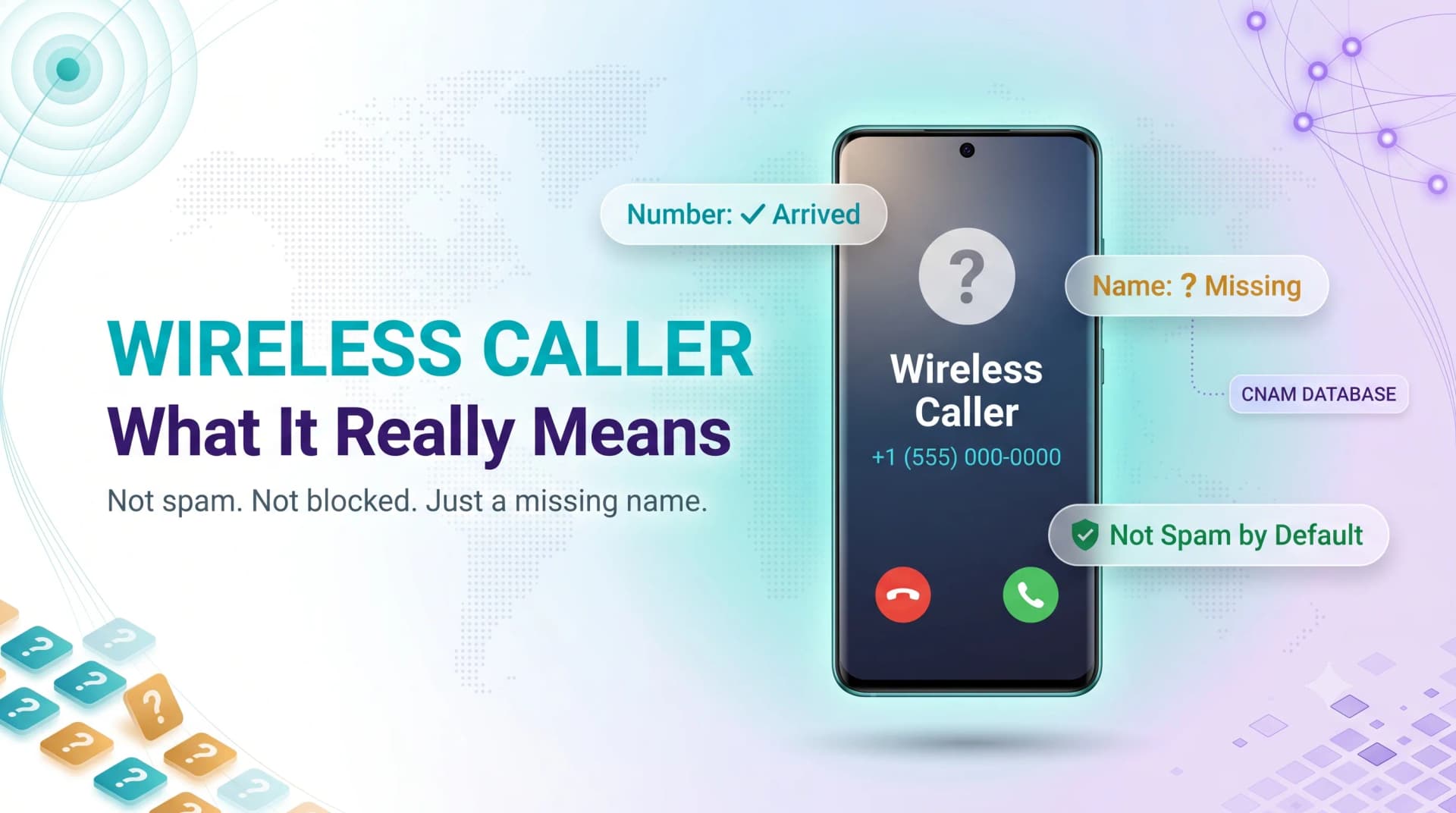
Quick answer: "Wireless Caller" means the call came from a cell phone and your carrier could not match a name (CNAM record) to the number. It is not a blocked number and not automatically spam — it is simply missing caller-name information.
Your phone rings, you glance down, and instead of a name you see two vague words: "Wireless Caller." No number you recognize. No business name. Just a guess at what to do next.
Here is the short version: it means the call is coming from a cell phone, and your carrier could not match a name to the number. It is not a scam by default, and it is not a hidden number. It is simply missing information.
This guide explains exactly why the label appears, what it does and does not tell you, and the fastest ways to find out who is actually on the line.
The Direct Answer
"Wireless Caller" is a placeholder. It tells you the call originated on a mobile network rather than a landline or office system.
The carrier knows the call is wireless. What it does not have is the CNAM record — the caller name database entry — for that specific number.
So your phone shows the one fact it is sure of: the device type.
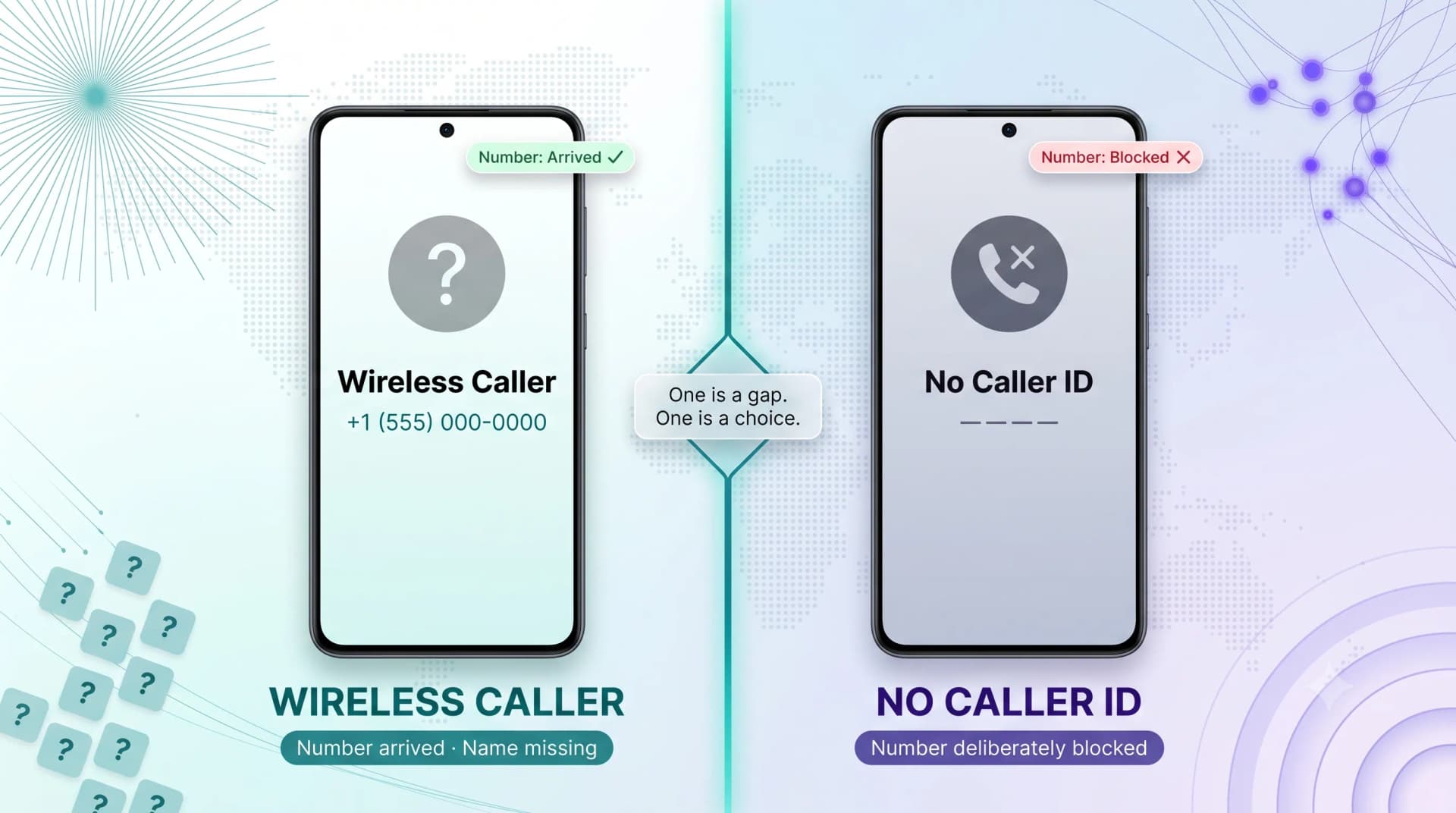
Why It Is Not the Same as "No Caller ID"
People mix these up constantly. They mean different things.
"No Caller ID" or "Unknown" means the caller deliberately blocked their number. "Wireless Caller" means the number came through fine — only the name is missing.
In other words, one is a choice; the other is a database gap.
Why "Wireless Caller" Shows Up Instead of a Name
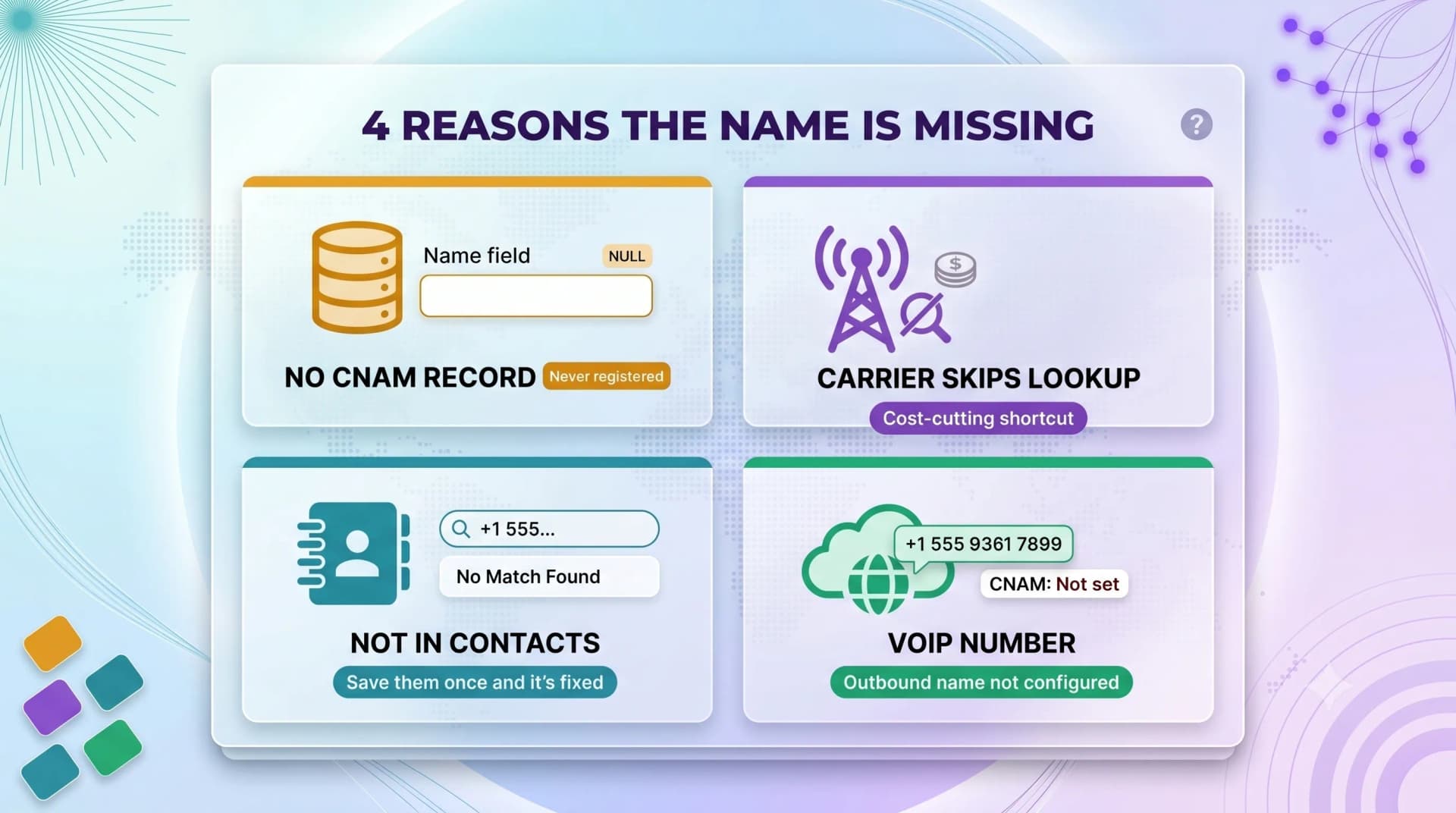
Caller ID actually does two separate jobs. It passes the phone number, and it looks up a name to match that number. The second job is where things break down.
Here are the real reasons the name goes missing.
The Number Has No CNAM Record
Every name you see on caller ID comes from a CNAM lookup. If the calling number was never registered in those databases, there is nothing to display.
New mobile numbers and recently ported numbers often have no record yet.
So the system falls back to the generic label.
Carriers Skip the Lookup to Save Money
CNAM lookups are not free. Carriers pay a small fee — often a fraction of a cent — every time they query the database.
To cut costs, some carriers limit how often they run lookups, especially for incoming wireless calls.
The result on your screen: "Wireless Caller" instead of a name.
The Caller Is Not in Your Contacts
Your phone checks your own contact list first. If the number is saved, you see the contact name — every time.
If it is not saved, your phone leans on the carrier's CNAM data instead.
No saved contact plus no CNAM record equals the generic label.
The Call Came From a VoIP or Virtual Number
Many business calls today come from internet-based numbers, not traditional cell towers. If a VoIP number is not properly configured with an outbound caller name, it can also surface as "Wireless Caller."
This is common with new business lines that have not finished their caller ID setup.
If you run a business and your own calls show up this way, that is a fixable settings issue — more on that below.
Quick gut check: a single "Wireless Caller" you missed is rarely worth worrying about. A pattern of them at odd hours is worth a closer look.
How to Find Out Who Is Actually Calling
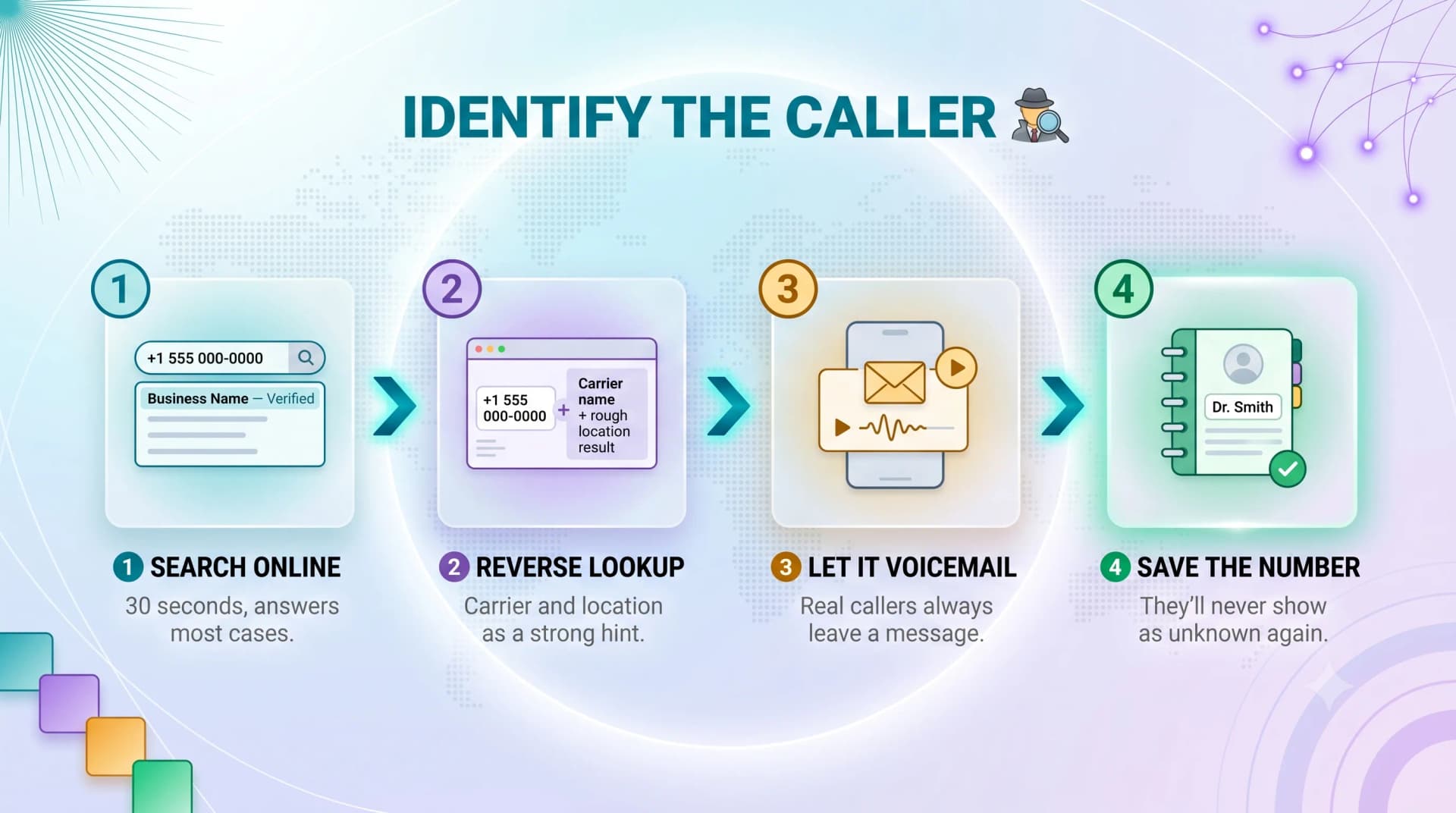
The label tells you almost nothing about intent. Here is how to close the gap.
Step 1: Search the Number Online
Copy the full number into a search engine. Legitimate businesses, clinics, and schools are usually indexed somewhere.
Spam numbers are often flagged on community report sites within hours.
A 30-second search answers most cases.
Step 2: Use a Reverse Phone Lookup
Reverse lookup services cross-reference the number against public records and carrier data.
Free tools give you the carrier and rough location. Paid tools may surface a name.
Treat the results as a strong hint, not a guarantee.
Step 3: Let It Go to Voicemail
If a call genuinely matters, the caller leaves a message. Real people and real businesses almost always do.
Silence on voicemail is itself useful information.
You lose nothing by waiting for that signal.
Step 4: Save the Number Once You Know
The moment you identify the caller, add them to your contacts. Your phone will show their name on every future call.
This is the single most effective fix.
It also quietly shrinks how often you see the generic label at all.
Ready when you are
Protect your business line.
MCM's local numbers ship with verified caller ID and smart call filtering — customers always know it's really you, and spam never reaches your team.
How to Spot a Spam "Wireless Caller"
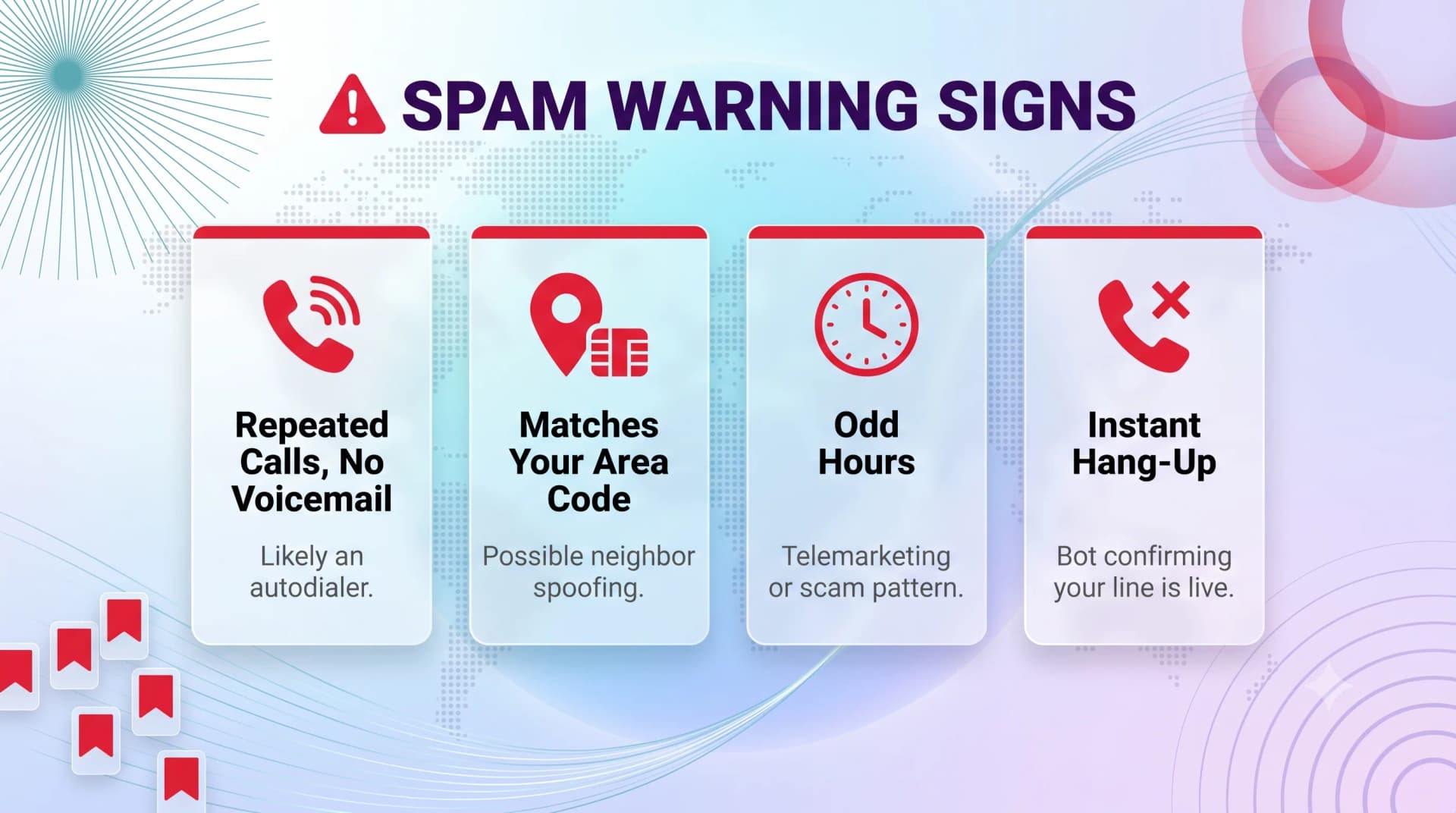
Not every mystery call is junk — but some patterns are red flags worth knowing.
Warning Signs
| Signal | What it suggests |
|---|---|
| Repeated calls, no voicemail | Likely an autodialer |
| Number matches your area code exactly | Possible "neighbor spoofing" |
| Calls at 8 a.m. or after 9 p.m. | Often telemarketing or scam patterns |
| Immediate hang-up when you answer | Bot confirming the line is live |
What to Do About It
If the pattern looks like spam, do not engage. Decline the call and block the number.
Report persistent offenders to your carrier's spam tools or the FCC.
Modern networks use STIR/SHAKEN caller authentication to flag spoofed traffic — but no system catches everything, so your own judgment still matters.
If Your Own Business Calls Show as "Wireless Caller"
This one frustrates business owners the most. You call a customer, and your company name never appears.
The cause is almost always an outbound caller ID that was never configured. The number works fine — the name field is just empty.
How to Fix It
Register your business name in the CNAM database through your phone provider. Most VoIP and virtual number providers handle this in account settings.
For example, My Country Mobile (MCM) lets businesses set a verified outbound caller name on their virtual numbers, so customers see the company instead of a blank label.
A correctly branded caller ID measurably improves answer rates — people pick up names they trust.
If you are setting up a new business line, see our guide to choosing a virtual phone number and our overview of business caller ID best practices.
What to Do Next
"Wireless Caller" is not a verdict — it is a missing label. The call is from a cell phone, the number arrived intact, and the name simply was not in the database.
Next time you see it, run a quick search, listen for a voicemail, and save the number once you know who it is. That handles the vast majority of cases in under a minute.
If it is your own business line showing up nameless, fix the CNAM record this week. A branded caller ID is a small change that pays off on every call you make. Want a phone number that displays your business name from day one? Explore MCM virtual numbers — setup takes about five minutes, no contract.
Ready when you are
Ready to sound local everywhere you sell?
MCM activates business numbers in minutes, with call routing, analytics, and CRM-ready integrations. Start your trial — no card to browse inventory.
FAQs
Does "Wireless Caller" mean the call is spam?
No. It only means the call came from a mobile number with no name attached. Plenty of legitimate calls show this label. Judge by behavior — repeated calls with no voicemail are the real warning sign.
Can I find out the name behind a "Wireless Caller" call?
Sometimes. A web search or reverse phone lookup often reveals the owner, especially for businesses. There is no guaranteed method, because the missing name is a database gap, not a hidden number.
Why do some calls show a name and others show "Wireless Caller"?
Calls show a name when the number is saved in your contacts or registered in the CNAM database. When both are missing, your phone falls back to the generic device-type label.
Is "Wireless Caller" the same as "No Caller ID"?
No. "No Caller ID" means the caller blocked their number on purpose. "Wireless Caller" means the number came through normally — only the caller name lookup failed.
How do I stop my own number from showing as "Wireless Caller"?
Register your name in the CNAM database through your phone provider or VoIP service. Once your outbound caller name is set, recipients see your name or business instead of the placeholder.
Should I answer a call from a "Wireless Caller"?
If you are expecting a call, go ahead. If not, let it go to voicemail. Genuine callers leave a message; spam callers usually do not.
Does saving the number stop the label for good?
Yes — for that number. Your phone always checks your contacts first, so a saved number will display its contact name on every future call.