Introduction
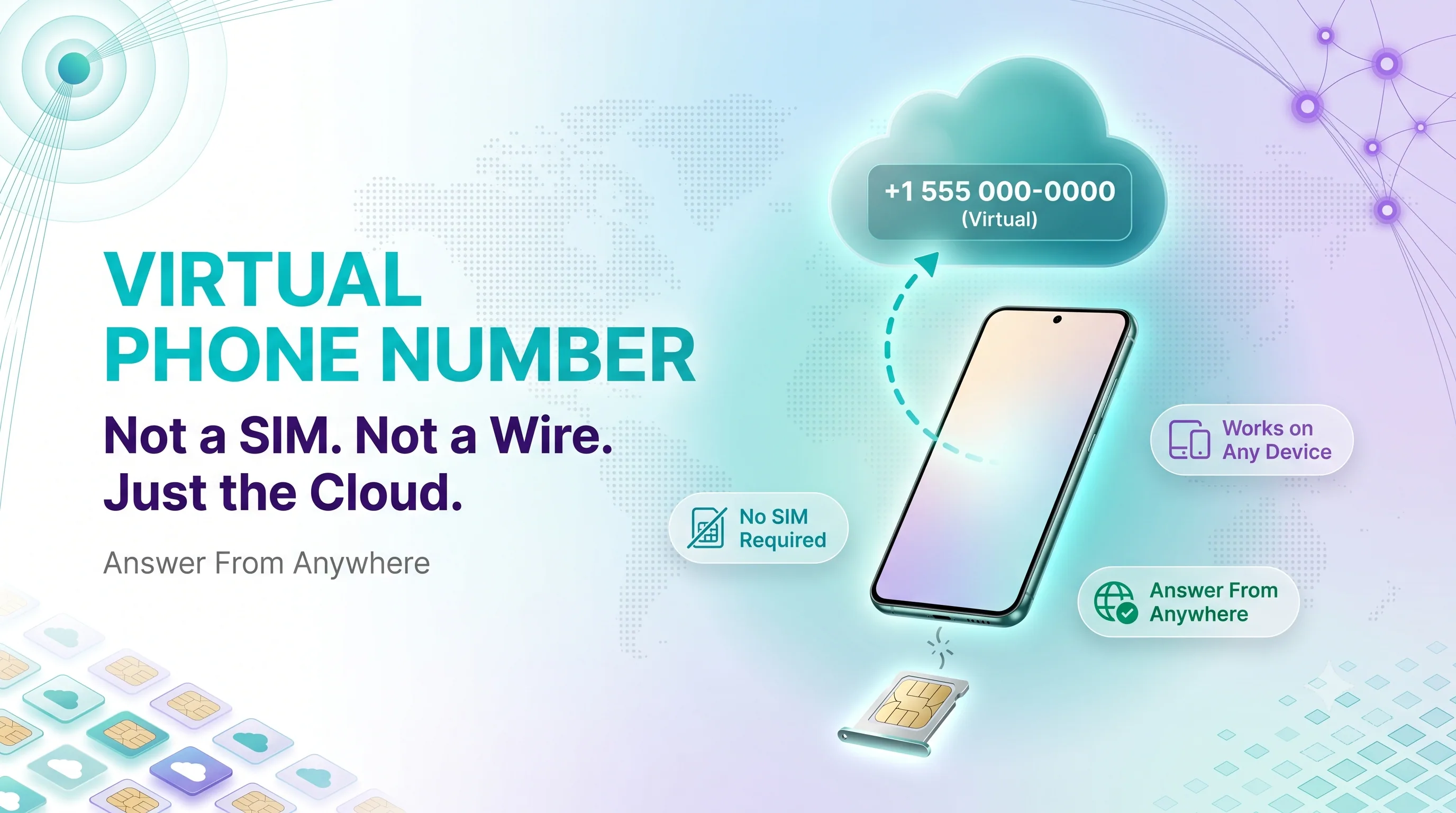
Your phone number is one of the last things still tied to a piece of plastic in your pocket. A virtual number cuts that cord — it lives in the cloud, not on a SIM card.
That small shift changes a lot. You can answer a US business line from a laptop in Berlin, route calls to a different teammate after 6 PM, or keep work and personal calls completely separate on one device.
This guide explains what these numbers are, walks through exactly how a call reaches you, and shows the main types and real-world uses so you can decide if one fits.
WHAT IS A VIRTUAL PHONE NUMBER?
A virtual phone number is a real, working phone number that is not tied to a physical SIM card, phone line, or single device.
Instead of running over copper wires, it operates through the cloud using Voice over Internet Protocol (VoIP) — calls travel as internet data.
How It Differs From a Traditional Number
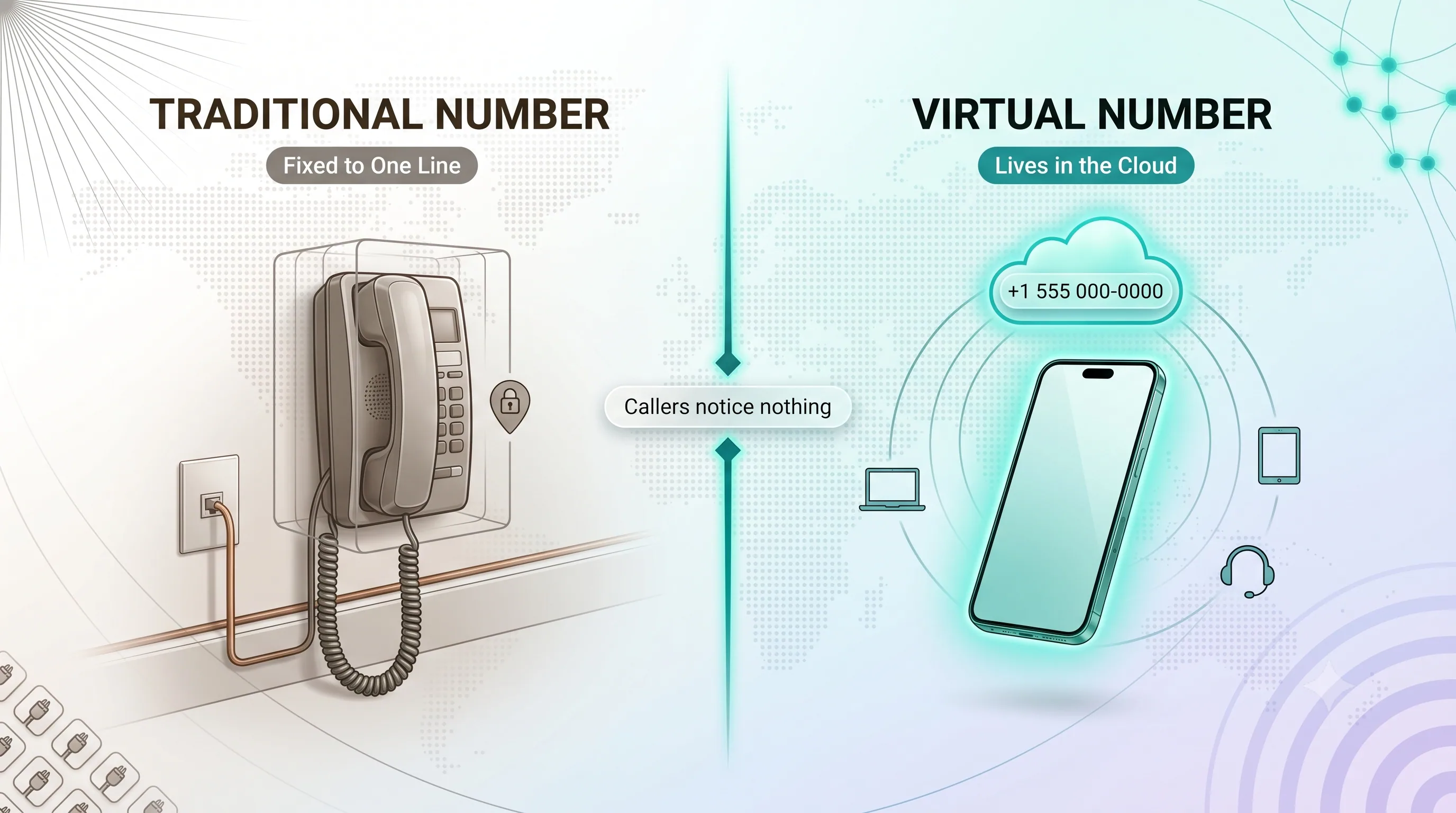
A traditional number is locked to one line and one location. The number lives where the wire is installed.
A virtual number lives in software. It can ring a phone, a desktop app, a browser, or all of them at once — wherever you have an internet connection.
It Is Still a Normal Number to Callers
Here is the part that surprises people: callers notice nothing. They dial a standard number and hear a standard ring.
The cloud routing all happens behind the scenes. To the outside world, it is just a phone number.
HOW A VIRTUAL PHONE NUMBER WORKS
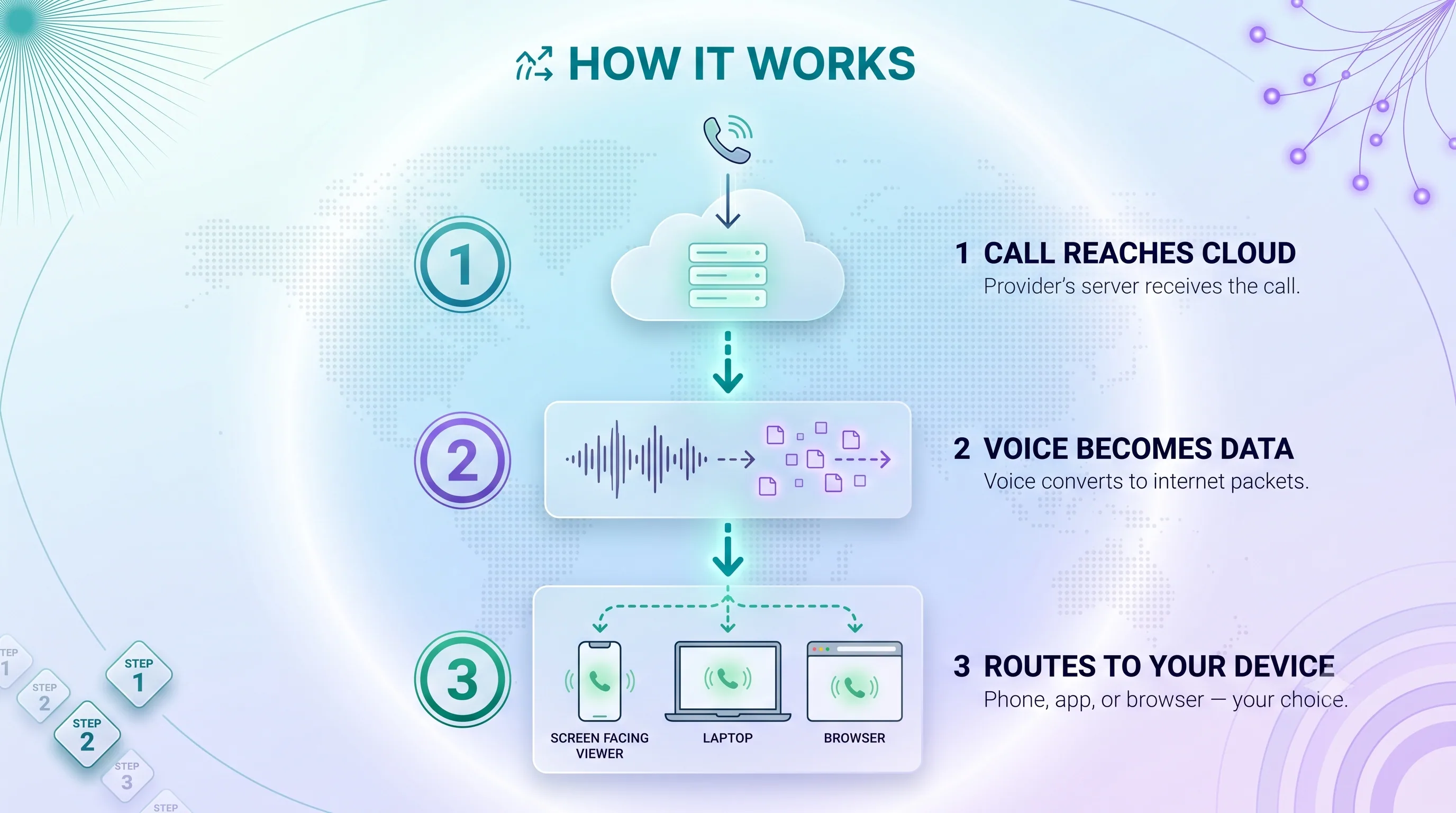
The magic is in the routing. A call does not travel a fixed path — it travels wherever you have told the system to send it.
Step 1: The Call Reaches the Cloud
When someone dials your virtual number, the call first arrives at your provider's cloud server — not at any specific phone.
That server is the control point. It decides what happens next based on your settings.
Step 2: Voice Becomes Data
The server converts the voice signal into small data packets. Those packets travel across the internet, the same way an email or video stream does.
This is what frees the number from physical wires — it is now just data in motion.
Step 3: The Call Routes to Your Device
The server then directs the call to wherever you chose: a mobile app, a desk phone, a browser, or several devices ringing together.
The receiving device decodes the packets back into clear audio in real time. You pick up, and you are talking — no delay you would notice.
Routing Rules You Control
This is where virtual numbers shine. You can set time-based forwarding, ring multiple devices at once, or send calls to different people by location.
A missed call can roll to voicemail, another teammate, or a different number entirely — all configured in software, no rewiring.
Curious how this works for your business? Setting up a virtual number takes minutes, not an IT project. Explore virtual phone numbers from My Country Mobile — no hardware, no contracts, free to start.
Ready when you are
Protect your business line.
MCM's local numbers ship with verified caller ID and smart call filtering — customers always know it's really you, and spam never reaches your team.
TYPES OF VIRTUAL PHONE NUMBERS
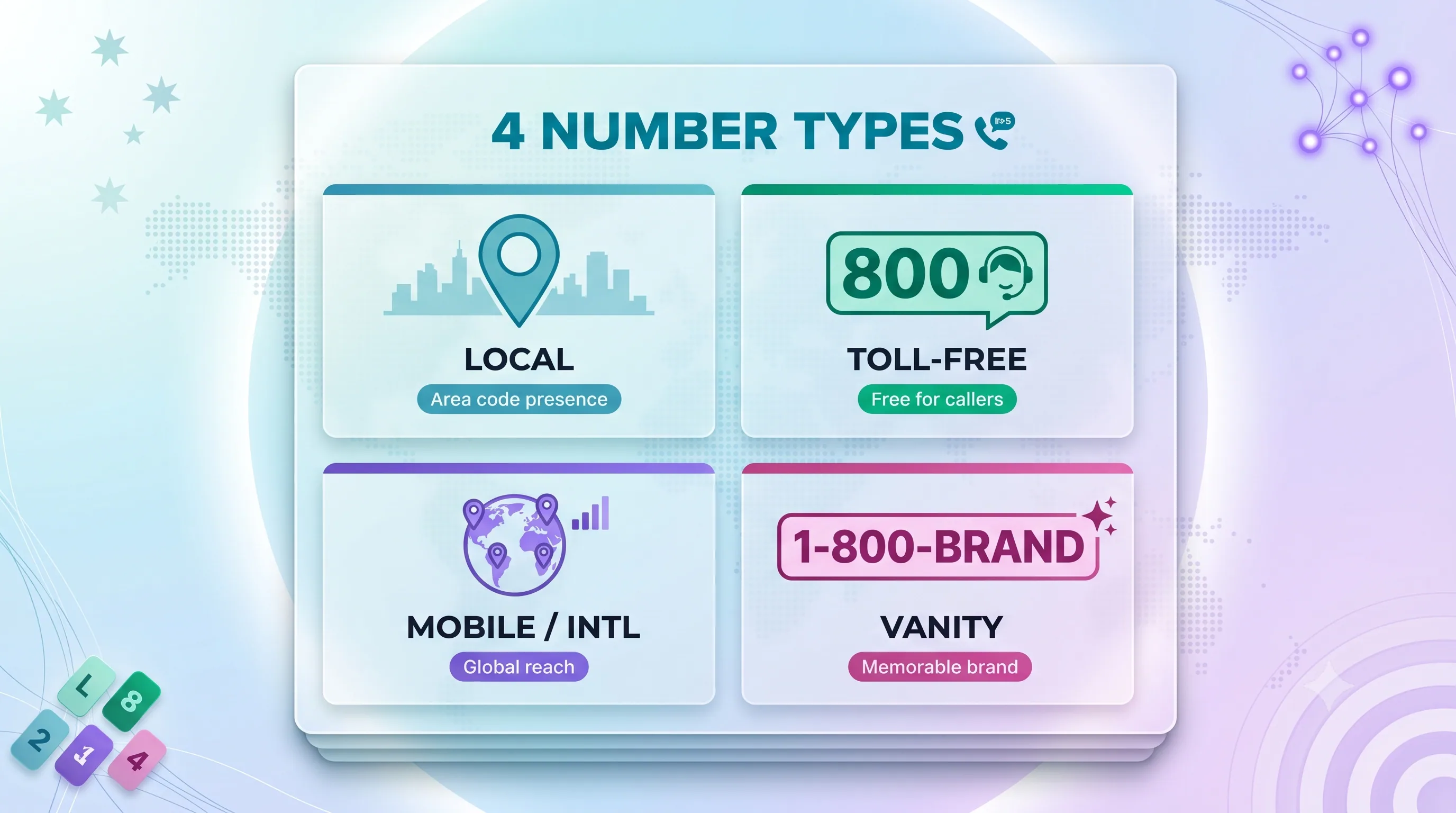
Not every virtual number does the same job. The type you pick depends on the impression you want to make and who you are calling.
Local Numbers
A local number carries a specific area code. It gives a business a regional presence — customers see a familiar code and are more likely to answer.
It is the go-to choice for serving a specific city or region without an office there.
Toll-Free Numbers
Toll-free numbers (800, 888, 877 and similar) are free for the caller. They signal an established, customer-friendly business.
These are common for support lines and sales hotlines where you want callers to feel no friction.
Mobile and International Numbers
Mobile virtual numbers look like a standard cell number — useful for texting and personal-feeling outreach.
International numbers let you hold a local presence in another country, so customers abroad reach you without a costly overseas call.
Vanity Numbers
Vanity numbers spell something memorable, like 1-800-FLOWERS. They are a marketing tool — easy to remember and easy to advertise.
They cost a little more but pay off in recall and brand consistency.
COMMON USES FOR A VIRTUAL PHONE NUMBER
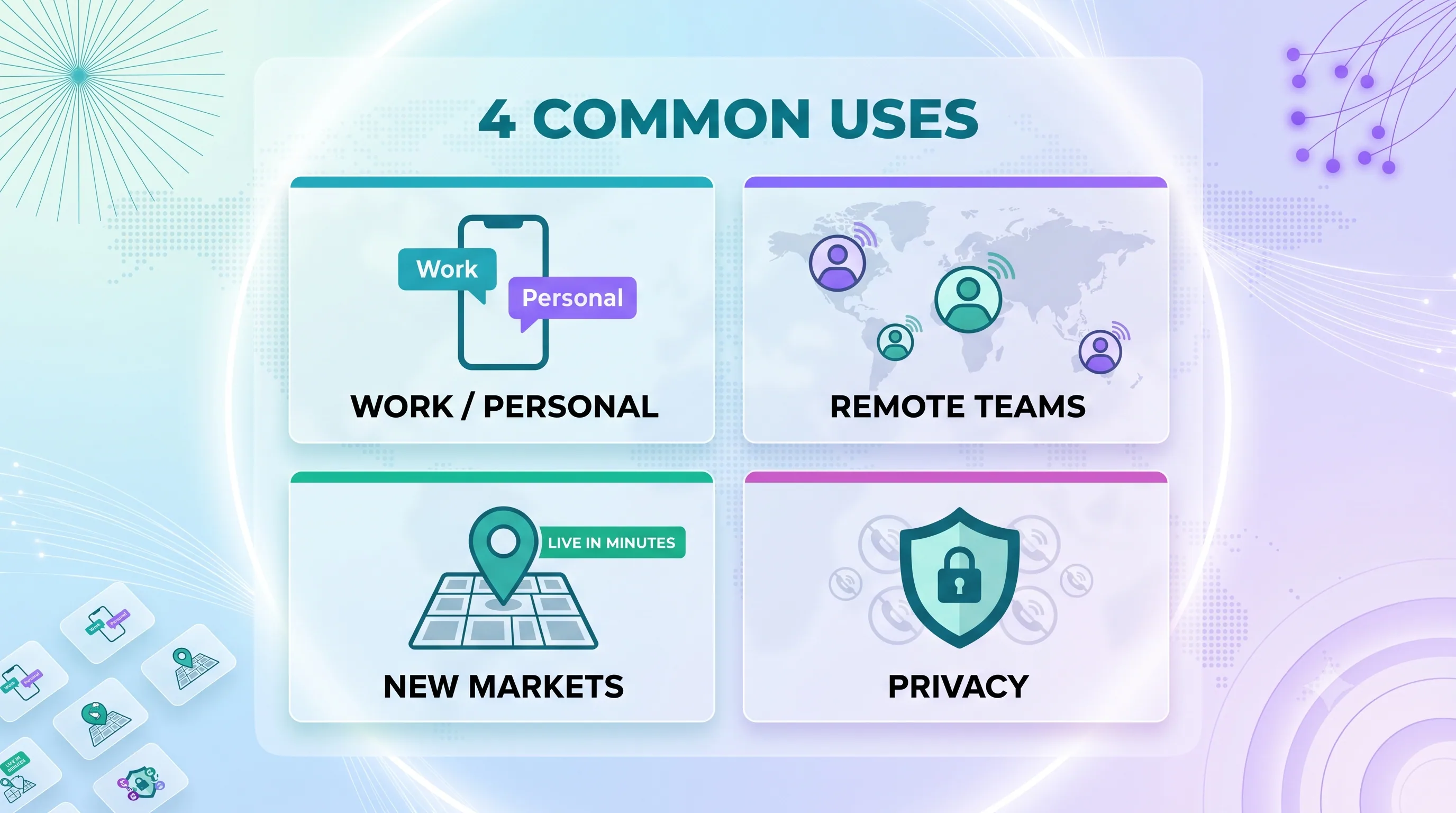
The concept is flexible, so the uses are wide. A few stand out.
Separating Work and Personal Calls
One phone, two lives. A virtual number gives you a dedicated work line on your personal device — no second handset required.
When the workday ends, you can simply stop the work line from ringing.
Supporting Remote and Distributed Teams
A team spread across cities can share one professional number. Calls route to whoever is on shift, wherever they are.
Customers get one consistent point of contact while the team stays flexible.
Building a Presence in New Markets
Want to test a new city or country before opening an office? A local virtual number gives you instant regional presence at almost no cost.
If the market works, you scale. If it does not, you simply release the number.
Protecting Your Privacy
Listing your real number publicly invites spam and risk. A virtual number acts as a buffer for online forms, marketplace listings, and dating apps.
If it attracts unwanted calls, you swap it — your personal number stays private. For more on this, see our guide to a second phone number.
Ready to put a virtual number to work? Whether you need one line or fifty, My Country Mobile makes it simple. Start free — 5-minute setup, no credit card, trusted by 17,500+ businesses in 190+ countries.
HOW TO GET A VIRTUAL PHONE NUMBER
Getting set up is far simpler than installing a traditional line. The whole process is software-based.
Choose a Provider and Number Type
Start by picking a provider, then decide on the number type — local, toll-free, mobile, or international — based on who you want to reach.
Match the number to your audience, not the other way around.
Configure Your Routing
Next, set your call rules: which device rings, what hours, where missed calls go. This is done in a dashboard, not by an engineer.
You can change these rules anytime as your needs shift.
Start Making and Taking Calls
Once the number is active, install the app or open the web client and you are live. Calls work on your phone, your computer, or both.
No SIM swap, no waiting for hardware, no field technician. For a step-by-step walkthrough, see how to get virtual phone numbers.
Ready when you are
Ready to sound local everywhere you sell?
MCM activates business numbers in minutes, with call routing, analytics, and CRM-ready integrations. Start your free trial — no card to browse inventory.
FAQs
What is a virtual phone number in simple terms?
It is a real phone number that lives in the cloud instead of on a SIM card. You can use it on any internet-connected device — phone, laptop, or browser.
Does a virtual number work without a SIM card?
Yes. It runs over the internet using VoIP, so it needs a data connection but no SIM card or physical phone line.
Can a virtual phone number receive texts and calls?
Most can do both, depending on the provider and number type. Callers and texters reach you exactly as they would with a standard number.
Is a virtual phone number the same as a real number?
To anyone calling you, yes — it is a fully functional number. The difference is purely in how the call is routed, which happens in the cloud.
Why do businesses use virtual phone numbers?
They cut hardware costs, support remote teams, enable local presence in new markets, and keep work and personal calls separate — all with flexible routing.
How much does a virtual phone number cost?
Most providers charge a monthly fee per number, often with calling minutes included. It is usually far cheaper than installing and maintaining traditional lines.
THE BOTTOM LINE
A virtual phone number takes the one piece of communication still tied to hardware and moves it into the cloud. The result is a number that follows you instead of the other way around.
For businesses, that means lower costs, location freedom, and routing you fully control. For individuals, it means a clean line between work and personal life — and real privacy.
If your phone setup feels stuck in the wiring era, this is the upgrade. See My Country Mobile's virtual numbers and set one up in minutes.