A traditional call center is defined by what it owns: a room, a PBX in a closet, a set of physical desks, and a fixed number of phone lines. Adding capacity means ordering hardware. When agents need to work from home, the system fights them. When call volume spikes seasonally, you either have too many seats or too few.
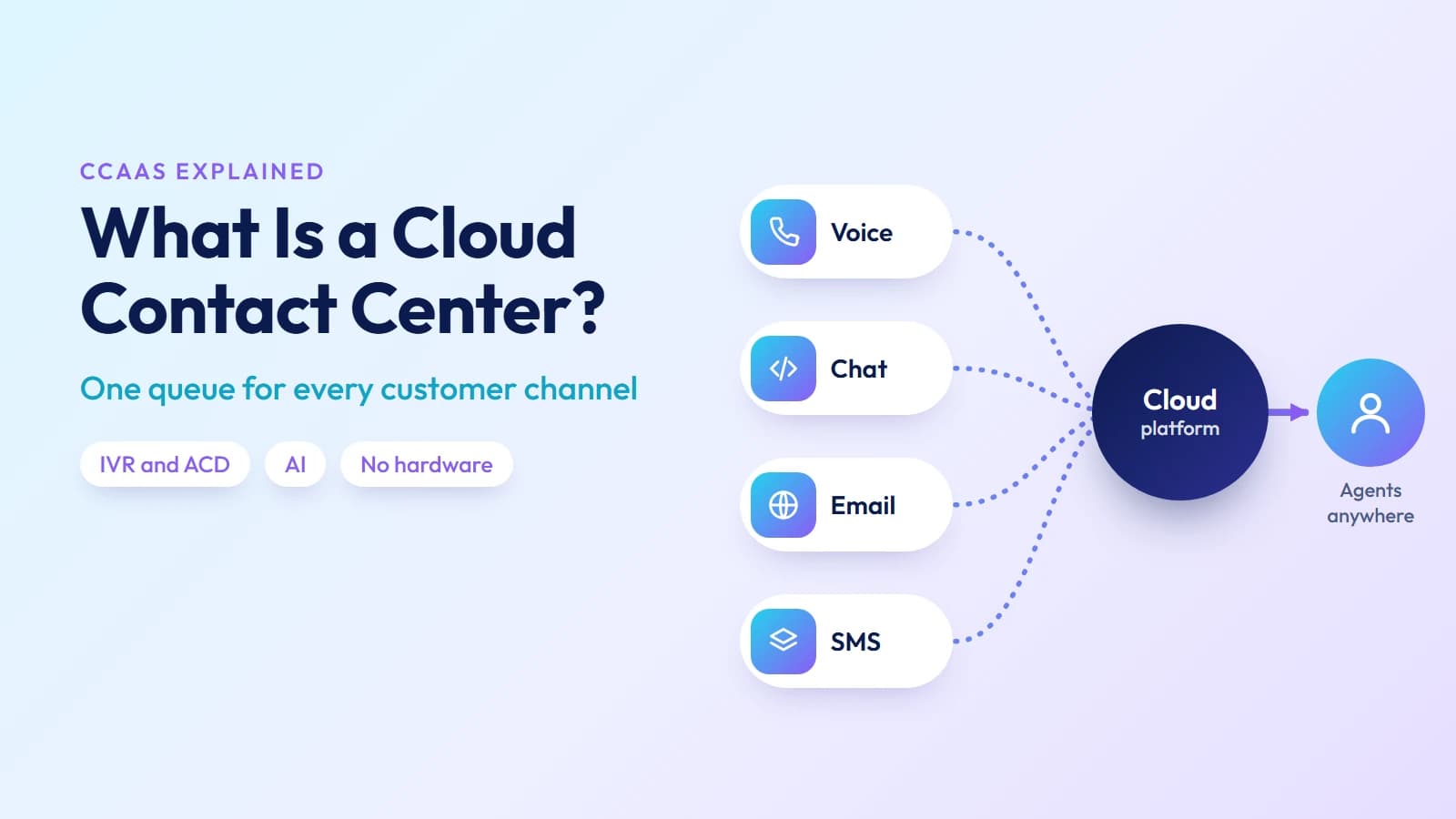
A cloud contact center takes a different starting point. The infrastructure — routing, ACD, IVR, recordings, analytics — runs on the provider's servers. Agents log in from a browser. Capacity scales in minutes. And every channel a customer might use to reach you — phone, chat, email, SMS — routes through the same platform, into the same queue, with the same customer history visible to whoever picks it up.
This guide explains how it works, what features a real platform delivers (including the AI layer that's now standard), how it compares to on-premise systems and to UCaaS, and what to evaluate in a provider.
What a cloud contact center actually is
A cloud contact center — often described as CCaaS, or Contact Center as a Service — is a customer-facing communications platform hosted by a third-party provider and accessed over the internet. It handles inbound and outbound customer interactions across voice, live chat, email, SMS, and social channels, from a single agent desktop with shared customer data and a shared queue.
The commercial model is subscription-based: per agent per month, sometimes with usage-based charges for minutes and channels on top. There is no upfront hardware purchase. The provider operates the servers, maintains uptime, pushes feature updates, and manages security compliance. You provision agents through an admin portal.
The defining characteristic is not technology — it is what it is for. A cloud contact center is purpose-built for customer-facing volume: inbound queues with wait times and SLAs, outbound campaigns with compliance controls, supervisor monitoring, and reporting by agent, queue, and channel. This is what separates it from a business phone system or a UCaaS platform, which are optimized for internal communication rather than customer operations.
How a cloud contact center works
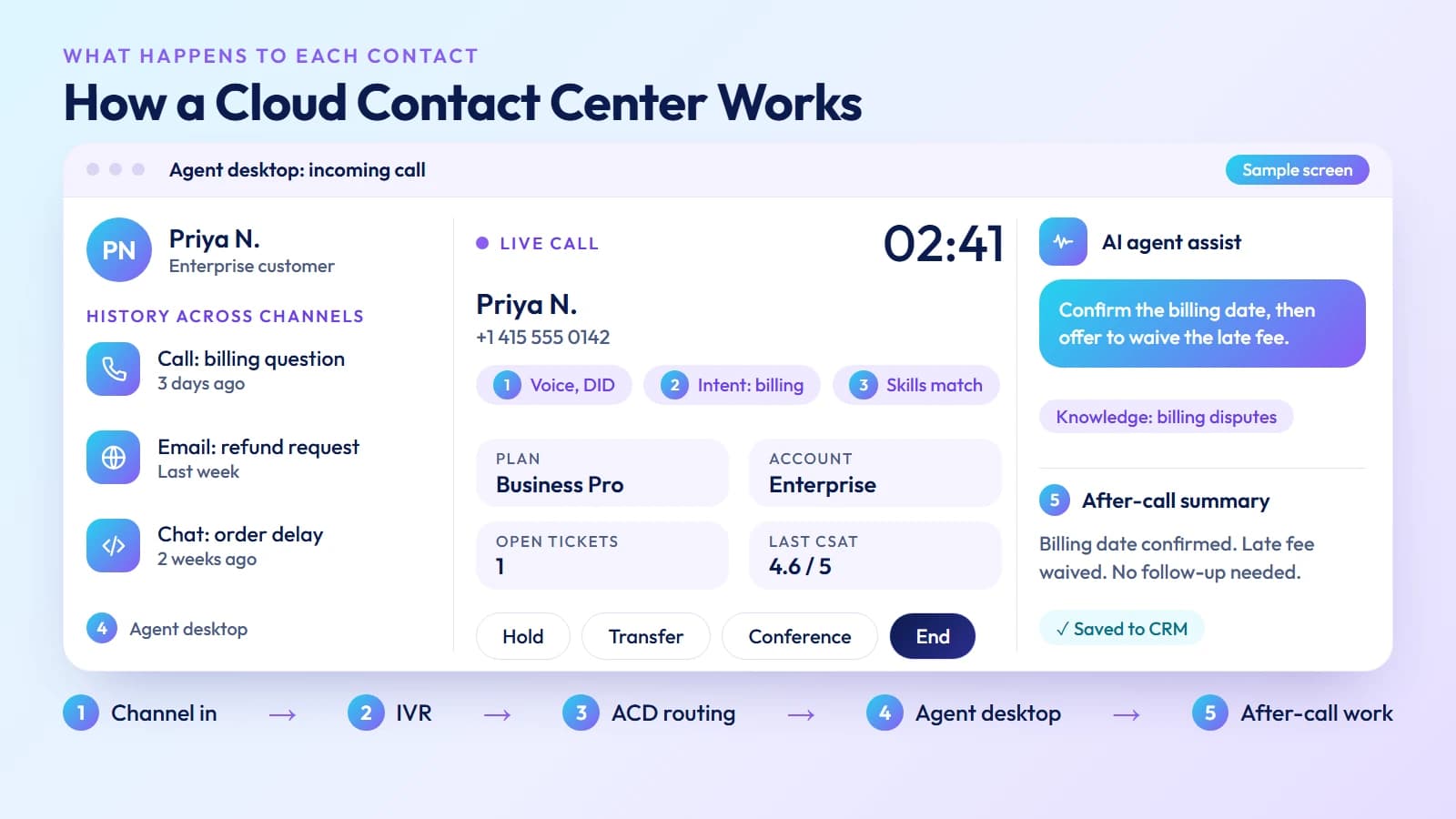
When a customer contacts your business — by phone, chat, or email — the cloud contact center platform does five things in sequence:
1. Channel ingestion — The customer's interaction enters through the appropriate gateway: a DID (Direct Inward Dialing) number for voice calls, a chat widget for web sessions, an email address for ticket ingestion, or an SMS long code or short code for text.
2. IVR (Interactive Voice Response) — For voice calls, the IVR plays a menu and collects the caller's intent. Modern IVR uses natural language voice recognition rather than DTMF keypad inputs, so callers speak their reason for calling rather than pressing numbers.
3. ACD (Automatic Call Distributor) — The ACD routes the interaction to the right agent or queue based on routing logic: skills-based routing (send billing calls to billing-trained agents), priority routing (enterprise customers jump the queue), predictive routing (match caller to the agent most likely to resolve their issue based on historical data), or CRM-powered routing (pull caller's account tier and open tickets before routing).
4. Agent desktop — The agent receives the interaction in a unified desktop showing the caller's history across all previous contacts, their CRM record, and any notes from prior interactions. Supervisors can see live queue dashboards, monitor active calls, and whisper coaching to agents without the customer hearing.
5. After-call work and analytics — After the interaction, the platform logs call disposition, records any notes (or auto-generates them via AI), updates the CRM record, and feeds the interaction data into historical reporting and quality monitoring.
The entire stack — from the phone network to the agent desktop to the analytics engine — runs on the provider's cloud infrastructure. Nothing physical needs to be installed at the agent's location.
Core features of a cloud contact center
IVR and ACD routing
IVR collects intent from callers before they reach an agent. ACD routes that intent to the right place. Together they determine whether your queue handles volume cleanly or dissolves into long wait times and wrong-department transfers.
A well-configured IVR reduces agent handle time by resolving common requests (balance checks, order status, appointment confirmation) before any agent involvement. A well-configured ACD minimizes misdirected calls — the single biggest driver of repeat contacts and high handle time.
Omnichannel support
Customers contact businesses through whichever channel is convenient in the moment: they might start on a chat widget, follow up by email, and call when the issue isn't resolved. An omnichannel contact center routes all of those channels through the same queue and shows agents the full conversation history across channels, so the customer doesn't have to re-explain the problem each time.
Siloed channel tools — one tool for calls, a different tool for email, a third for chat — create exactly the problem omnichannel solves: disconnected history, inconsistent service, and agents who can't see what a customer did before reaching them.
Outbound dialers
For sales-driven contact centers, outbound dialers automate the process of placing calls:
Predictive dialers call multiple numbers simultaneously, connecting agents only when a live person answers. They maximize agent talk time but require careful pacing to stay within regulatory limits on abandoned call rates.
Power dialers place one call per available agent automatically, without predicting answer rates. Lower talk time than predictive, but simpler compliance posture and safer for B2B where answer rates are lower.
Preview dialers show the agent the contact record before dialing — the agent confirms before the call is placed. Used for high-value accounts or sensitive outreach where context matters before the conversation starts.
Outbound dialing in the US requires compliance with the TCPA and FCC regulations on automated dialing. Confirm that any platform you evaluate has built-in consent management, call capping, and time-of-day controls.
AI features
AI is no longer a premium add-on in cloud contact centers — it is becoming the standard capability layer. The features that matter most in practice:
AI agent assist — Real-time suggestions to agents during a live call: relevant knowledge base articles, suggested responses, and next-best-action prompts. The agent can accept, edit, or ignore suggestions. Studies consistently show that AI assist reduces average handle time while improving first-call resolution.
Chatbot and voicebot — AI-driven automated responders for common customer queries. A well-trained chatbot can deflect 30–40% of inbound chat volume — answering FAQs, taking order status inquiries, processing simple requests — before any human agent involvement. Voicebots handle the same for phone calls using natural language voice recognition.
Automated call summaries — AI generates a post-call summary and updates the CRM record automatically after each interaction. Eliminates manual after-call work, which typically runs 1–3 minutes per call — meaningful savings at contact center scale.
Sentiment analysis — Real-time detection of caller emotion during a call, flagging negative sentiment for supervisor intervention. Post-call sentiment scoring across all interactions gives QA teams a starting point for reviewing the calls most likely to need attention.
AI quality scoring — Automated scoring of 100% of calls against a defined quality rubric, versus the typical 1–3% manual sampling. Managers see which agents are consistently strong and which need coaching, without the subjectivity and sampling bias of manual QA.
Predictive routing — Uses historical interaction data to match each incoming contact to the agent most likely to resolve it quickly and generate a positive survey response. A step beyond skills-based routing: instead of routing to anyone with the billing skill, it routes to the specific agent whose handle of similar past calls correlated with the best outcomes.
Real-time dashboards and historical reporting
Real-time dashboards show supervisors what is happening on the floor right now: agents currently in call, agents on hold, agents available, queue depth by channel, current wait time, service level (percentage of calls answered within SLA target). This is the operational control layer — without it, a supervisor can't see a developing queue backup until callers have already abandoned.
Historical reporting answers the planning questions: what was our call volume last Tuesday? Which queue had the longest average wait? Which agent had the highest after-call work time? What is our first-call resolution rate for billing calls?
A platform that only offers one of these — real-time visibility or historical reporting — is incomplete. Contact center management requires both.
Workforce management
Workforce management (WFM) tools handle agent scheduling and forecasting. Given historical call volume patterns, WFM engines project how many agents will be needed in each interval across the day, then build schedules that meet service level targets without overstaffing.
For contact centers with more than 20 agents, the cost of scheduling manually — or misscheduling — is significant. Overstaffing by even two agents per shift adds up to serious cost over a quarter. WFM automates the math and integrates with real-time adherence: it flags when agents are not following their scheduled state.
Call recording and quality assurance
Call recording is both a compliance requirement (in many regulated industries) and a quality tool. Recordings feed QA review, agent coaching, dispute resolution, and AI scoring. On a cloud contact center, recordings are stored in the provider's cloud, searchable by date, agent, phone number, or call disposition.
PCI DSS compliance requires that call recordings be automatically paused during payment card entry. Confirm that any platform you evaluate for a payment-handling contact center implements pause-resume recording by DTMF trigger.
CRM integration
A cloud contact center that doesn't integrate with your CRM creates a workflow where agents manually switch between the phone interface and the CRM tab — slow, error-prone, and frustrating. A proper CRM integration delivers:
- Screen pop — The caller's CRM record opens automatically when the call connects, before the agent says hello.
- Click-to-call — Agents dial from within the CRM by clicking a number, without switching to a separate dialer.
- Automatic call logging — Call outcome, duration, and notes (or AI-generated summaries) post to the CRM record without manual entry.
Most enterprise cloud contact centers integrate with Salesforce, HubSpot, ServiceNow, and Zendesk as standard. Confirm the depth of integration — particularly automatic logging and screen pop — before evaluating a platform.
Ready when you are
Protect your business line.
MCM's local numbers ship with verified caller ID and smart call filtering — customers always know it's really you, and spam never reaches your team.
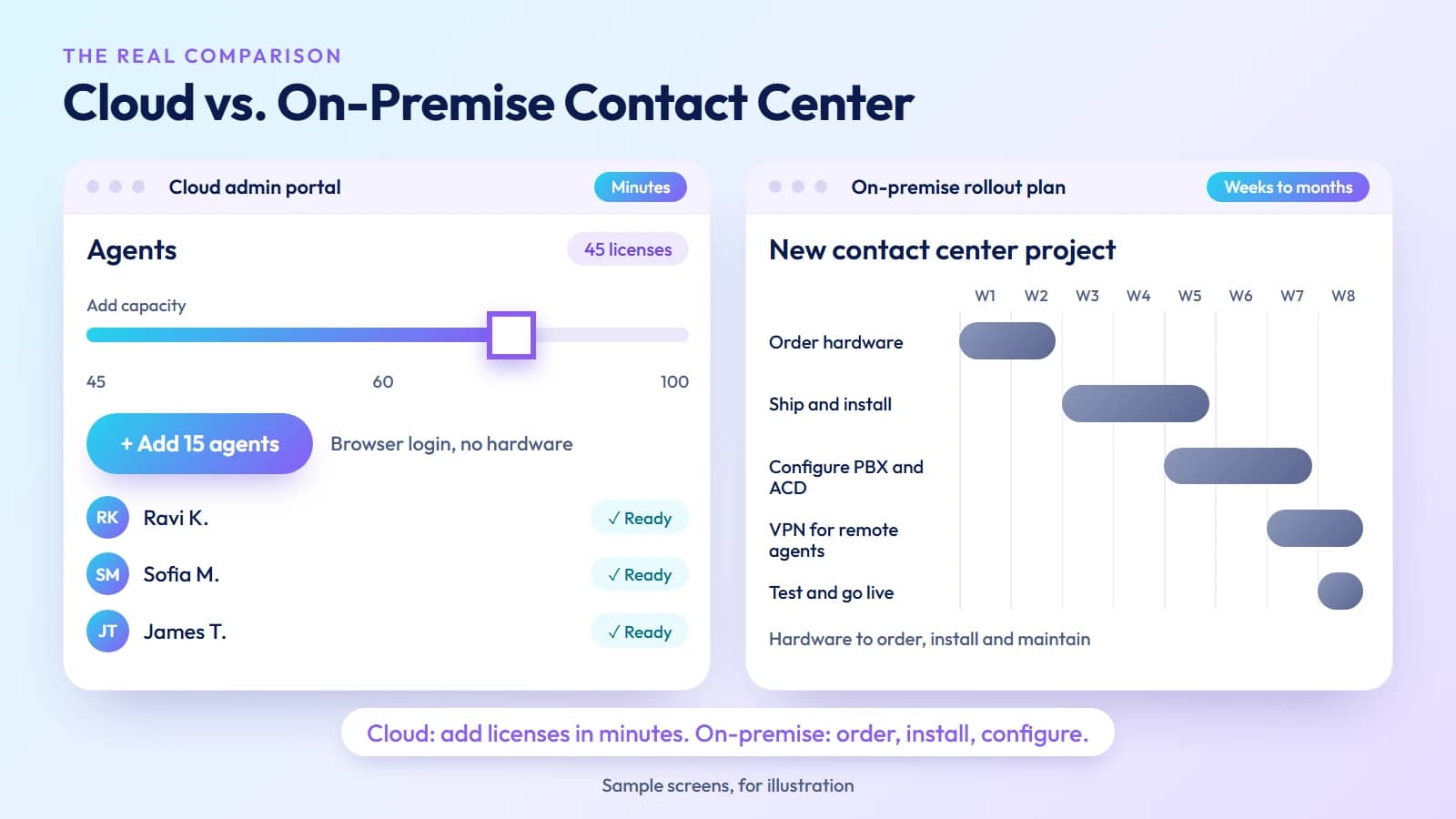
Cloud contact center vs. on-premise: the real comparison
| Dimension | Cloud contact center | On-premise system |
|---|---|---|
| Setup time | Hours to days | Weeks to months |
| Upfront cost | None (subscription) | High (hardware, licensing) |
| Scaling | Add/remove agent licenses | Order and install hardware |
| Remote agents | Native — browser-based login | Requires VPN or remote desktop |
| Software updates | Automatic, provider-managed | Manual, requires downtime |
| Disaster recovery | Built into provider's infrastructure | Requires separate DR investment |
| Customization | Limited to what the platform exposes | Deeper but requires IT resources |
| Compliance ownership | Shared between provider and operator | Operator owns everything |
The on-premise argument survives primarily in two scenarios: organizations with documented regulatory requirements for data residency that a cloud provider cannot meet, and large enterprises with heavily customized telephony integrations that would cost more to migrate than to maintain. For most contact centers — particularly those with remote or distributed teams — the cloud model is operationally superior on every dimension that matters day-to-day.
Cloud contact center vs. UCaaS
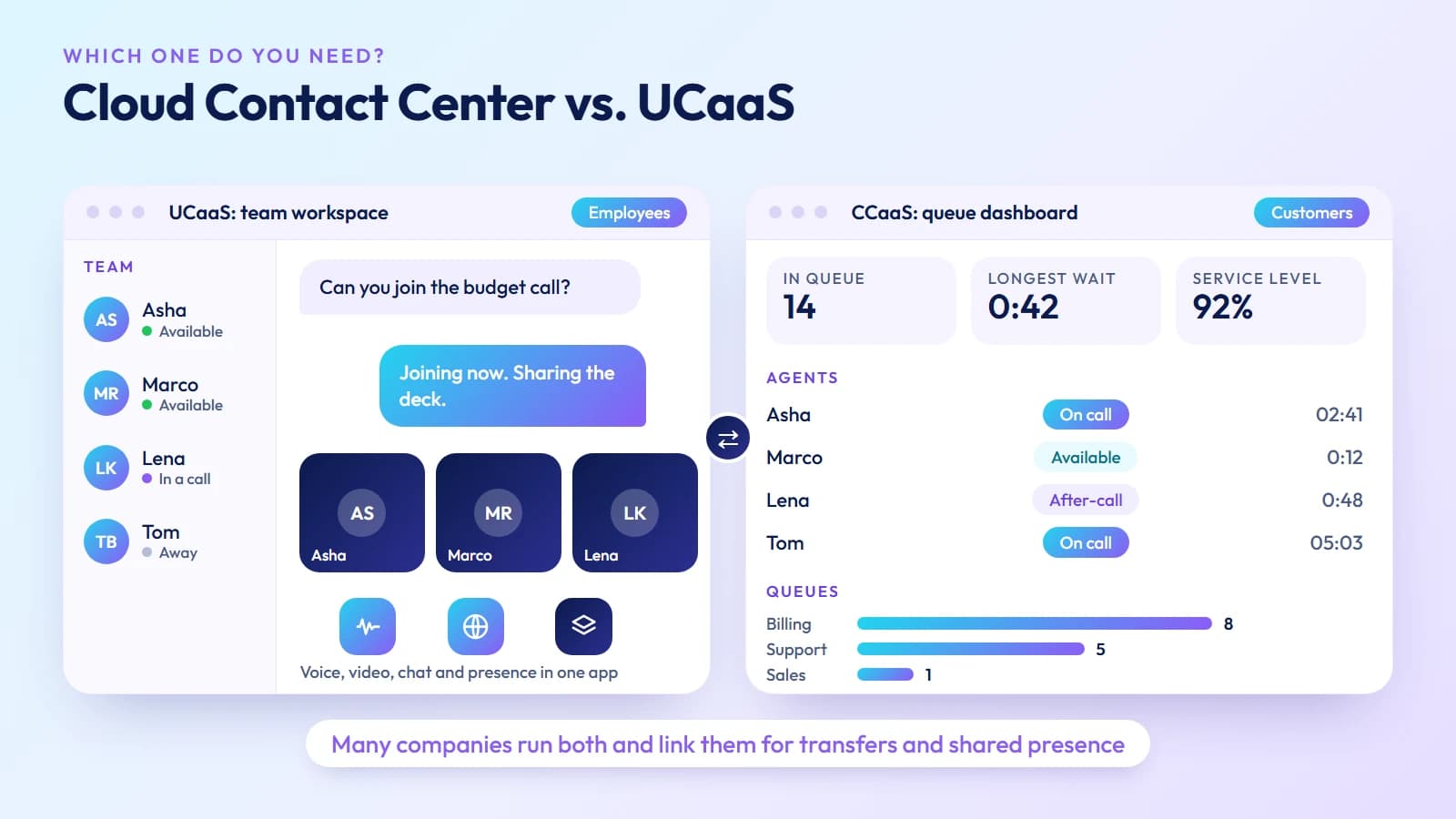
UCaaS (Unified Communications as a Service) and CCaaS (cloud contact center) are frequently confused because some providers offer both and some platforms blur the line between them.
The functional distinction: UCaaS serves internal employees, CCaaS serves external customers.
A UCaaS platform gives your team voice, video, messaging, and presence — the tools employees use to communicate with each other and with partners. It typically includes basic call queues, voicemail, and a shared directory.
A cloud contact center handles the full complexity of customer-facing volume: inbound queues with SLA reporting, outbound dialing campaigns, IVR trees, omnichannel routing, supervisor monitoring, workforce management, QA, and detailed customer journey analytics.
The question of which you need is answered by what your agents actually do. Employees who occasionally handle inbound calls alongside their other work — a small customer service team where everyone also does other tasks — are usually well-served by UCaaS with call queues. A dedicated contact center team handling hundreds of calls per day across multiple channels needs CCaaS.
Many organizations need both. Internal teams run on UCaaS; the customer-facing contact center runs on CCaaS. The two platforms are often integrated so contact center agents can see colleagues' availability and transfer calls to internal experts.
Key contact center KPIs to track
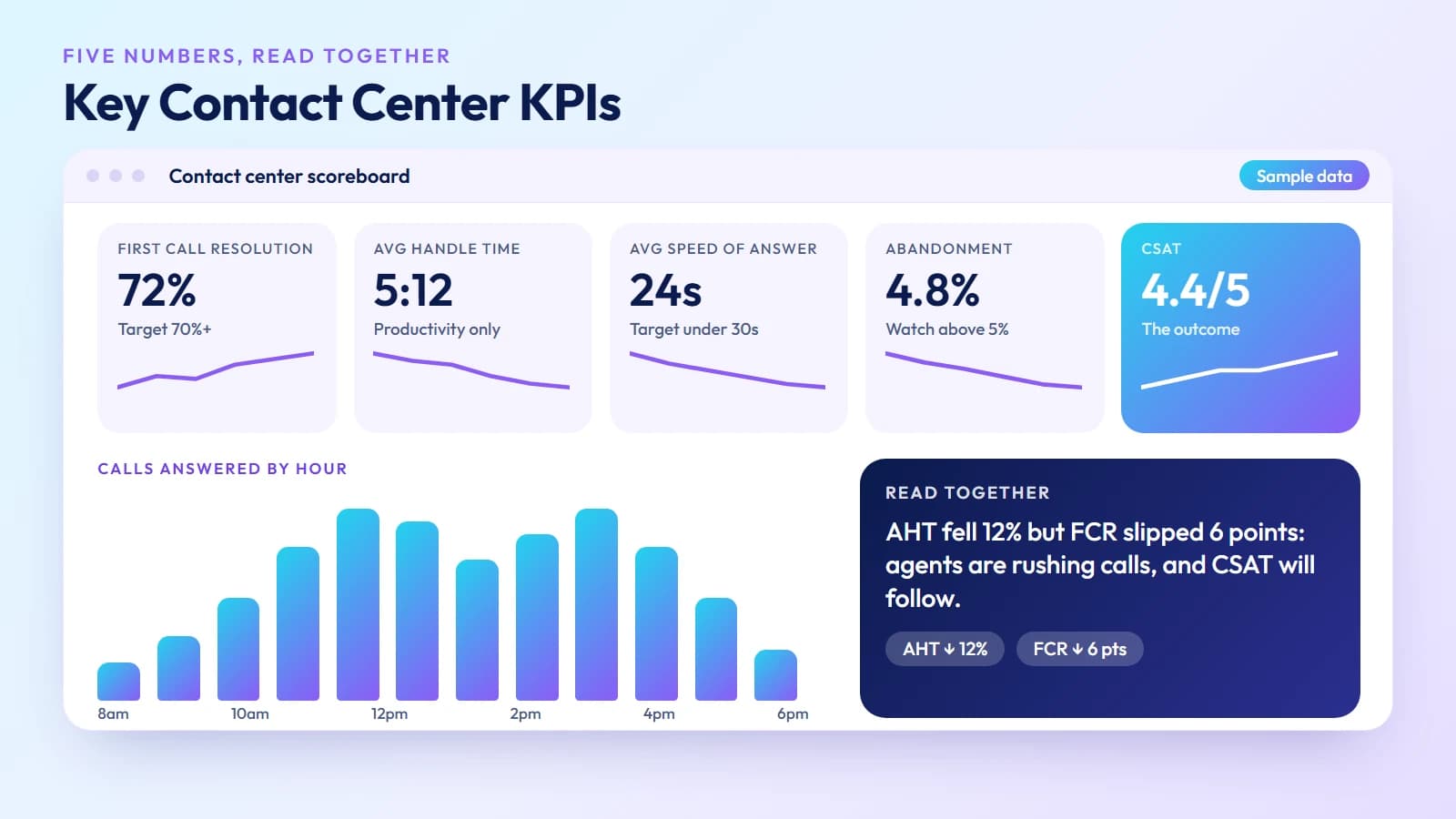
A cloud contact center generates far more data than an on-premise system. Knowing which metrics actually matter prevents dashboard overload and keeps the team focused on outcomes that affect the customer experience:
First Call Resolution (FCR) — The percentage of contacts resolved on the first interaction, without the customer needing to call back. FCR is the single strongest predictor of CSAT. Industry benchmarks run 70–75% for well-run contact centers; below 60% indicates structural routing or agent knowledge problems.
Average Handle Time (AHT) — Total talk time plus hold time plus after-call work per interaction. AHT is a productivity measure, not a quality measure — never optimize AHT in isolation. Agents coached only to lower their AHT typically do it by cutting interactions short, which drives down FCR and CSAT.
Average Speed of Answer (ASA) — How quickly calls are answered from the queue. Most contact centers target under 20–30 seconds, but the right target depends on caller expectations and channel. Chat users expect faster response than phone callers.
Abandonment Rate — The percentage of callers who hang up before reaching an agent. Above 5–8% is a signal that queue times are exceeding customer patience. Track abandonment by queue and time of day to identify specific capacity gaps.
Customer Satisfaction Score (CSAT) — Post-contact survey ratings from customers who were served. CSAT is the output metric that all the others are in service of. Track it by agent, by queue, and by channel — channel-level CSAT often reveals that voice resolves issues faster than chat, or vice versa, which should influence channel routing strategy.
Security and compliance
A cloud contact center's security posture depends on the provider's infrastructure, which makes vendor assessment as important as feature comparison.
Encryption — Voice calls should be encrypted in transit (TLS for SIP signaling, SRTP for media) and at rest for recordings. Confirm which standard the provider uses and whether all recording storage is encrypted, not just in-transit.
Access controls — Multi-factor authentication for agent and admin logins, single sign-on integration (Okta, Azure AD), and role-based permissions that limit what each agent or supervisor role can see and do. Verify that ex-employee access can be revoked from the admin portal in minutes.
HIPAA — Healthcare contact centers processing protected health information must use a provider with HIPAA-compliant infrastructure and a signed Business Associate Agreement (BAA). Not every cloud contact center provider offers this — confirm before shortlisting.
PCI DSS — Contact centers that take payment card information over the phone need pause-resume recording during card entry, and they need to understand which elements of the infrastructure are in-scope for PCI. Ask the provider for their PCI DSS attestation and which environments are covered.
SOC 2 Type II — A third-party audit of the provider's security controls over a minimum six-month period. SOC 2 Type II is the baseline security certification to expect from any serious cloud contact center vendor. Request the report, not just a statement that they have it.
How to choose a cloud contact center provider
Channel coverage — Start with the channels your customers actually use. If 80% of your volume is voice with some email, you need a strong voice platform. If you have active chat and social channels, confirm those are fully native (not bolt-ons acquired separately).
AI capabilities depth — Demo the AI features specifically: AI agent assist during a live call, chatbot deflection rates, automated call summaries. Marketing-page descriptions of "AI-powered" features vary widely in what they actually deliver.
CRM integration quality — Request a demo of the specific CRM integration you need. Screen pop, click-to-call, and auto-logging all need to work in your CRM version, not a generic demo environment.
Uptime SLA and history — A 99.99% annual uptime SLA means about 53 minutes of downtime per year. Ask for the actual uptime history over the last 12 months, not just the contractual commitment. A contact center outage is not a minor inconvenience — it takes the entire customer-facing operation offline.
WFM and reporting depth — If you have more than 25 agents, workforce management is not optional. Evaluate whether WFM is native to the platform or a separate integration, and whether the historical reporting covers the KPIs your management team actually tracks.
Migration support — Ask specifically about number porting timelines, SIP trunk cutover procedures, and whether the provider assigns an implementation engineer or hands you a self-service portal.
My Country Mobile's Contact Center platform covers the full stack — inbound ACD and IVR, outbound dialers, omnichannel routing across voice, chat, email, and SMS, AI agent assist, automated call summaries, real-time dashboards, and historical reporting, with direct carrier-grade interconnects in 190+ countries for global coverage. Talk to the team to run a live pilot on your actual traffic.
If your agents are mostly internal staff, see our guide to what UCaaS is.
Ready when you are
Ready to sound local everywhere you sell?
MCM activates business numbers in minutes, with call routing, analytics, and CRM-ready integrations. Start your trial — no card to browse inventory.
Frequently asked questions
What is a cloud contact center?
A customer service platform hosted on the provider's infrastructure, handling inbound and outbound voice, chat, email, and SMS through a single agent desktop. No on-site hardware required; billed per agent per month.
What is the difference between a cloud contact center and UCaaS?
UCaaS handles internal employee communication — calls, video, messaging between staff. A cloud contact center (CCaaS) handles external customer-facing operations: inbound queues, outbound dialers, IVR, ACD, supervisor monitoring, and customer analytics. Many organizations use both.
What is the difference between a cloud contact center and a traditional call center?
Traditional call centers require on-site hardware, fixed locations, and upfront capital investment. A cloud contact center runs on the provider's infrastructure, scales by adding licenses, and lets agents work from anywhere.
What features should I look for in a cloud contact center?
IVR and ACD routing, omnichannel support, outbound dialer, real-time dashboards, historical reporting, CRM integration, call recording, workforce management, and AI features — agent assist, chatbot, automated summaries, sentiment analysis, and AI quality scoring.
What contact center KPIs should I track?
First Call Resolution (FCR), Average Handle Time (AHT), Average Speed of Answer (ASA), Abandonment Rate, and Customer Satisfaction Score (CSAT). Track all five together — optimizing any one in isolation degrades the others.
Is a cloud contact center secure and compliant?
A reputable provider delivers TLS/SRTP encryption, MFA, role-based access, SOC 2 Type II certification, and HIPAA / PCI DSS compliance where required. Always ask for the actual compliance certifications and uptime history, not just marketing statements.